What Is Graphify? Why This GitHub Project Is Suddenly Trending
If you've been on developer Twitter or browsing GitHub Trending in the past week, you've probably seen the name Graphify popping up everywhere. It showed up seemingly overnight, got reposted by hundreds of developers, and the GitHub repo is actively shipping releases daily. So what is it, why did it blow up, and is it worth your attention?
Let's break it all down.
The Origin Story: Karpathy Asked, Someone Delivered in 48 Hours
To understand why Graphify went viral, you need to know a little backstory.
Andrej Karpathy — co-founder of OpenAI and one of the most respected figures in AI — publicly described his personal workflow: he keeps a /raw folder where he drops papers, tweets, screenshots, and research notes, then uses LLMs to reason over them. The implicit challenge in that post was obvious to thousands of developers: someone should build a tool that automates this properly.
Someone did. Within 48 hours, Safi Shamsi published graphify on GitHub. A viral tweet by @socialwithaayan captured the energy perfectly: "Karpathy asked. Someone delivered in 48 hours. That is the pace of 2026."
The rest, as they say, is GitHub Trending history.
What Is Graphify, Exactly?
Graphify is an open-source AI coding assistant skill — think of it as a slash command (/graphify) you invoke inside tools like Claude Code, OpenAI Codex, OpenCode, OpenClaw, Factory Droid, or Trae. When you run it, it does something deceptively powerful:
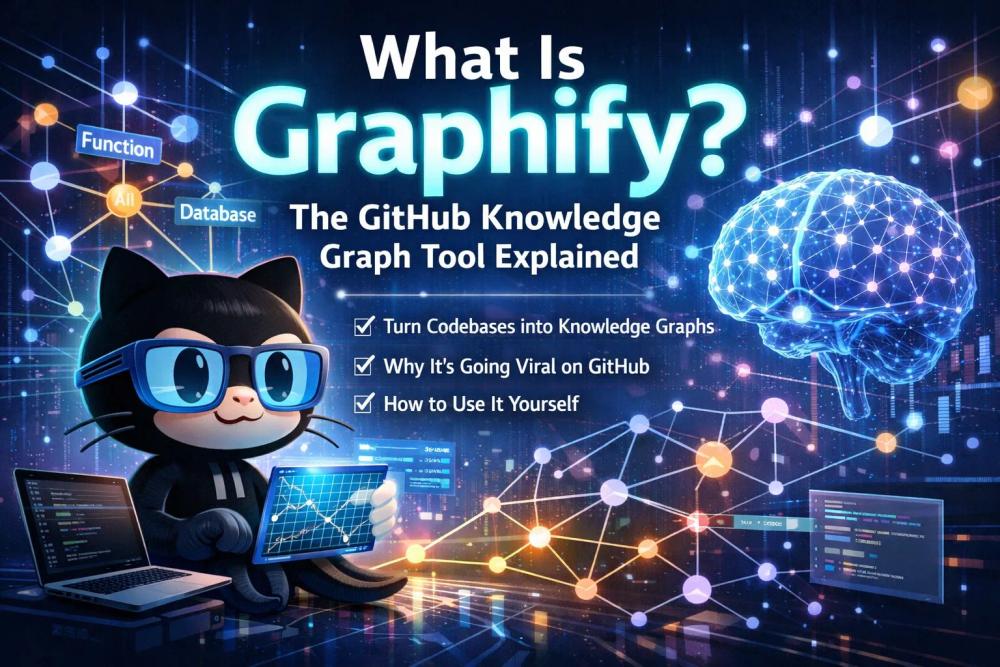
It reads every file in your folder — code, PDFs, Markdown docs, screenshots, diagrams, even whiteboard photos — and builds a queryable knowledge graph that shows you the structure, relationships, and "why" behind everything.
Instead of grepping through files or stuffing your entire codebase into a context window, you get a compact, navigable graph that an AI agent can reason over in a fraction of the tokens.
The project is maintained by Safi Shamsi, released under the MIT license, and built on widely-trusted open-source libraries: Tree-sitter for static code analysis, NetworkX for graph construction, and the Leiden algorithm for community clustering.
How Does It Actually Work?
Graphify combines two distinct extraction strategies:
1. Local static analysis (Tree-sitter AST) For source code, Graphify uses Tree-sitter to parse Abstract Syntax Trees entirely on your machine. Call graphs, function signatures, class hierarchies, import chains — all extracted locally, with no source code ever leaving your computer.
2. LLM-driven semantic extraction For documents, PDFs, images, and diagrams, Graphify sends content to your AI coding assistant's underlying model API (Anthropic's Claude for Claude Code users, OpenAI for Codex users) to extract concepts and relationships. Only semantic descriptions are transmitted — not raw source files.
Every extracted relationship is tagged with one of three labels:
- EXTRACTED — found directly in the source material
- INFERRED — a reasonable inference, with a confidence score
- AMBIGUOUS — flagged for your review
This transparency means you always know what the graph found versus what it guessed, which is a meaningful design choice in a space full of black-box tools.
The Leiden algorithm then groups nodes into communities based purely on graph topology — no embeddings, no vector database required.
What Does Graphify Actually Output?
After a single /graphify run, you get a graphify-out/ folder containing:
graph.html— an interactive, clickable visualization of the entire knowledge graph. You can filter by community, search by concept, and explore connections visually.GRAPH_REPORT.md— a human-readable summary of "god nodes" (the most connected, critical concepts), surprising cross-file connections, and suggested questions to ask.graph.json— the persistent graph you can query weeks later without re-reading any raw files.cache/— SHA256 hashes of every file processed, so re-runs only touch changed files.
Optional extras: an Obsidian vault (with backlinked articles per concept cluster) and a Wiki with an index.md entry point that any agent can navigate by reading files instead of parsing raw JSON.
The Number Everyone Is Talking About: 71.5x Token Reduction
The statistic that made Graphify go viral is its token efficiency benchmark: on a mixed corpus of Karpathy repos, papers, and images, Graphify achieves 71.5x fewer tokens per query compared to reading raw files directly.
To put that in concrete terms: if answering a question about your codebase would normally cost 71,500 tokens by scanning files, the graph lets you answer it for roughly 1,000 tokens. That's not a small optimization — it's a different category of interaction entirely.
The first run costs tokens (extraction isn't free), but every subsequent query reads the compact graph instead of raw files. The SHA256 cache means re-runs only re-process changed files, so the savings compound over time.
What Languages and File Types Does It Support?
Graphify is notably broad in its coverage. On the code side, it supports 20 programming languages via Tree-sitter AST: Python, JavaScript, TypeScript, Go, Rust, Java, C, C++, Ruby, C#, Kotlin, Scala, PHP, Swift, Lua, Zig, PowerShell, Elixir, Objective-C, and Julia.
On the document and media side, it handles Markdown, PDFs, screenshots, diagrams, whiteboard photos, and even images containing text in other languages (using Claude Vision for extraction).
This multimodal reach is what separates Graphify from typical code-analysis tools — it's built for mixed-reality repos where the context lives in papers, design docs, and Slack screenshots just as much as in .py files.
Which AI Coding Assistants Does It Work With?
Graphify is designed as a skill for AI coding assistants, not a standalone application. Currently supported platforms:
- Claude Code (Anthropic)
- Codex (OpenAI)
- OpenCode
- OpenClaw
- Factory Droid
- Trae
Installation is a two-step process:
pip install graphifyy # PyPI package (temporarily named graphifyy while the name is reclaimed)
graphify install # installs the skill into your chosen platform
Then inside your AI coding assistant, simply type /graphify followed by a folder path.
For Claude Code specifically, Graphify does something clever: it installs a PreToolUse hook in settings.json that fires automatically before every Glob and Grep call. When a knowledge graph exists, Claude sees a reminder to read GRAPH_REPORT.md first — so it navigates via the graph instead of grepping through every file by default.
Why Does It Work Without a Vector Database?
Most RAG (Retrieval-Augmented Generation) approaches for codebases depend on embedding models and a vector store to do semantic similarity search. Graphify takes a different path.
Because semantic similarity edges are already baked into the graph structure during extraction (tagged as semantically_similar_to, marked INFERRED), the graph topology itself is the similarity signal. The Leiden clustering algorithm finds communities by edge density — no separate embedding step needed. This eliminates a significant setup burden and removes an entire class of infrastructure dependencies.
Is the Code Private When You Use It?
This is a reasonable concern. The answer is nuanced:
- Source code: processed entirely locally via Tree-sitter. Nothing leaves your machine.
- Docs, PDFs, images: semantic descriptions are sent to your AI platform's model API using your own API key. The actual file contents are not stored or retained by Graphify itself, and the project performs no telemetry.
The project is MIT-licensed and security-conscious by design: URLs are restricted to HTTPS, downloads are size- and time-bounded, output paths are containment-checked, and node labels are HTML-escaped to prevent injection attacks.
Is It Worth Checking Out?
If you regularly work with large codebases, mixed research-and-code repos, or multi-document projects where "understanding the why" is as important as "understanding the what," Graphify addresses a genuinely hard problem in a novel way.
The ecosystem is also moving fast: a .NET port (graphify-dotnet) already exists for C# developers, the project ships daily releases with active bugfixes, and the team is building Penpax on top of it — an on-device personal knowledge graph that connects meetings, browser history, emails, files, and code into a continuously updating graph with no cloud dependency.
Whether the 71.5x token number holds up on your specific codebase will depend on its size and structure (the benchmark is most meaningful at 50+ files), but the underlying architecture — transparent relationship tagging, local code processing, no vector DB — is solid enough to warrant trying on a real project.
GitHub repo: github.com/safishamsi/graphify
Official site: graphify.net
Last updated: April 2026. Graphify is under active development; check the GitHub releases page for the latest changes.