

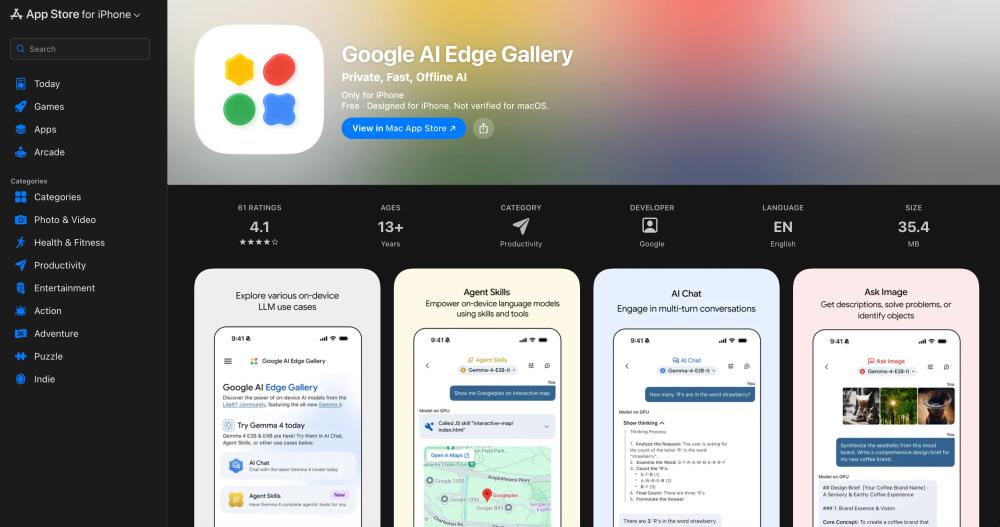
Google AI Edge Gallery is a powerful on-device AI app for iPhone that lets users run open-source large language models locally. If you are looking for a private, fast, and offline mobile AI experience, Google AI Edge Gallery is one of the most interesting new apps to watch.
Unlike cloud-only AI apps, Google AI Edge Gallery focuses on running AI directly on your hardware. That means your prompts, images, and interactions can stay on your device, giving you a more private and responsive AI workflow.
What Is Google AI Edge Gallery?
Google AI Edge Gallery is an iPhone app from Google designed for running open-source LLMs on mobile devices. It is built for users who want offline AI, local model execution, and more control over how AI works on their phones.
The app positions itself as a destination for testing high-performance generative AI on-device, with support for modern open-source models including the Gemma 4 family.
Key Features of Google AI Edge Gallery
1. Offline AI Chat
With Google AI Edge Gallery, users can chat with supported models directly on their iPhone. The local-first design makes the app appealing for people who care about privacy, speed, and offline access.
2. Thinking Mode
One of the standout additions in Google AI Edge Gallery is Thinking Mode. This feature is designed to show the model’s reasoning process for supported models, helping users better understand how the AI approaches more complex tasks.
3. Agent Skills
Google AI Edge Gallery includes Agent Skills that extend the model beyond simple conversation. These tools can add capabilities such as Wikipedia-based fact grounding, interactive maps, and rich visual summaries.
4. Ask Image
The app also supports multimodal AI use cases. With Ask Image, users can analyze photos, identify objects, solve visual questions, and generate detailed image descriptions directly on-device.
5. Audio Scribe
Another useful feature in Google AI Edge Gallery is Audio Scribe, which can transcribe and translate voice recordings into text using on-device AI models.
6. Prompt Lab
Prompt Lab gives users a dedicated space to test prompts and experiment with parameters like temperature and top-k. This makes Google AI Edge Gallery especially interesting for AI enthusiasts, developers, and prompt engineers.
7. Model Management and Benchmarking
The app also supports model downloads, custom model loading, model library management, and benchmarking. This makes Google AI Edge Gallery feel more like an AI sandbox than a simple chatbot app.
Why Google AI Edge Gallery Stands Out
There are many AI chat apps on mobile, but Google AI Edge Gallery stands out because it combines several valuable ideas:
- Offline AI on iPhone
- On-device privacy
- Open-source model support
- Fast local performance
- Experimental AI tools for developers and enthusiasts
For users interested in local AI, edge AI, and mobile LLM experiences, Google AI Edge Gallery offers a different value proposition from traditional cloud-based assistants.
Who Should Use Google AI Edge Gallery?
Google AI Edge Gallery may be a great fit for:
- Users who want private offline AI
- Developers testing on-device LLM experiences
- AI enthusiasts exploring Gemma 4 and local models
- Mobile users who prefer fast local inference
- People interested in multimodal AI on iPhone
Final Thoughts
If your audience is searching for Google AI Edge Gallery, they are likely interested in offline AI, local LLM apps, or private mobile AI tools. This app is notable because it brings together AI chat, image understanding, transcription, prompt testing, and model benchmarking in one on-device experience.
As interest in edge AI keeps growing, Google AI Edge Gallery could become an important app for anyone who wants to explore powerful AI on iPhone without relying entirely on the cloud.