

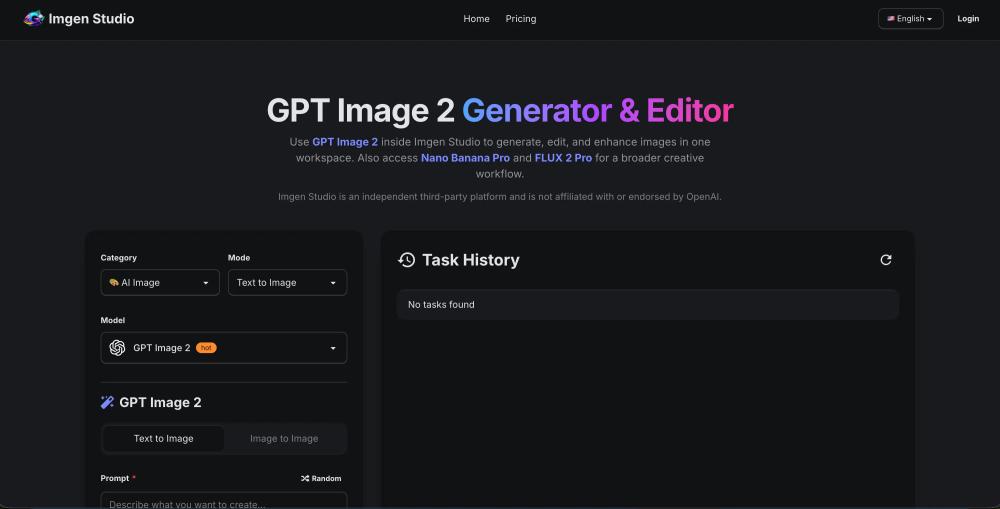
What is GPTImgen?
GPTImgen is an AI image generation and editing platform built for people who want more than a simple prompt-to-image tool. It gives users access to GPT Image 2 inside a practical workspace where they can generate images, edit existing visuals, remove backgrounds, upscale outputs, and iterate faster without jumping between multiple products.
If the goal is simple, GPTImgen works as a fast GPT Image 2 generator. If the goal is more serious production work, it also supports a broader creative workflow with image editing and additional model options in the same place.
Why GPTImgen is Useful
A lot of AI image tools look good in demos but become annoying in real use. GPTImgen feels more practical.
It is especially useful for:
- generating images from text prompts
- editing existing images with AI
- handling text-heavy visuals like posters, UI mockups, and marketing graphics
- creating cleaner product images with background removal
- upscaling images to higher resolution for publishing or commercial use
This makes GPTImgen a good fit for creators, indie makers, designers, marketers, and anyone testing GPT Image 2 for real workflows instead of just one-off experiments.
Key Features of GPTImgen
GPT Image 2 Generator
GPTImgen lets users create images from natural language prompts using GPT Image 2. This is useful for concept art, blog visuals, social graphics, product mockups, posters, and many other creative tasks.
Image Editing Workflow
Beyond generation, GPTImgen also supports image-to-image editing, so users can upload an existing image and describe what they want changed. This is helpful for restyling, object replacement, composition updates, and visual refinement.
Background Removal
For e-commerce, product showcases, and clean visual assets, GPTImgen includes background removal so users can isolate subjects and continue editing inside the same workflow.
4K Upscaling
GPTImgen supports image enhancement and upscaling, which is useful when a draft image needs to become a sharper final asset for websites, ads, or commercial use.
Multiple Models in One Workspace
One practical thing about GPTImgen is that it is not locked into a single model workflow. Users can start with GPT Image 2 and also access other supported image models in the same workspace, which makes testing and comparison easier.
Who Should Use GPTImgen?
GPTImgen is a strong option for users who want:
- an online GPT Image 2 tool without API setup
- a cleaner way to generate and edit images in one place
- better support for text-heavy image prompts
- a faster workflow for marketing visuals and product graphics
- an AI image platform that is useful for both testing and production
For solo founders, content creators, and AI tool users, GPTImgen is not just another image generator. It is closer to a lightweight AI image studio.
GPTImgen for GPT Image 2 Workflows
If someone is specifically searching for a GPT Image 2 generator, GPT Image 2 editor, or a browser-based way to use GPT Image 2 online, GPTImgen is clearly built around that need.
Instead of only focusing on raw generation, GPTImgen turns GPT Image 2 into a more complete workflow: generate first, edit next, enhance after that, and export when ready.
That matters because most users do not actually stop at the first image. They want to refine, fix, upscale, and reuse. GPTImgen is designed for that real behavior.
GPTImgen is a practical AI image platform for people who want to use GPT Image 2 in a more complete and usable way. It combines generation, editing, cleanup, and enhancement into one workflow, which makes it more useful than tools that only handle a single step.
If the user is looking for a fast, browser-based GPT Image 2 generator and editor, GPTImgen is worth checking out.