

CopilotKitFreemium
Connect your application's interface to AI agents, tools and human decisions with an open-source SDK.
Afterparty: AI meeting assistant for post-meeting work
Turn meeting commitments into drafts you review and approve.
What does Afterparty actually do?
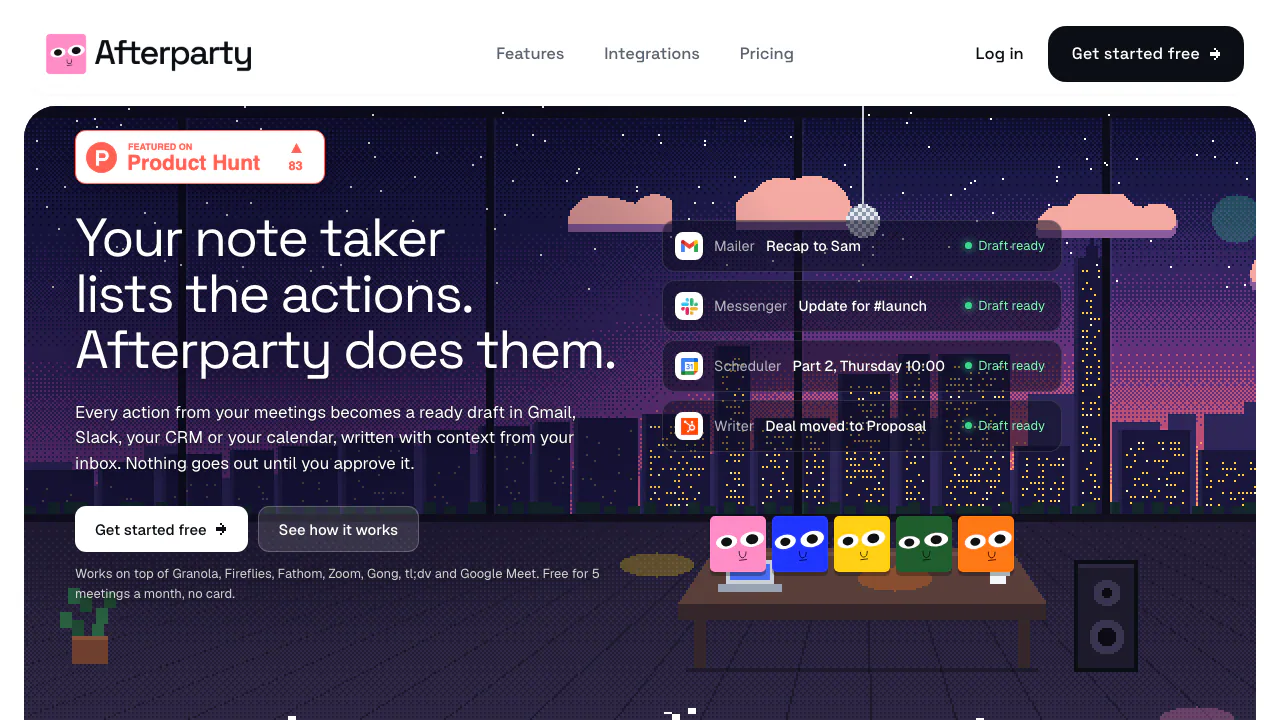
Afterparty is an AI meeting assistant for the work that follows a call. Give it a meeting transcript and it identifies commitments, then prepares the emails, chat messages, calendar invitations, CRM notes and documents needed to follow through. You review each item before it reaches a connected app.
For example, a client call might leave you promising a recap, an internal capacity check and a follow-up session. Afterparty can turn those promises into separate drafts with recipients, context and dates to check. It works alongside an existing note taker and is particularly useful for people who own client follow-ups or coordinate projects. It is a web service operated by Sweden's Kisa & Co AB.
Turn action items into drafts in the right place
The agents distinguish your commitments from other participants' tasks. They look up relevant context in connected tools, such as the existing email thread or CRM contact. If an action already appears completed, they can show the supporting item instead of drafting it again. Missing information may trigger a question rather than a guessed detail.
- Email and team updates: prepare Gmail or Outlook drafts and Slack or Microsoft Teams messages.
- Scheduling and tasks: prepare Google Calendar or Outlook invitations, time blocks, or issues for Linear, Jira, Asana and ClickUp.
- Customer records and documents: draft notes for HubSpot, Salesforce or Attio and documents for Notion, Google Docs or Confluence.
Drafts follow the meeting's language. Memory can hold facts about colleagues and writing preferences; every plan lets you edit it, while automatic learning from reviews requires Pro or Max. These are context aids, so still check names, commitments and dates.
Run a meeting through the approval inbox
- Create and verify an account using the name people use for you in meetings. Connect relevant apps in Setup, or begin without connections.
- Open New meeting. Paste a transcript, upload a
.txt,.vttor.srtfile, or manually import a recent meeting from a supported recorder. Speaker-labelled transcripts work best. Uploads are limited to 3 MB and approximately 60,000 words. - Start the agents. Answer questions about missing details and inspect the generated actions.
- In Inbox, read each draft and its source references. Edit it directly or request changes; resolve any
[CHECK]placeholders. Dismiss items you do not need. - Read the approval button carefully, approve the item, then open its destination link to check the result. Email still needs a separate Send action in your mailbox.
Granola, Fireflies, Fathom, Zoom, tl;dv, Google Meet and Gong are documented sources. Automatic import requires Pro or Max and timing varies: some sources are checked hourly. Zoom needs a cloud recording with transcription, and Meet needs transcription enabled. See the transcript import guide before choosing an input route.
Free, Pro and Max: what changes?
Checked on 18 October 2026, the public pricing page lists USD prices, with applicable tax added at checkout.
- Free: $0, no card required; five meetings in a rolling 30-day window. Email and calendar outputs can reach their apps, while CRM, chat and document drafts can be copied manually.
- Pro: $29 monthly or $290 annually; 20 meetings per billing month. Adds automatic imports, direct delivery to the supported work apps, broader connected context and learning from reviews.
- Max: $79 monthly or $790 annually; 60 meetings per billing month. Adds frontier models, instructions for each draft type and six months of context.
Count processed transcripts, not individual drafts, when assessing the allowance. Manual recorder imports are available on Free. Unused meetings do not roll over, so the main choice is your meeting volume and how much app-to-app follow-up you want.
Understand the data access before connecting work apps
Afterparty retrieves the context needed for an action rather than copying your entire mailbox in bulk. Its privacy policy describes cloud processing, including AI providers such as Anthropic and OpenAI and service providers that may be in the US. It is not an offline processing tool.
Use transcripts you are entitled to share and follow your organization's rules for client information. The service says it does not use meetings, drafts or app data to train AI models. You retain your content, and AI output still needs human review.
Questions before you start
Does Afterparty replace a meeting recorder?
No. It consumes existing transcripts. You can paste text or upload a supported text file without connecting a recorder; it does not need to record a fresh call to produce follow-up drafts.
Will it send messages automatically?
Every item requires approval. An approved email becomes a draft; approved messages, invitations, notes, tasks and documents are created in their destination apps. The review guide explains these different effects.
What happens when I use all my meetings?
New processing pauses until quota becomes available or you upgrade. Existing drafts remain available to review, edit and approve. There are no overage charges, and editing drafts does not use another meeting.
Can I delete the data?
Account deletion removes meetings, drafts and memory and disconnects apps. The policy allows deleted data to remain in encrypted backups for up to 30 days; deletion should not be described as immediate erasure from every backup.
Official guides and updates
- Afterparty documentation: setup, connections, memory and troubleshooting, with the official contact entry in the footer.
- Product changelog: recent integration and feature updates.
Related tools
AI Meeting Assistants →
withHumanFreemium
Check agent tool calls against policy and route consequential actions to a human before execution.
BackdropFreemium
Create AI coworkers that use your tools, carry team context and move work forward.
ChatwayFreemium
Answer website and store enquiries with AI, a shared inbox and human support.
PancakePaid
Turn your website and buying signals into reviewed prospects and personal outreach.
Retriever AI (rtrvr.ai)Freemium
Turn browser instructions into checked tables and completed web tasks.