

ReplitFreemium
Build, test and deploy apps with an AI coding agent.
GitHub Copilot AI Coding Assistant: Features and Plans
AI coding assistance across editors, terminals, and GitHub workflows
What is GitHub Copilot?
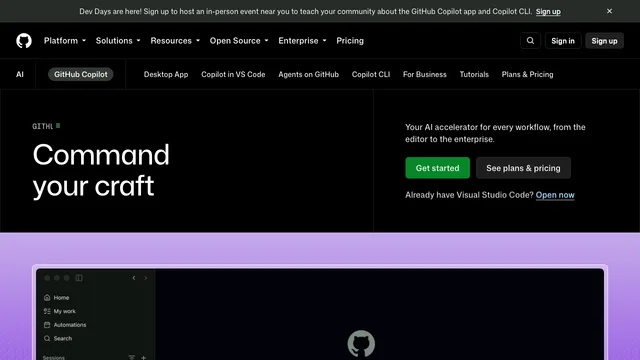
GitHub Copilot is an AI coding assistant that works across supported code editors, the command line, GitHub, and related development workflows. It can suggest code while you type, answer questions about code, help with terminal tasks, generate pull-request descriptions, and perform agent-style work that developers can review.
github copilot app: Key features
- Inline suggestions: Receive context-aware code completions while typing in a supported editor.
- Copilot Chat: Ask for explanations, debugging ideas, tests, refactoring help, or guidance about a codebase.
- Agent workflows: Give Copilot a scoped task to research, plan, make changes, and prepare work for review.
- Command-line assistance: Use Copilot CLI for help with shell commands and local development tasks.
- GitHub integration: Work with issues, pull requests, code review, repository context, and other GitHub workflows, depending on the plan.
- Multiple environments: Copilot is available across GitHub and a range of editors and IDEs; specific features vary by environment and subscription.
- Organization controls: Business and enterprise offerings add policy, access, usage, and governance capabilities for teams.
github copilot pricing: Pricing approach
GitHub Copilot uses a freemium model. Copilot Free provides limited monthly usage for individual developers. Paid individual plans provide larger allowances and access to additional models or agent capabilities. Business and enterprise plans add organization management, security, policy, and support features. GitHub’s included usage, AI-credit system, and plan features can change, so confirm the current limits on the official plans page.
github copilot app: Privacy and responsible use
The data GitHub processes and retains depends on the Copilot plan, feature, access point, and account settings. Individual users should review Copilot privacy settings, including available model-training controls. Organizations should define policies for sensitive repositories and check the latest documentation for retention, governance, and contractual protections.
Copilot can produce code that is incorrect, insecure, outdated, or too similar to public code. Developers remain responsible for reviewing suggestions, checking licenses and dependencies, running tests and security tools, and confirming that changes meet project requirements.
Who is GitHub Copilot best for?
GitHub Copilot is a strong fit for developers and teams already using GitHub or supported IDEs. It is useful for reducing boilerplate, exploring unfamiliar code, creating tests, explaining errors, drafting documentation, refactoring, and moving between editor, terminal, issue, and pull-request workflows.
GitHub Copilot: Frequently asked questions
Is GitHub Copilot free?
Yes. Copilot Free provides limited usage for eligible individual accounts. Paid plans increase allowances and unlock additional features. Check the plans page because quotas and billing rules can change.
Which editors and platforms support GitHub Copilot?
Copilot supports GitHub itself and a broad set of development environments, including major editors and IDEs. Feature availability differs by platform, so verify the current compatibility list for the exact editor and workflow you use.
Can GitHub Copilot edit multiple files?
Agent features can research a task, plan changes, edit code, and prepare work for review. Capabilities vary by environment and plan, and all changes should be inspected before merging.
Does GitHub Copilot use my code or prompts for training?
The answer depends on the account type, plan, feature, and privacy settings. GitHub provides controls for eligible individual users and different defaults or contractual terms for organizations. Review the current privacy section and account settings before using sensitive repositories.
Does Copilot guarantee correct or secure code?
No. Copilot is an assistance tool, not an automated guarantee. Run tests, type checks, linters, dependency scans, and security review, and manually verify sensitive code.
github copilot app: Official resources
Related tools
AI Coding & Developer Tools →
v0Freemium
Build editable full-stack web apps from prompts, screenshots and repositories with GitHub, databases and Vercel deployment.
DeepSeekFreemium
Free AI chat, reasoning, web search, file analysis and coding with token-priced developer API access.
CursorFreemium
An AI coding agent for understanding, editing, and shipping software
DevPitFree
Keep coding sessions, task boards and call costs together on your desktop.
ReviuFreemium
Review agent-written code, return line comments and finish Git work in a native desktop workspace.