

GrokFreemium
Real-time AI chat, research, code, images, video and voice from xAI.
Gemini Notebook (NotebookLM): AI Research Assistant
Research and learn from your own sources with grounded AI
What is Gemini Notebook?
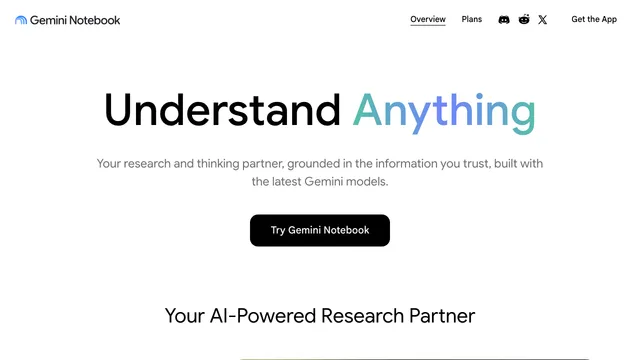
Gemini Notebook is Google's AI-powered research and learning assistant formerly known as NotebookLM. The standalone product keeps the source-grounded workflow that made NotebookLM useful: you collect material in a notebook, ask questions about it, and receive answers linked back to the sources you provided.
Rather than acting as a general chatbot that answers from the open web by default, Gemini Notebook is designed to work from the selected notebook sources. This makes it useful for reading a research collection, studying course material, preparing a briefing, reviewing project documents, or exploring connections across several files. Citations help you inspect the supporting passage, but important conclusions still need human verification.
What sources can Gemini Notebook use?
The official help center lists support for PDFs, Word documents, PowerPoint files, spreadsheets, Markdown, plain text, EPUB files, images, audio, copied text, public YouTube videos with captions, web URLs, Google Docs, Google Slides, Google Sheets, and Gemini chats.
Import behavior varies by source type. For example, a web URL imports the page's text rather than every image or linked page, and a YouTube source uses the available transcript rather than the video frames. Google Drive files can sync when the user still has access, while local uploads are stored as notebook sources.
Free users can add up to 50 sources to a notebook. The published limit for an uploaded source is up to 500,000 words or 200 MB, with additional format-specific limits. Check Google's current documentation because limits and premium allowances may change.
gemini notebook app: Research, chat, and source discovery
Ask source-grounded questions
You can ask for summaries, comparisons, timelines, explanations, evidence tables, or gaps across selected sources. More specific questions generally make it easier for the assistant to retrieve the relevant passage. Inline citations let you open the supporting text and judge whether the answer represents it fairly.
Source grounding reduces unsupported answers but does not guarantee accuracy. Google explicitly notes that NotebookLM can still generate inaccuracies. For research, legal, medical, financial, or academic work, verify quotations, numbers, dates, and conclusions in the original material.
Find additional sources
Gemini Notebook can discover material from the web or Google Drive. Its Fast Research workflow presents candidate sources for review, while Deep Research can produce a longer report and source collection. Availability, age requirements, account type, and usage limits can affect these features.
Gemini Notebook: What can the Studio generate?
The Studio can transform notebook sources into formats intended for different ways of learning and presenting information. Google's current help center includes:
- Study guides and briefings
- Audio Overviews and Video Overviews
- Mind maps
- Flashcards and quizzes
- Infographics
- Slide decks
These outputs are generated summaries, not replacements for the original source. Review slide claims, citations, image choices, speaker-style audio, and any inferred relationships before sharing them.
gemini notebook app: Privacy, accounts, and availability
A Google Account is required. Work or school access can depend on an administrator's settings, and some features have age restrictions. Browser and mobile availability also varies by country or territory, and the mobile app may not include every desktop feature.
Google states that files and Notebook conversations are not used directly to train its foundational generative AI models unless the user provides feedback. Notebook interactions inside the Gemini app follow additional Gemini activity settings. Review the current NotebookLM privacy and product help before adding confidential, regulated, or organization-owned information.
Who is Gemini Notebook for?
Gemini Notebook is especially useful for:
- Students reviewing readings, lectures, and study material
- Researchers comparing papers, reports, websites, and notes
- Writers organizing interviews and reference collections
- Teams preparing source-backed briefs from shared documents
- Anyone who prefers answers grounded in a defined set of material
It may be less suitable when you need unrestricted open-web answers, guaranteed factual accuracy, full-fidelity import of every source format, or a desktop feature that is unavailable in the mobile app.
Gemini Notebook: Frequently asked questions
Is NotebookLM now called Gemini Notebook?
Yes. Google announced the new Gemini Notebook name in July 2026. It is the continuation of the same standalone product, so many users and search results still refer to NotebookLM.
Is Gemini Notebook free?
A free tier is available with notebook, source, chat, and generation limits. Premium access through eligible Google plans raises limits and can add features. Check Google's current plan information for your account and region.
Does NotebookLM only answer from my sources?
NotebookLM responses are designed to be grounded in the sources selected in the notebook. This differs from chatting with the notebook inside Gemini, where web search and other Gemini tools may also be available.
Can NotebookLM generate presentations?
The Studio can generate a Slide Deck from notebook sources. Treat it as an editable draft: verify every claim and source, then review layout, images, accessibility, and audience fit before presenting.
Can I use Gemini Notebook on mobile?
Official mobile apps are available in supported regions, but some source-import and Studio features may differ from the browser version. Check the current mobile help page for feature availability.
Is my uploaded data used to train Google's AI models?
Google says notebook files and chats are not used directly to train foundational generative AI models unless you provide feedback. Other Google services and Gemini activity can have different settings, so review the applicable privacy notice.
Related tools
AI Assistants & Chatbots →
DeepSeekFreemium
Free AI chat, reasoning, web search, file analysis and coding with token-priced developer API access.
GensparkFreemium
All-in-one AI workspace for research, slides, documents, sheets, coding, media and multi-step agent tasks.
PerplexityFreemium
An AI-powered search and research assistant that synthesizes web and file sources with citations.
Superhuman GoFreemium
AI help for writing, email and connected work
A Mac assistant for context and open loops