

ClarifierAIFreemium
Edit and translate the draft in front of you.
Fluent — AI assistant for Mac
An AI assistant inside your Mac apps, with your choice of cloud or local models.
What is Fluent, in plain English?
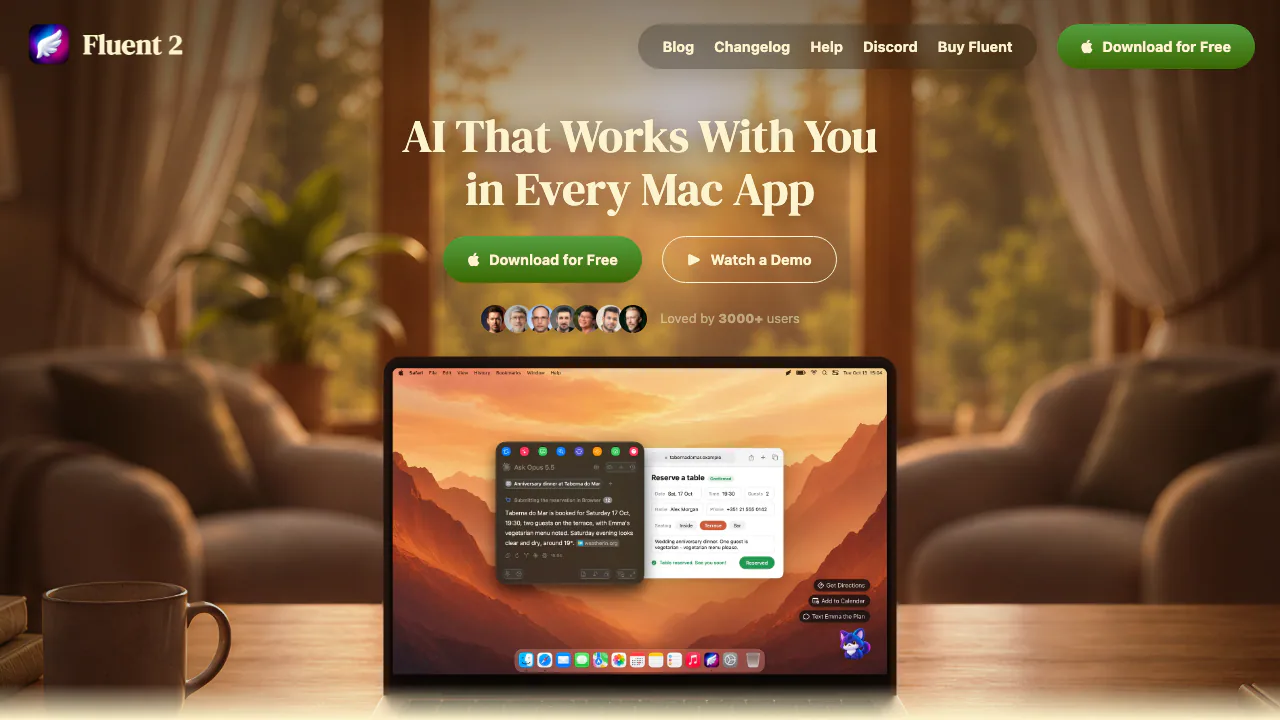
Fluent is an AI assistant for Mac that opens above the application you are using. Select a paragraph in Mail, ask about a browser page, or attach a report: the Smart Panel brings that material into an AI request and can put the result back into your work. It suits people who repeatedly write replies, translate text, read documents and move information between apps.
The website provides the download, license and documentation; the working tool is a native macOS application from Epic Bits. It requires macOS 14.2 or later. Some local AI features have additional hardware and operating-system requirements, so check the model you plan to use.
Rewrite, translate and reply without leaving your app
A practical first task is correcting a draft without moving it into a separate chat service:
- Install Fluent from its official download and grant the Accessibility permission used to read selections and insert text.
- Connect a model in Settings → Models, or configure a supported local option.
- Select a paragraph in the app where you are writing and press Option-Space to open Smart Panel.
- Choose Fix Grammar, or request a translation, shorter wording or a more formal tone.
- Review the result, especially names, figures and intended meaning. Press Command-Return to replace the selection with the edited text.
Actions save reusable instructions, so a recurring task can have its own prompt and model. Keep automatic insertion for predictable edits; leave time to review replies that make commitments. The official quick start explains installation and the default shortcuts.
Ask your documents and build useful Memory
Attach a file with + → Attach files from Mac, or drag it onto the panel or chat window. For example, provide a readable contract and ask for cancellation deadlines, then check each answer against the original. Supported inputs include text PDFs, Word, Markdown, CSV and common images.
The extraction method matters. A scanned PDF with no selectable text provides nothing for Fluent to read. Excel files are read as words and numbers without their row-and-column layout; use CSV when that structure affects the question. An image needs a model that accepts image input. The attachment guide lists these boundaries.
Memory serves a different purpose from a one-off attachment: it retains useful preferences and learns from files or folders you add, then retrieves relevant knowledge for later requests. Manage those details in Settings → Memory instead of assuming every saved item belongs in every answer.
Choose your AI model and understand where data goes
Fluent supports cloud API providers, supported AI subscriptions and local models. With compatible subscription connections, it uses the provider's own tools, including Codex, Claude Code, Antigravity or GitHub Copilot. Your service's availability, conditions and usage limits still apply.
For on-device work, download and Load an MLX model in Settings → Models → Local (MLX); this requires Apple silicon and enough memory for the chosen model. Ollama and LM Studio can also connect through their local servers. Apple Intelligence requires a supported Mac, macOS 26 and that feature enabled. See the model setup guide.
Cloud requests can include your prompt, attachments, context, retrieved memories and tool results. Memory's Learning model is a separate choice: it uses Apple Intelligence when available, otherwise the default model, and a cloud learning model receives the text it learns. History is encrypted locally, but the Memory database and generated images are not encrypted by Fluent. Credentials are stored in Keychain. The privacy principles explain these distinctions and the app blacklist.
Dictation, Council and work that runs on a schedule
Voice dictation transcribes and polishes speech on your Mac. Enable it in Settings → Voice, allow the microphone and wait for the model downloads. Then press Control-Option-Space in a text field to start, and again to finish. Asking the assistant by voice is different: the resulting text goes to the model chosen to answer it.
For a decision with competing answers, Council asks multiple models, has them review one another and produces a synthesis. It adds requests and can consume more tokens or subscription allowance; agreement does not guarantee correctness.
App integrations and MCP let Fluent work with files, calendars and other services. Computer Use can click and type in apps. It does not ask before every action by default: enable Ask Before Running for its Interact tool when you want approval for each batch. Scheduled Actions can repeat work; beta Teammates require Fluent running and the Mac awake. The beta desktop pet offers context-based task ideas.
One-time license, upgrades and model costs
Checked on November 3, 2026: the standalone app has a seven-day free trial and then requires a paid license. Website prices are in USD, tax included. Basic covers one Mac: $29 includes one year of updates, while $49 includes lifetime upgrades. With the one-year option, versions received during that period keep working afterwards, but later releases are excluded.
The current page also lists Standard for two Macs at $69 with lifetime upgrades and Team from three Macs at $29 per license. Verify the current license options before buying. A software license does not include unlimited use of every cloud model: API billing or your subscription's limits remain separate. Local inference has no per-request cloud-provider charge. Website standalone purchases have a 14-day refund window under the official terms.
Review generated content before using it. Third-party model and material licenses still apply; a Fluent license is not a universal grant of commercial rights.
Frequently asked questions
Is Fluent free to use?
Only for the seven-day trial. Free on-device model inference does not make the Fluent application license permanently free.
Do I need an API key or another AI subscription?
No. You can connect a supported existing AI plan or use a compatible local model. API keys are another option, with charges set by that provider.
Can Fluent work offline, and are all local files encrypted?
Downloaded local models can answer offline. Cloud models and online integrations need network access. History is encrypted, while Memory and generated images are stored locally without Fluent encryption.
Official guides and support
- Help center: setup and feature instructions.
- Changelog: updates and compatibility changes.
- Official support: license and product questions.
- Discord community: discussion and help linked by the official site.
Related tools
AI Assistants & Chatbots →
Willow VoiceFreemium
Dictate into your apps or turn spoken ideas into a complete draft.
JarqFreemium
Translate and edit selected text, or dictate straight into the Mac app you are using.
TypelessFreemium
Speak a draft and turn it into editable writing
ClawsGO ScienceFreemium
Research papers, run analyses and prepare figures and LaTeX drafts in one workspace.
NINFreemium
Local chat, voice typing and approved tools in NINX, with optional app connections.