
NuvioPaid
Nuvio AI accounting software for small businesses
NIN: Local AI Assistant and Private Desktop Workflows
Local chat, voice typing and approved tools in NINX, with optional app connections.
What is NIN, in plain language?
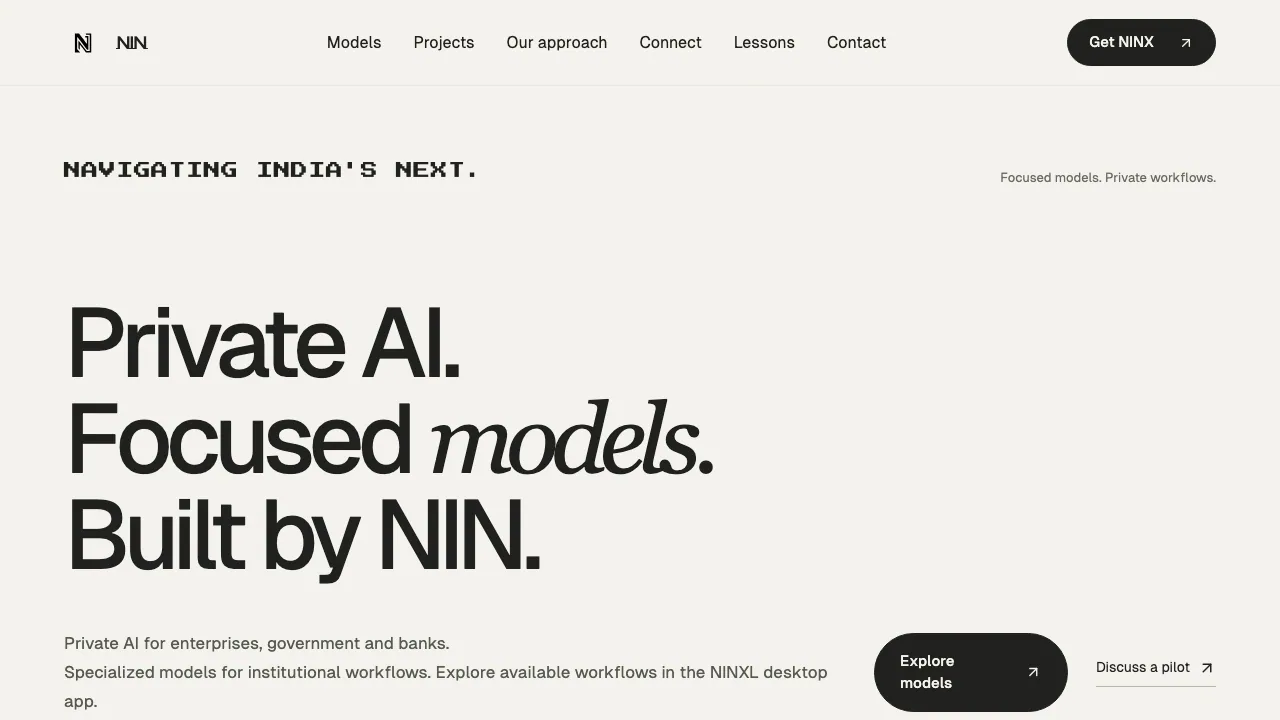
NIN is the website behind a family of AI tools focused on private work. Its NINX desktop app is a local AI assistant: you can talk to a model running on your computer, bring files into the conversation and enable tools for a specific task. The website also introduces NINK for voice, Ningenie for mobile and a catalogue of focused institutional models.
For someone evaluating the site, NINX is the practical starting point for writing, understanding material and doing approved work across desktop tools. The specialized model catalogue needs a separate availability check.
Work with files and connect the tools a task needs
NINX presents Ask, Create, Delegate, Automate, Voice, InkFlow and Notes as workspace modes. Local chat provides the place to ask questions and work with supplied files; optional browser, shell and app connections extend the task beyond an answer.
The Gmail demonstration, for example, describes finding messages, filtering important mail and drafting replies. These connections require authorization. NIN also describes Connect as a self-hostable, open-source integration platform for email, calendars, developer tools and MCP servers. Self-hosting refers to this component; it does not establish the release status of every NIN model.
Turn speech into writing with InkFlow
InkFlow uses on-device Whisper to turn speech into text at the cursor. The product demonstration shows holding Shift to dictate and using Caps Lock to shape the text. It is useful when an email or working note starts more naturally as speech.
Check the recognized text, names and intended meaning before using the result. Shortcut behavior and supported languages should be checked in the installed build; the website does not establish a complete language or application compatibility list.
Start with one local task
- Open the NINX download section. It lists Mac Apple Silicon, Mac Intel and Windows 64-bit choices; select the build matching your machine.
- Install the app and prepare a local model, following the available setup.
- Start with a short prompt or a file you are comfortable testing. Ask for a specific result, such as a draft based on the supplied material.
- Enable only the tools needed for that task. Review the target and scope before approving an action.
- Compare the answer with the original material before relying on it.
The public page does not establish one universal memory, GPU or file-size requirement. Check the current download and model conditions for your own computer.
Understand the boundary between local and connected work
NINX says local models and files stay on the machine, with cloud use chosen explicitly rather than silently substituted. This makes the selected model and enabled connections important to each workflow.
Connected services still follow their own data policies. A local assistant with an authorized external integration should therefore be assessed differently from a local-only conversation. The accessible pages did not establish a complete retention, training-use or regulatory compliance policy for the whole product family.
Free local use and optional paid services
Checked on 29 October 2026, the official NINX page describes free core local tools, chat, on-device voice, models and automations, with continued free use of the installed build.
A separate cloud-credit offer describes provider-cost billing without markup or a required subscription, but its card is marked Coming soon. Enterprise deployment, integration and support use custom quotes. There is no verified universal paid price to apply across countries.
Treat focused models as an availability roadmap
The official model catalogue lists 13 focused models, with entries marked planned. Proposed tasks include PII masking, transcription, extraction, tagging, summaries, routing and actions. Banking labels, support-case extraction and government-record extraction are aimed at institutional review.
NIN-Redact-v1's sample is an illustration rather than a live prediction, and complete detection is not promised. Check available workflows in the desktop app or discuss an evaluation with NIN before planning a deployment around any listed model.
Official resources
- NIN contact and support: product questions and institutional evaluations.
- Official GitHub account: source repositories and their individual licences.
Frequently asked questions
Is NINX free to use?
The installed version's core local functionality is described as free. Enterprise services are quoted separately, while the advertised cloud-credit offer is still marked coming soon.
Does everything work without sending data elsewhere?
Local model processing is the default described by NINX. External services and cloud features change that boundary, so review the connections you enable.
Can I use it on Mac or Windows?
The download page lists Apple Silicon Macs, Intel Macs and Windows 64-bit. Check the available build and its requirements; listing a platform does not verify every device or model configuration.
Related tools
AI Assistants & Chatbots →
TheySaidFreemium
Understand product friction with AI-moderated studies and feedback you can inspect.
AI BridgeFreemium
Organize real coding CLIs, approvals and resumable workspaces in one Mac app.
N8N Chat UIFreemium
Design a branded chat interface for your n8n workflows
Off Grid AIFreemium
Local AI chat, documents and optional work memory on your own devices
KiwiFree
Timely reminders and everyday actions through messaging, with approval before spending