
ngramFreemium
Turn briefs, documents and screen recordings into editable videos.
Popcraft: AI video generator for images, audio and product ads
Create AI videos, images, audio and product ads in one workspace
What does Popcraft actually do?
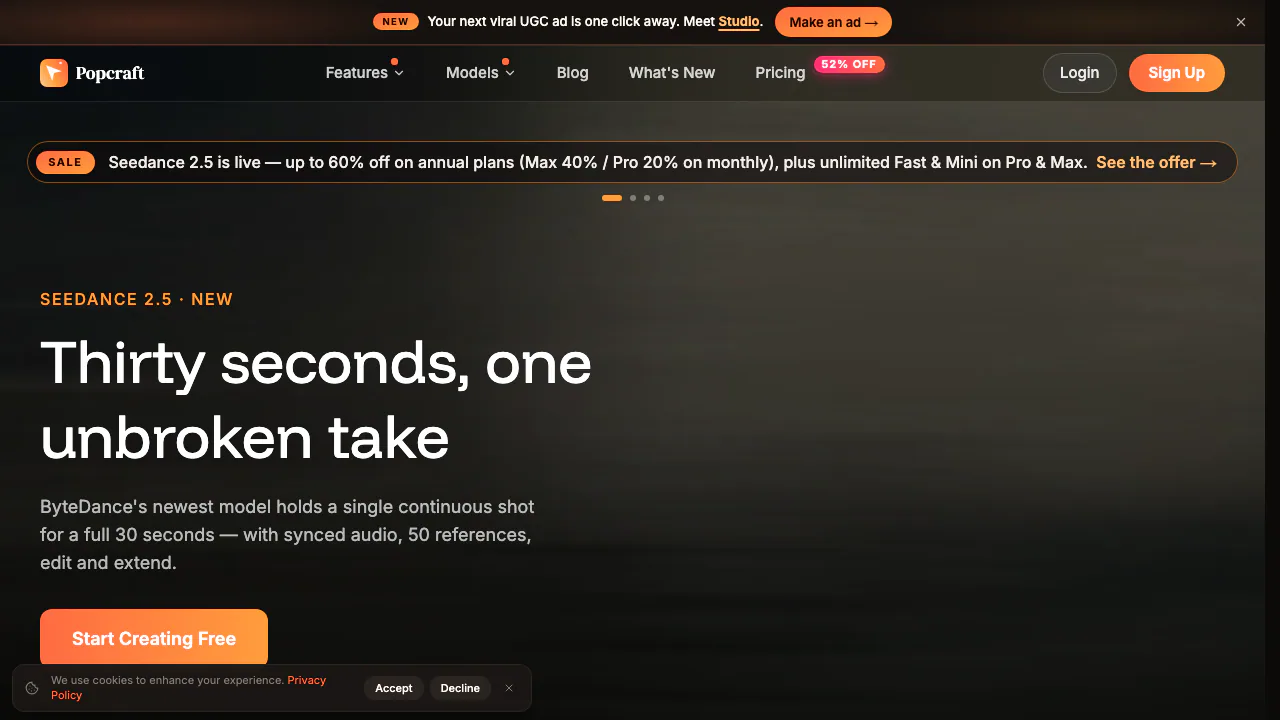
Popcraft is an online AI video generator and creative workspace. You describe a scene or supply a reference image, choose a suitable generation workflow and receive new media to review. The same platform also creates still images, speech, music, sound effects and talking avatars. It is useful for creators, product sellers and small marketing teams who need several kinds of material for one project.
In plain language, think of it as a collection of AI production tools in one browser account. You can develop a product image, animate it into a short shot and add voice or music without starting separate accounts for every stage. The result still needs your judgment: a generated product demonstration is not evidence that a real product performs as shown.
Turn text or a reference image into a usable shot
The video tools support text-to-video and image-to-video; supported workflows also include first and last frames. Start with a clear subject, one action, a setting and a camera movement. For example, describe a bottle on a kitchen counter while the camera slowly moves closer. A product photo gives the model a concrete visual reference.
Image generation and selective image editing help prepare a starting frame before spending on motion. Check the label, shape, colours and composition first. Then review the animated result for distorted details or unexpected movement. Available duration, resolution and reference controls depend on the model and your access; one workflow's maximum does not apply to every tool.
For presenter-led material, a face and a script can become a talking avatar. Text-to-speech, music and sound effects cover other audio needs. Check pronunciation, timing and the rights to any supplied face, voice or artwork before distribution.
Make a product ad with Studio
Popcraft Studio provides a more guided route from product photos to an ad:
- Add up to three photo angles of your product, or try a built-in sample.
- Choose a creator and an ad format, such as creator-style UGC, unboxing or a tutorial. An opening hook is optional.
- Add a short direction describing the positioning or scene you want. Studio builds the production brief and renders the ad.
- Review the product, claims, speech and branding, then rerun different formats or hooks. Favourite and download the takes you select.
Studio advertises short ads of 4–15 seconds and ratios including vertical 9:16, square 1:1 and landscape 16:9. These are Studio options, subject to model and plan access. They are not a promise of unrestricted free exports. This workflow suits testing creative ideas; it does not guarantee campaign results.
Understand trial credits, paid access and commercial rights
Checked on October 20, 2026: new accounts receive 100 trial credits without a payment card. The free plan has no recurring monthly credit allowance. Free video is limited to 720p and up to five seconds; outputs carry a watermark and are for personal, non-commercial use.
Paid plans add credits, watermark-free downloads and a commercial licence. Subscription credits expire at the end of the billing cycle; separately purchased top-up credits do not expire. Some video benefits described as unlimited actually use a daily free-generation allowance, then continue by spending credits.
The current pricing page explains tier access and billing. Reference prices are in USD; checkout may convert currency and add local taxes. Annual billing charges twelve months at once. Under the terms of use, model licences and other people's rights still matter, so paid access does not remove the need to review your inputs and outputs.
Use MCP, or request an enterprise API
Popcraft MCP connects compatible AI clients through OAuth. An agent can inspect models, preview generation cost, submit a job and retrieve the finished media. It uses your existing Popcraft balance and plan restrictions. An image created in one step can become the reference for a later video.
The separate developer API is enterprise-only and requires access arrangements. Do not assume an ordinary subscription includes enterprise API access.
What happens to uploaded material?
The homepage states that uploads and results are private by default and are not used to train AI models. The detailed privacy policy also describes operational third-party services and storage of media, prompts and settings. Treat these statements together, rather than assuming no external processing occurs.
Content is retained while an account is active. The policy says personal data is deleted within 30 days after account deletion, with legal or business exceptions. Review these conditions before uploading confidential product plans or identifiable people.
Frequently asked questions
Is Popcraft completely free?
It offers 100 trial credits, with free-tier limits and non-commercial outputs. It is not an unlimited free production service.
Can I turn an existing photo into a video?
Yes. Use image-to-video with an appropriate reference and describe the desired motion. Check the selected model's controls and the final visual details.
Can I use the results in advertisements?
Paid plans include a commercial licence; free outputs are for personal use. Model licences, input permissions and the terms still apply.
Official resources and support
- Enterprise API information: access conditions and integration details.
- Official Discord: community questions and discussion.
- Popcraft support: official contact for account, billing and product questions.
Related tools
AI Image & Video Generators →
Spira AIFreemium
Create branded content, review social posts, schedule publishing and learn from results.PipioFreemium
Create presenter videos with AI avatars, voices, and dubbing
Bulin 47 AIPaid
Turn an authorized adult portrait into a 23-second freestyle remix with the original sound.
FavorePaid
Create an image, refine it, then turn it into motion in one workspace.
Rap Duo AIPaid
Turn two photos into an English rap duet with generated music and vocals.