

FramefieldsFree
Create, inspect and render video compositions with TypeScript and a coding agent.
PSL Rating AI Face Rating: Scores, Costs and Privacy
Photo-based AI face rating with a free first result and optional detailed report.
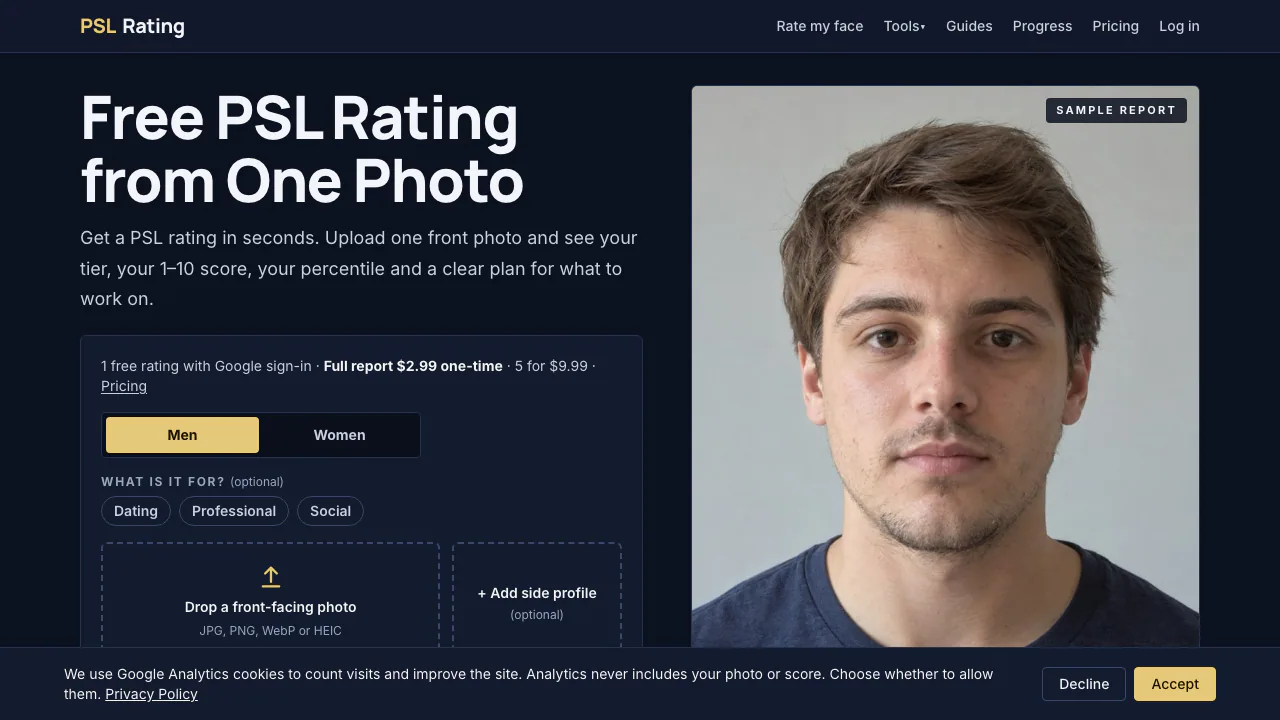
Looking for an AI face rating from a photo? PSL Rating estimates a score and tier from an adult face photo, then shows how the result breaks down. This guide explains the steps, what the number means, and the payment and privacy choices before you upload.
PSL Rating in plain English: what does it do?
Think of it as a photo-based appearance feedback site. You supply a clear, front-facing portrait; it returns a PSL score from 0 to 8, an approximate 1–10 score, a tier and a model-based percentile. The free view also shows eight dimensions and a main limiting feature. Separate face-measurement tools on the site cover topics such as symmetry and facial proportions. The rating is an AI estimate, not a measurement of someone’s worth or health.
From photo to report: the actual steps
Start with a well-lit front photo in JPG, PNG, WebP or HEIC; a side view is optional. The site checks photo quality and facial landmarks in your browser. Sign in with Google to request a rating, then read the tier and dimensions before deciding whether more detail is useful. The service is for adults 18+; use your own photo or another adult’s only with clear permission. Its age check may reject an image when adulthood cannot be confirmed. See the official terms before uploading another person’s image.
What the PSL score can and cannot tell you
Treat the score as feedback on this particular image. Lighting, angle, lens distance and expression can change what the model sees; AI bias is another limit. The percentile follows the site’s bell-curve model, not a surveyed population. A paid report adds comments by facial region, suggested improvement paths, hairstyle and grooming ideas, optional side-profile analysis and a PDF of text and numbers. You can inspect the fictional sample report to see which sections belong to the free and full views.
Free rating, full report and credits
As checked on 16 October 2026, one Google-sign-in rating is free per account/device. Later ratings use one credit each, and one credit can unlock a full report. The official pricing page lists US$2.99 for one credit and US$9.99 for five, with no subscription. These are USD list prices; the amount shown at checkout may differ because of conversion or payment charges. Review the free result and sample before buying a credit. The provider says unused credits do not expire while the account remains open.
What happens to your face photo?
Browser-based landmark and quality checks do not mean the full rating stays on your device. According to the official privacy policy, a reduced-size copy goes through the site’s server to kie.ai/Google Gemini for rating and age checking. The site says it does not store or log submitted photos on its servers, while report text and numbers are kept in your account. Style previews involve another temporary upload; the policy says the uploaded copy is deleted after 24 hours, while downstream provider retention follows its own rules. The site also says it cannot independently confirm which Google data-use quota applies through kie.ai. If that uncertainty matters, do not upload a personal photo.
Questions people ask about AI face ratings
Do I need an account and what photo should I use?
Use a clear, front-facing image in JPG, PNG, WebP or HEIC and a Google account. You must be 18+; a side profile is optional.
Is the first PSL Rating result free?
Yes, the first basic rating is free after Google sign-in under the site’s current one-per-account/device rule. Further ratings and full reports use credits.
Is a PSL score an objective measure of attractiveness?
No. It is a photo-dependent AI estimate. Camera conditions and model bias can change it, and the percentile is a model comparison rather than a population survey.
Does PSL Rating keep my uploaded photo?
The site says it does not keep uploaded photos on its own servers, but it sends a reduced-size copy to third-party processing. Read the privacy policy before uploading.
Official pages worth checking
- Sample report — compare basic and full sections.
- Contact page — questions, privacy requests and misuse reports; the site asks you not to attach face photos to bug reports.
Related tools
AI Face Analysis Tools →
LookoutFree
Watch selected Slack channels and turn matching messages into useful actions.
ToriFreemium
Product answers from your docs, with your team ready to step in.
readywhenFree
Turn promises in emails, chats and call notes into reviewed follow-up.
walkai-talkaiPaid
Voice commands for coding agents, with replies over radio
QuelloFree
Ask across your documents and tools, verify the sources, and write with workspace context.