
buddylistFree
Bring coding agents into project chats, reviews and tests.
walkai-talkai: Voice Coding over Two-Way Radio
Voice commands for coding agents, with replies over radio
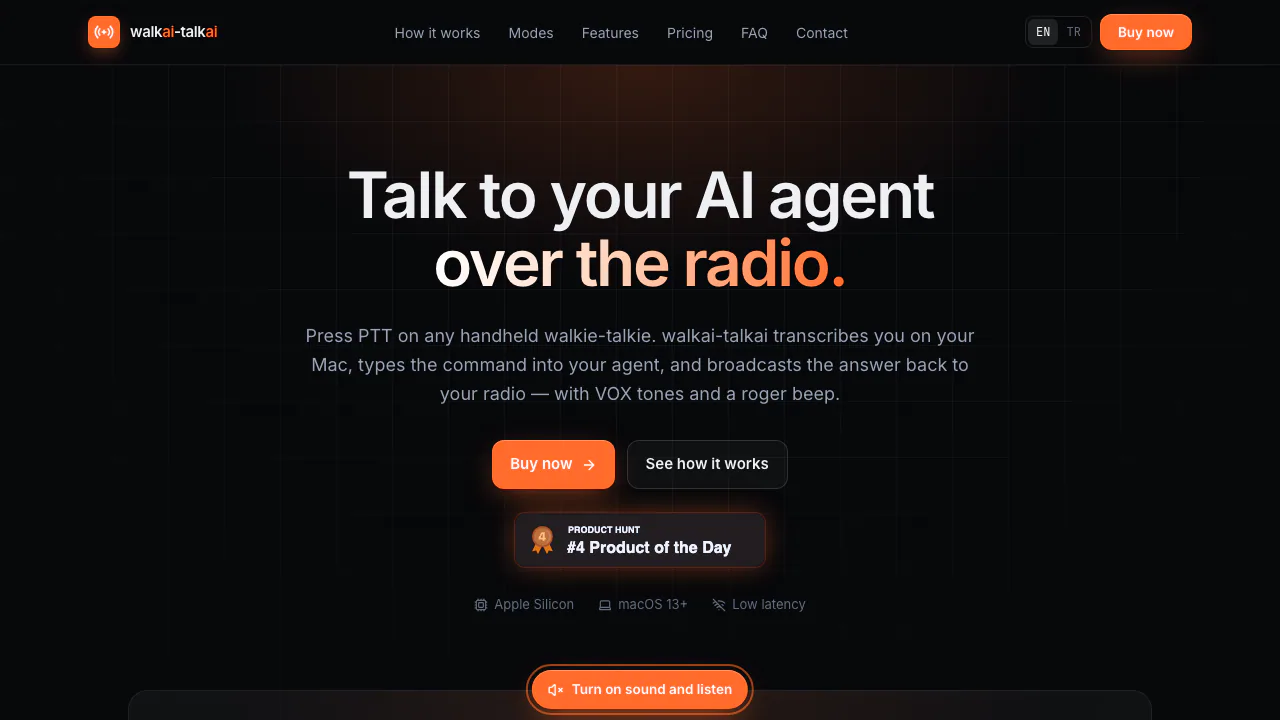
walkai-talkai is a Mac app for voice coding over a two-way radio. Speak a task to your usual AI coding agent, then hear a short spoken response on your handheld while your Mac runs the development tools.
What does walkai-talkai actually do?
Think of it as a radio link to an assistant working at your computer. One radio stays beside the Mac; you carry the other. Holding push-to-talk (PTT) sends your voice to the station, where local Whisper converts it to text. The app delivers that text to a coding agent or an AI model and turns the response back into radio audio.
This is useful for describing a bug, requesting a test run or asking for a progress summary away from the keyboard. The connected agent supplies the coding capabilities. You still need to review its changes and test results on the Mac.
Set up the radio-to-Mac audio loop
You need an Apple Silicon Mac, M1 or newer, running macOS 13 Ventura or later, two compatible handheld radios, and the right audio cable. The station radio needs VOX, which starts transmission when it receives audio. A USB audio adapter with separate microphone and headphone ports can simplify the connection.
- Put both radios on the same channel. Connect the station radio’s speaker output to the Mac’s audio input, and the Mac’s output to the radio’s microphone input.
- In Audio Settings, select those input and output devices. Run the microphone test and speaker test separately before trying an agent.
- Allow microphone access and, for Target Window mode, macOS Accessibility access. Select English or Turkish as the spoken language.
- Enable listening, press PTT, give one short instruction and release it. Check both the received text and the spoken reply.
A basic three-pole audio cable usually does not provide microphone input through a Mac’s headset jack. If the input is silent, inspect the wiring and adapter before changing AI settings.
Give your existing coding agent a voice
Target Window mode inserts a tagged radio command into a selected app, such as Cursor, Claude Code, Antigravity or Terminal, then presses Enter. Keep that app open on the same desktop Space; moving its window may require selecting the input target again.
For the return journey, send the app’s editable starter prompt to the agent once per session. It instructs the agent to POST a short summary to http://127.0.0.1:1988/api/reply. The agent needs permission to make that local request. Command History lets you inspect recent commands and replay announcements; it shows the last 100 incoming commands and outgoing announcements.
Talk directly to an AI model
API Mode bypasses the editor. Configure a provider, endpoint, model and your own API key where required. Supported choices include OpenAI, Anthropic, Gemini, DeepSeek, local Ollama and custom OpenAI-compatible endpoints. Conversation sessions control whether context is retained. Switching the spoken language starts a fresh session. The full feature guide explains the profiles and local reply interface.
Local speech, cloud text and radio privacy
Whisper recognition and neural speech synthesis run on the Mac. Recordings, settings, keys and conversation history are stored locally. With a cloud provider, however, API Mode sends command text and conversation context to that provider. License activation also exchanges device and license information. See the privacy policy for the complete data flow.
Anyone listening on the radio channel may hear the exchange, and another transmitter can inject commands. Keep confidential material off the air and require agent confirmation for irreversible actions. Check the radio rules that apply where you operate.
Lifetime license and ongoing costs
Verified on 21 October 2026: the app uses a paid, one-time lifetime license for one Mac at a time, with free updates and activation transfer to a replacement Mac. The live pricing section shows the current offer; applicable tax is added at checkout. Radio hardware and third-party AI charges are additional. The refund policy allows a full refund request within 14 days of purchase.
Frequently asked questions
Which languages and Macs does it support?
The documented speech languages are English and Turkish. The app requires Apple Silicon and macOS 13 or later; support for other speech languages, Windows or Intel Macs is not established.
Can I use it completely offline?
Local speech processing can work offline, but activation and periodic license checks need internet. The documented offline window is up to 14 days between checks. Cloud models need connectivity; a configured local Ollama model avoids that particular cloud dependency.
Does the license include AI usage?
It licenses the bridge app. Your selected coding agent or AI provider has its own charges, limits and account requirements.
Why does my agent receive commands but stay silent?
Check that its session received the starter prompt and can call the local reply endpoint. Also run the speaker test and confirm the station radio’s VOX and audio output path work.
Official setup and support
- Troubleshooting guide: wiring, permissions, audio levels and missing replies.
- License help: recover your key, download the app or transfer activation.
- Official contact: purchase, licensing and radio setup questions.
Related tools
AI Coding & Developer Tools →
StarkomandPaid
Run your existing coding CLIs with task briefs, handoffs and code reviews on one canvas.
ReflectionFree
Build with Beam through an API, Mirror CLI, or your own infrastructure.
CrewTowerPaid
Monitor coding agents and answer supported requests from your Mac’s notch.
NitroStackFreemium
Build typed MCP tools, inspect their behavior and deploy them with a connected development stack.
KernoFreemium
Validate backend changes and critical user flows inside your coding agent’s workflow.