

StepFunPaid
Explore StepFun models in AI Studio or integrate coding, multimodal and voice capabilities through an API.
Quello: AI Knowledge Base with Cited Answers
Ask across your documents and tools, verify the sources, and write with workspace context.
What is Quello, in plain language?
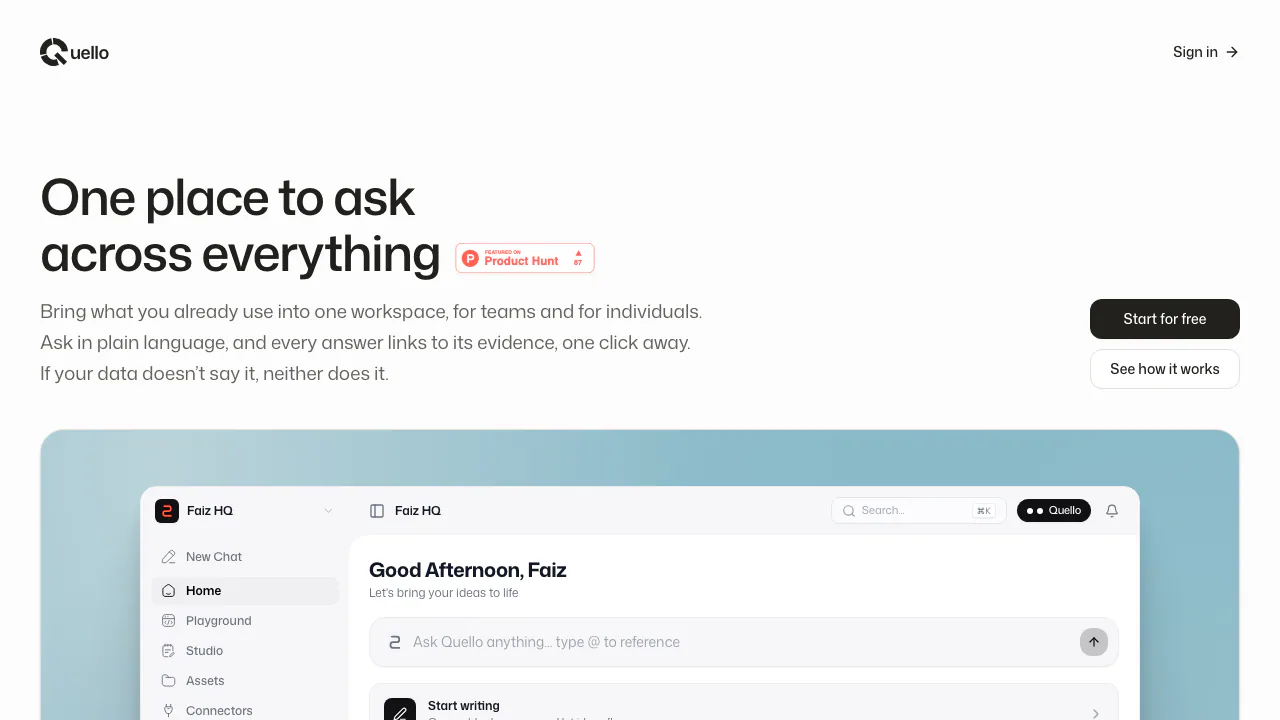
Quello is an AI knowledge base and shared workspace for asking questions about information you already have. Bring in documents or connect supported tools, then ask a question in ordinary language. The response points back to the source passages so you can inspect the evidence.
Think of it as a colleague who can look through the project files you provide and show where an answer came from. It suits individuals collecting research and teams whose knowledge is spread across several services. Its stated retrieval scope is your workspace, so a useful answer depends on having the relevant material there.
Build a workspace from documents and connected tools
Quello connects to Notion, Google Drive and GitHub through user-approved, read-only access. The official repository also documents uploads of PDF, Word DOCX, plain text TXT and Markdown MD files, with a 20 MB limit per file. Check the current app before planning a large import.
Team workspaces share a document corpus and support member roles and email invitations, while chat histories remain private to each member. For example, a project team can bring a specification, notes and repository context together, then ask about them in the same workspace. Google Drive permissions cover files you explicitly select through Google Picker; they should not be understood as permission to search all of Drive.
Ask a useful question and check the evidence
- Sign in and choose the workspace that should contain the material.
- Upload a supported document or approve a connector for the sources you want to use.
- Ask a focused question, such as “Which launch requirements are described in these project documents?” Use the @ reference when the question should concern one file.
- Open the cited passages and compare them with the answer. Check dates, scope and any conflicting wording before reusing a conclusion.
This gives you a practical way to summarize decisions, locate relevant details and investigate code or documentation without starting from a filename search. Source links make checking possible; the terms still warn that AI responses can be incomplete or inaccurate.
Write with Studio and ask by voice
Studio is a document editor with AI-assisted drafting and rewriting. You can outline, summarize and improve a draft alongside your existing sources, which is useful when turning research into a project note or internal document. Review the text against the originals before treating a draft as authoritative.
Voice lets you talk to the workspace instead of typing. The repository specifies that this uses your own Vapi public key, stored encrypted. Check that requirement before choosing Quello specifically for voice, and review the external provider's conditions separately.
Bring workspace context into other AI assistants
Quello exposes a remote MCP server for read-only workspace search and document retrieval. Its setup table lists Claude, ChatGPT and Perplexity with OAuth or a personal key, and Grok with a personal key. The MCP Server page provides the server URL and key management.
To use it, open that page in your account, take the connection details into an assistant that supports the documented connection method, authenticate, then test a question whose source you can check. Confirm the retrieved document and citation before relying on the result. MCP access retrieves context; it is not permission to edit your connected tools.
Free access, data handling and practical limits
Checked on 21 October 2026: the website offers a free starting point, but the inspected public pages do not give a paid plan table or numerical chat, storage or seat allowances. Do not read “start for free” as a promise of unlimited use. The service terms allow quotas and rate limits.
The privacy policy says private documents and queries are not used to train generalized AI models. It also describes cloud hosting and external inference providers, so this is not an offline-only service. You can disconnect Drive in Connectors or revoke Google permissions. Account deletion is available through Workspace Settings or a privacy request; the policy says secondary encrypted backups age out within 30 days.
Users retain ownership of submitted content under the hosted service terms. The official source repository has an MIT license; that code license should be read separately from hosted service conditions.
Frequently asked questions
Is Quello free to use?
The homepage offers free access to get started. As checked on 21 October 2026, no public paid prices or numerical free allowances were verified. Check the app for current limits.
Do citations guarantee that an answer is correct?
No. Citations let you inspect the evidence, but the terms explicitly allow for incomplete or inaccurate AI output. Verify important claims in the source document.
Are uploaded documents used to train AI models?
The official privacy policy says private documents and queries are not used for generalized model training. Hosting and inference still involve cloud providers; review the complete policy before uploading sensitive material.
Official resources and developer community
- Official GitHub repository: setup, file support, MIT license and issue reporting.
- Terms of Service: availability, usage limits and user responsibilities.
Related tools
AI Workspace & Notes Tools →
DraperFreemium
Work through a business idea, its plan and first customers with guided AI workshops.
BackdropFreemium
Create AI coworkers that use your tools, carry team context and move work forward.
AncherFreemium
Save your sources, find them by meaning, and turn them into useful work.
Speak an idea, keep the recording and find the thought again.

TuckyFreemium
Screen-edge Mac notes with optional AI rewriting, voice and connectors.