

sideOSPaid
Voice commands, local dictation and tasks in your Mac apps
Zapier: AI Automation Tool for Connecting Your Apps
Connect thousands of apps and automate workflows with AI-powered steps.
AI Automation ToolsFreemium
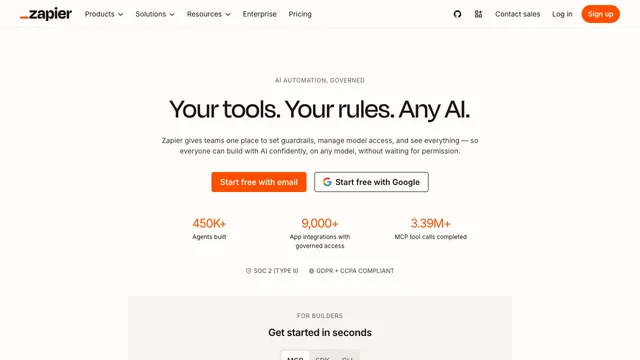
Zapier is an AI automation tool that connects more than 7,000 apps so a trigger in one app automatically runs actions in others, with AI steps available for drafting text, summarizing data, or deciding what happens next. It works through a visual, no-code workflow builder called Zaps, so most workflows can be built by picking a trigger app, one or more action apps, and any AI steps in between without writing code.
What this AI automation tool does
Zapier's core builder lets you create Zaps that move data between apps: a new form submission adds a row to a spreadsheet, a new email creates a task, or a new sale triggers a Slack message. AI by Zapier adds AI-powered steps inside these workflows for drafting replies, summarizing content, and extracting structured data from unstructured text, while Zapier Agents (formerly Zapier Central) offers autonomous AI teammates that decide which steps to run and can call other agents.
Where this workflow automation tool works
Zapier connects more than 7,000 apps, including Gmail, Slack, Google Sheets, Salesforce, and Notion, working as the glue between tools teams already use rather than replacing any of them. It supports multi-step Zaps, conditional logic (Paths), and scheduled or webhook-based triggers for workflows that do not depend on another app's event.
Pricing and limits for this AI automation tool
The Free plan includes single-step Zaps with a capped number of tasks per month. Paid plans add multi-step Zaps, faster execution intervals, Paths for conditional branching, and higher AI-generation limits, while Team and Enterprise plans add shared workspaces, SSO, and admin controls.
Privacy and no-code automation
Zapier states that customer data passing through a Zap is used only to run that workflow and is not sold to third parties; connected apps grant Zapier only the OAuth scopes a workflow requests, so reviewing those scopes matters before connecting systems that hold financial or customer data.
Frequently asked questions about this AI automation tool
Is Zapier free to use?
Yes. The Free plan covers single-step Zaps with a limited number of tasks per month; paid plans unlock multi-step workflows, conditional Paths, and higher AI usage limits.
Do I need to code to use Zapier?
No. Zapier is built around a visual, no-code Zap editor, though it also offers a Code step for JavaScript or Python when a workflow needs custom logic beyond built-in app actions.
What is the difference between AI by Zapier and Zapier Agents?
AI by Zapier adds individual AI-powered steps inside a fixed Zap, such as drafting text or classifying data, while Zapier Agents are autonomous AI teammates that decide which steps to run across connected apps without a fixed trigger-action script.
Related tools
AI Automation Tools →
LookoutFree
Watch selected Slack channels and turn matching messages into useful actions.
readywhenFree
Turn promises in emails, chats and call notes into reviewed follow-up.
Craft AgentsFree
Connect AI agents to files, APIs, MCP and browser workflows.
BackdropFreemium
Create AI coworkers that use your tools, carry team context and move work forward.
withHumanFreemium
Check agent tool calls against policy and route consequential actions to a human before execution.