

DraperFreemium
Work through a business idea, its plan and first customers with guided AI workshops.
Backdrop: AI coworkers for shared team workflows
Create AI coworkers that use your tools, carry team context and move work forward.
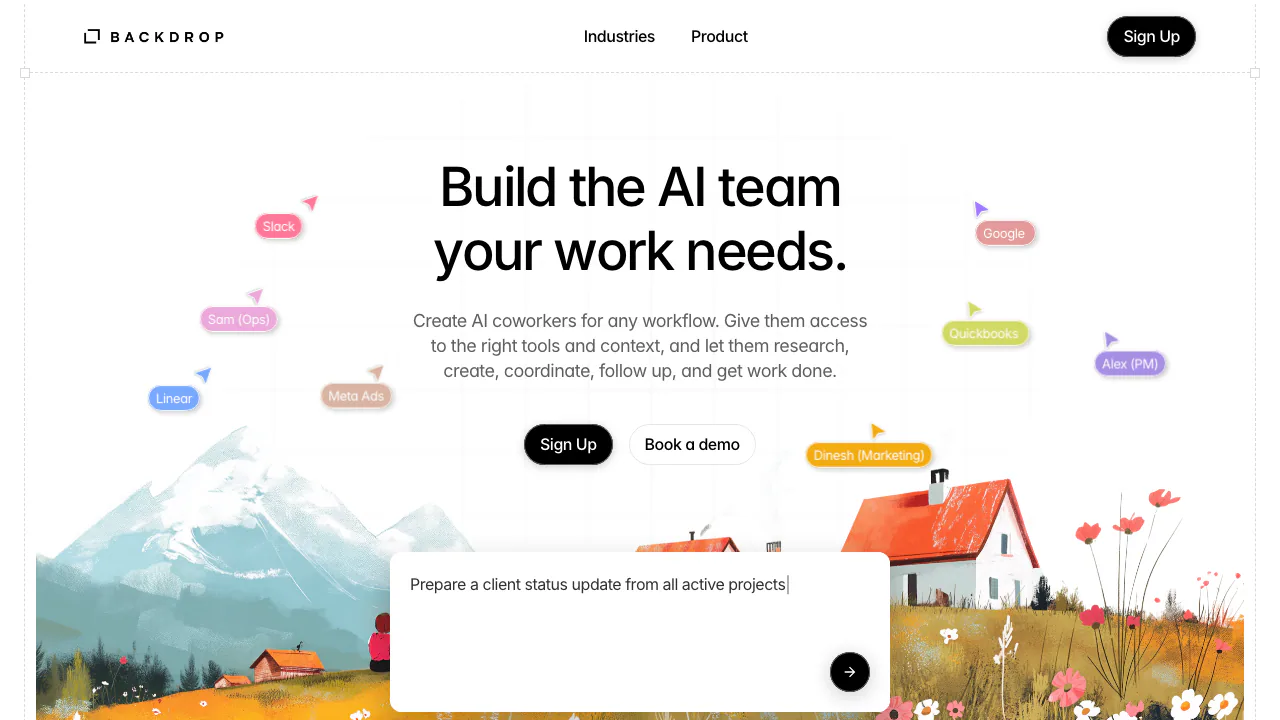
What is Backdrop, in plain English?
Backdrop is a platform for building an AI coworker around a job your team needs done. Give it instructions, relevant background and access to the appropriate business tools, and it can help turn a request into research, a draft or an update inside a connected app. The product is operated by Twig Tech Inc.
Think of a project coordinator preparing a client update: it needs the current tasks, the reasons behind recent decisions and the right place to put the result. Backdrop brings those ingredients together, with people and AI working in shared conversations.
Turn scattered work into useful deliverables
The supported task families include research and analysis, marketing communication, operations and project coordination. A team could use them to prepare a competitor report, draft campaign material, summarize customer feedback, track blockers or maintain project tasks. These are different jobs: choose the result you need before configuring a coworker.
Backdrop advertises more than 1,000 integrations. Its official company page names Slack, Gmail, Google Drive, HubSpot, Shopify, Jira, Asana, Linear, GitHub and Notion. Check that your required action is supported in the chosen connection; the presence of an app name does not establish every possible operation.
Give the team a shared memory
Shared memory carries decisions and project context across people, coworkers and conversations. This is useful when a handover depends on why a deadline changed, not just its new date. Employees, clients and partners can join shared work, while each coworker's access and permitted actions can be controlled.
Set up a focused first workflow
For an initial pilot, use a small, inspectable job such as preparing a weekly project update.
- Open the Backdrop web app and choose an existing coworker or create one.
- Define the deliverable, audience, source material and what counts as complete.
- Connect only the tools needed for that job and provide relevant context.
- Set access and approval requirements for actions that change work in another system.
- Review the report against its sources and check any changed tasks in the connected app.
This is a suggested pilot based on the published capabilities. Start with one project so you can assess accuracy and credit use before expanding.
Pricing, credits and simultaneous work
The official plans checked on October 19, 2026 list USD prices per month, per AI coworker:
- Starter: free; 5,000 credits, five concurrent conversations and three concurrent tasks.
- Base: $100; 30,000 credits, five conversations and three tasks concurrently.
- Pro: $250; 80,000 credits, ten conversations and five tasks concurrently.
- Pro Plus: $550; 180,000 credits, fifteen conversations and seven tasks concurrently.
Credit top-ups are offered. The public page does not explain a fixed credit cost per task, rollover or the free allowance's reset schedule. Concurrency means work running at the same time, not the total number of jobs you may ever run.
The terms state that subscriptions renew automatically, cancellation takes effect at the end of the current paid term, and purchases are non-refundable.
Data handling and practical limits
The privacy policy describes US hosting and processing of inputs, outputs and personal information by AI providers including Anthropic and OpenAI. A blanket no-training promise was not verified. Review the policy before connecting sensitive business sources.
The terms of use require users to review AI results and state that the service is not tailored to certain regulated uses, including HIPAA and FISMA. Public API documentation, self-hosting and a complete export-format list were not verified.
Frequently asked questions
Can I build my own AI coworker?
Yes. Backdrop describes both existing coworkers and custom coworkers supplied with your instructions, context and tools. Define one clear job first.
Is Backdrop free to use?
Starter is free with the published credit and concurrency limits above. More capacity is sold through paid plans and top-ups; free does not mean unlimited execution.
Does company data stay inside Backdrop?
Do not assume that. The privacy policy describes external AI processing and international transfers. Confirm your requirements before granting access to business data.
Official resources
- Book a product demo to discuss your workflow.
- Backdrop on LinkedIn for verified product announcements.
- Public business contact: hello@backdropagent.com.
Related tools
AI Automation Tools →
StepFunPaid
Explore StepFun models in AI Studio or integrate coding, multimodal and voice capabilities through an API.
QuelloFree
Ask across your documents and tools, verify the sources, and write with workspace context.
SquadRoomPaid
Give specialist agents a task, then review the work, documents and report.
AncherFreemium
Save your sources, find them by meaning, and turn them into useful work.
AyvenFreemium
An AI coordinator for following up with people, tracking tickets and keeping long-running team work moving.