

Image to Image GeneratorFreemium
Multi-model AI studio for image-to-image creation and prompt editing
Zzo.ai AI Image and Video Generator Review
Create and edit images, then turn text or stills into video with multiple AI models.
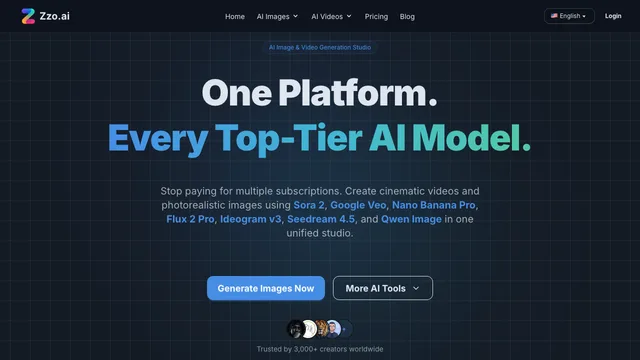
Zzo.ai is a multi-model AI image and video generator for creators who want image generation, prompt-based editing, and short video creation in one browser workspace. Its current model menu includes image and video options from several providers, so you can choose a model for the job instead of moving assets between separate subscriptions.
Zzo.ai AI image and video generator workflows
Generate images from text
Enter a prompt, choose an image model, and adjust available settings such as aspect ratio. Zzo.ai presents multiple image models with different credit costs, including free and paid-only options. This makes it useful for testing visual directions, illustrations, social graphics, product concepts, and text-heavy designs without committing to one model.
Edit existing images with prompts
The image editor accepts JPG, PNG, and WebP files and supports up to five uploaded images. You can describe changes in natural language, such as removing an object, changing a color, replacing a background, adding text, or applying a new style. The original upload is not overwritten; the editor creates a new result.
Create video from text or images
The video generator supports both text-to-video and image-to-video workflows. Available models, generation time, resolution, and credit cost depend on the selected option. This is best suited to short creative clips, animated stills, concept shots, social content, and B-roll rather than a full timeline-based video editing workflow.
Remove image backgrounds
Zzo.ai also provides a dedicated background remover. The official tool supports JPG, PNG, and WebP uploads up to 5 MB and exports a transparent PNG. It currently processes one image at a time, so it is more appropriate for occasional cutouts than bulk catalog work.
Zzo.ai: Free credits, subscriptions, and limits
Zzo.ai is freemium. New and returning users can receive free credits, while advanced models and higher usage require a paid plan or additional credits. Model costs vary, and image generation generally uses fewer credits than premium video models. The pricing page should be checked before a large project because model availability and credit prices can change.
Paid plans include more monthly credits, longer storage, higher image output options, and watermark-free downloads. Credit-pack access is tied to an active subscription, and subscription or pack credits can expire at the next billing date.
Who is Zzo.ai useful for?
Zzo.ai fits creators who want to compare several image and video models in one interface, turn a generated still into motion, or finish an image with prompt-based edits before export. It may also help marketers and small teams producing campaign concepts, product visuals, thumbnails, and short-form video tests.
Check the selected model, estimated credit cost, input limits, and output rights before each production job. Generated results can vary between models and prompts, and the terms place responsibility for uploaded materials and third-party intellectual-property review on the user.
Zzo.ai: Frequently asked questions
Can Zzo.ai generate both images and videos?
Yes. The platform has separate image-generation, image-editing, and video-generation tools. Its video workspace supports prompts and source images, covering both text-to-video and image-to-video creation.
Is Zzo.ai free to use?
It is free to start through registration and daily credits. Some image models have low-cost or promotional access, while advanced image and video models require more credits or a paid tier.
What image files can I upload?
The official image tools list JPG, PNG, and WebP support. The background remover has a 5 MB upload limit, while the image editor can accept up to five images for a generation.
Can I use Zzo.ai output commercially?
The pricing FAQ states that commercial-use rights are included with paid plans and not with the free plan. Zzo.ai's terms also say users must own their inputs and conduct their own legal review before commercializing output.
Does Zzo.ai replace a full image or video editor?
It covers generative creation, prompt-based image changes, and background removal, but it is not presented as a conventional layer-based image editor or timeline video editor. Use a dedicated editor when you need detailed manual compositing, long-form cutting, or precise audio control.
Related tools
AI Image & Video Generators →
Graffiti GeneratorFreemium
Free online graffiti generator and AI street art maker
GrokFreemium
Real-time AI chat, research, code, images, video and voice from xAI.
Luma Dream MachineFreemium
Create and refine cinematic AI images and videos from prompts, references, and keyframes.
IdeogramFreemium
Generate design-ready images with strong typography, Canvas editing, and prompt-guided visual control.
Adobe FireflyFreemium
Generate and edit images, video, graphics, and creative assets with Adobe’s generative AI tools.