

FastRouterFreemium
One API for model access, routing and spending visibility
teai.io: LLM API Gateway, Setup and Pricing
Connect multiple AI models through one API and a shared credit balance.
What does teai.io do, in plain language?
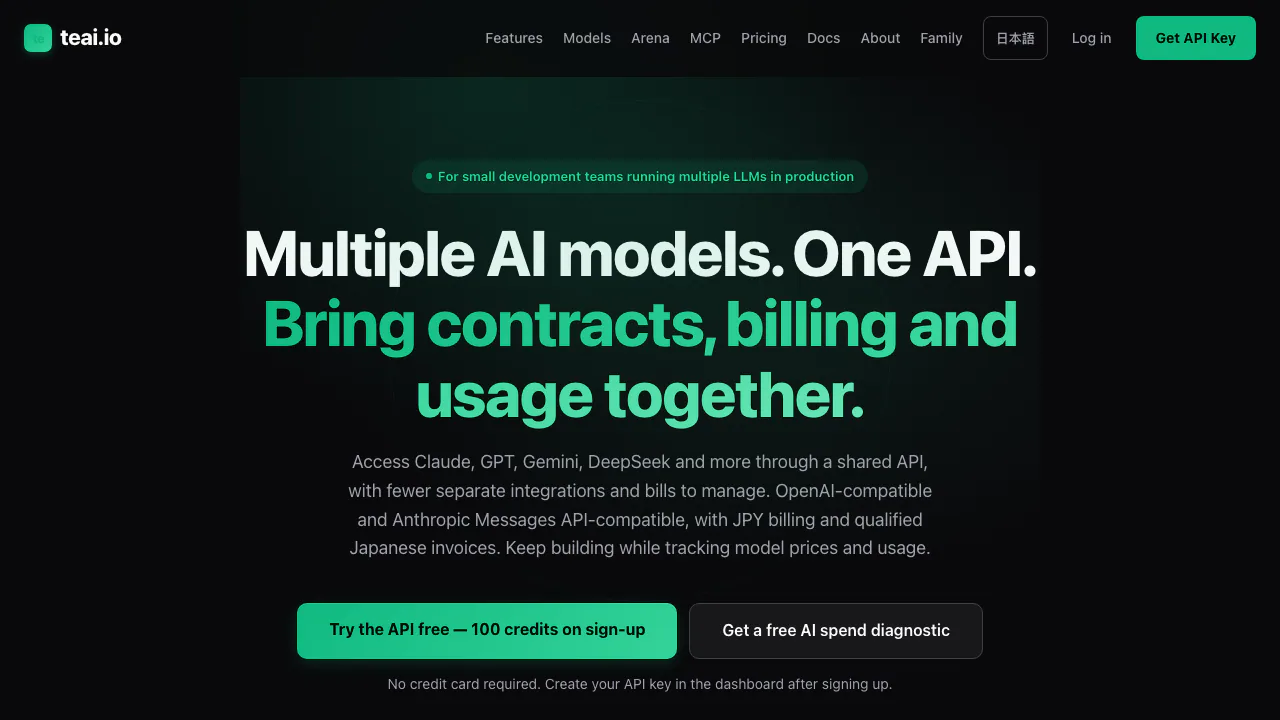
teai.io is an LLM API gateway operated by Japan’s 株式会社イネブラ. Think of it as a common connection between your application and different AI providers: your app sends a request to teai, which forwards it and returns the model’s answer. It also offers browser chat.
The main audience is developers building assistants, SaaS features or model experiments. OpenAI-compatible access, Japanese support and yen billing are its distinguishing features. A project that needs offline inference or a firm data-residency commitment should confirm those requirements separately.
Make and verify your first model request
The setup guide provides Python, Node.js and curl examples.
- Register and issue a
te_API key in Dashboard. Keep it in a server environment variable such asTEAI_API_KEY. - Configure the OpenAI SDK with
https://api.teai.io/v1and your teai key. - Send
modelandmessagestochat.completions. The quickstart usesauto; a current model ID lets you choose explicitly. - Check for a nonempty answer, inspect the actual
modelandusage, then test a representative task with nonsensitive input.
Listing models alone does not prove generation works. For 401, check the key; for 402, inspect the error and balance; for 429, respect Retry-After. Check usage before retrying a timeout, since processing may already have consumed credits. Do not expose the key in browser code or Git.
Switching models without losing operational control
GPT, Claude and Gemini families are available through the shared interface; consult the live catalog for versions. Changing a model parameter reduces integration work, but capabilities and context limits still differ.
SSE streams output as it arrives, and the API documents function calling. Test required features on your chosen model. Fallback can use another model, so inspect the response’s model field when reproducibility matters. Alternative routes can also fail; application error handling remains necessary.
Free allowances, top-ups and subscriptions
Checked October 6, 2026, the public Japanese offer includes 100 signup credits without a card and up to 20 free Nemotron 3 Nano calls per day on Free. Other model usage depends on input/output tokens and model rates.
The pricing page lists one-off top-ups from JPY 500, Pro at JPY 4,350/month with 30,000 credits, and Business at JPY 14,800/month with 100,000 credits. Terms describe subscription prices as before tax; confirm checkout conditions. SMB allowances conflict between pricing and terms, so obtain confirmation before budgeting.
Business lists BYOK. Requests that actually use an accepted provider key are billed by that provider without teai model-credit consumption. Unsupported models or missing valid keys can use the normal route. BYOK still forwards requests through teai.
Data handling and commercial-use boundaries
The security page describes client → teai → external-provider processing. A Tokyo gateway does not guarantee inference or storage stays in Japan. Billing logs exclude prompt and response bodies according to that page, while retaining usage metadata; chat history and upstream-provider policies need separate review.
The older privacy page makes broader non-storage statements. Because the scopes differ, do not interpret this as end-to-end zero retention. The terms permit personal and commercial use of generated content without guaranteeing accuracy. SSO and audit export are marked planned, and certification status requires inquiry.
Extending an agent with tools
The MCP gateway guide covers external tools such as voice synthesis and image generation. MCP charges are per tool call, whereas model chat is token-based; both use the credit balance.
Sente is a related agent product. Its agent API has separate endpoints and authentication, so the model API setup above should not be reused blindly for agent operations.
Frequently asked questions
Can I try teai.io without paying?
Yes: the advertised starting allowance is 100 credits, plus Free’s model-specific daily Nemotron allowance. Premium-model calls consume credits.
Is the free API unlimited?
No. Daily call limits and token-based credits are different constraints. Longer input or output can spend the balance faster; top up or select a plan when needed.
Where do I get the API key?
Create one in Dashboard after registration. Use the teai key and endpoint in your compatible SDK, keeping the secret server-side.
Official developer resources
- API reference: parameters and response formats.
- Service status: browser-based component checks.
- Changelog: product and interface updates.
- Company and contact: support, contracts and policy clarification.
Related tools
AI Model APIs & Infrastructure →
Experiential LabsFreemium
One model API with provider routing, spend controls and an open-source gateway.
TrustedRouterPaid
A privacy-first, OpenAI-compatible gateway for routing AI requests across models and providers.
OpenRouterFreemium
Unified API Gateway and Router for Frontier AI Models
Cloudflare DevelopersFreemium
Official guides for serverless apps, AI inference, agents and cloud infrastructure.
eu/jevFreemium
Turn context into categories, probabilities and scores through an independent hosted API.