

ACE-StepFree
Generate and refine music from descriptions or your own lyrics with an open-source model.
Udio AI: Review: songs, remixing, credits and downloads
AI music generator for songs, lyrics, extensions, remixes, audio uploads and timeline editing.
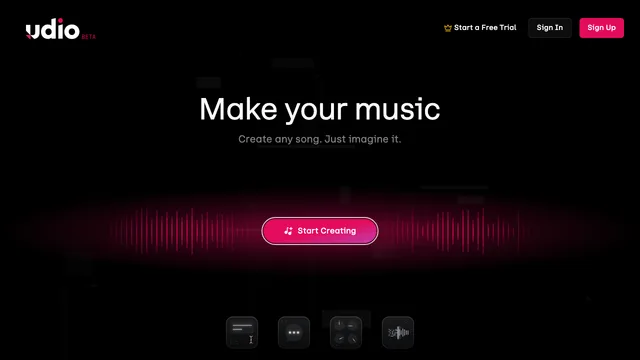
Udio AI — Udio is an AI music creation platform for generating songs from prompts, writing or supplying lyrics, extending tracks, remixing versions and editing sections. It serves musicians, producers, video creators and people experimenting with sound without a full studio workflow. This review covers Udio creation tools, credits, paid plans, audio uploads, rights, current download restrictions and the checks creators should make before using a track publicly.
Udio AI: What Udio does
Udio turns a text description into music and provides a library and player for organizing creations. Prompts can describe genre, mood, instrumentation, vocals and structure. The platform produces variations so the creator can compare directions rather than accept one deterministic result.
A strong workflow begins with an original concept and clear musical constraints. AI output still needs listening, selection and editing. Creators should keep notes about prompts and source material when a project has commercial or collaborative requirements.
Explore the official Udio music platform
Udio AI: Udio song creation and prompting
The Create interface supports original lyrics or instrumental generation, prompt guidance and alternative takes. Short generations can become starting points for a longer composition. Results vary even with the same settings, which encourages iteration but also consumes credits.
Describe musical characteristics instead of asking to copy a living artist. Review lyrics for unsafe, defamatory or accidental copyrighted phrases. Generated vocals and genre conventions can sound familiar without being an authorized imitation.
Udio AI: Udio Extend, Remix and editing tools
Extend can add an intro, section or outro before or after a track. Remix changes a song with a variance control, while inpainting or replacement tools can revise a selected area. Sessions gives paid subscribers a timeline-oriented environment with saved takes and undo.
Use small edits and compare versions. Preserve the original before large changes, and listen for abrupt transitions, timing errors, lyric mismatches and artifacts. A technically completed generation may still need arrangement and mastering work.
Read the official Udio song-creation guides
Udio AI: Udio audio uploads and ownership requirements
Paid subscribers can upload audio they own and use it to extend, remix, style or edit music. Udio's help center states that uploading confirms the user owns the rights. Commercial songs or material the user does not control should not be uploaded.
Keep project files, licenses and collaborator permissions. A vocal, sample or field recording may involve performer, composition and privacy rights even when the uploader owns the file itself.
Udio AI: Udio credits and generation limits
Udio uses credits for Create, Extend, Remix, Inpaint and Edit actions. The official guide says free accounts receive daily credits plus a monthly allowance, with a limit on longer song generations. Standard and Pro plans raise monthly credit limits.
Credits do not generally roll over. Each action can create multiple alternatives and use more credits than a new user expects, so plan experiments and stop when additional versions no longer improve the track.
Check current Udio credits and limits
Udio AI: Udio pricing and subscription trial
Udio offers a free tier plus Standard and Pro subscriptions. Official examples list Standard at ten US dollars per month and Pro at thirty dollars monthly, while annual billing and regional taxes can change the effective price. A one-time Standard trial may be available with feature and credit restrictions.
Confirm the current checkout price, renewal interval and trial conversion before subscribing. Cancelling normally takes effect at the end of the billing period.
Udio AI: Udio current download restriction
Following Udio's partnership with Universal Music Group, the help center states that downloading audio, video and stems has been disabled. This is a major current limitation for creators who need files for an editor, distribution service or client delivery.
Do not subscribe on the assumption that a finished file can be exported. Check the latest official notice before starting a deadline-driven project because product and partnership terms may change.
Read Udio's current partnership and download notice
Udio AI: Udio sharing, remix permissions and privacy
Songs can be organized, shared and discovered inside the platform. Remixing, extending and styling may be allowed by default for published songs, while per-song controls can restrict those actions. Review visibility and permissions before sharing unreleased work.
Do not put private client lyrics, unreleased melodies or confidential campaign details into a public project. Confirm the latest privacy and terms for sensitive professional use.
Udio AI: Udio limitations and quality review
AI music can contain distorted vocals, unstable structure, strange pronunciation, repeated phrases or transitions that do not fit. It may also produce stylistic similarities that deserve extra legal and creative review.
Listen on headphones and speakers, review lyrics line by line and test the full arrangement. For commercial use, confirm rights, attribution, platform terms and any distributor rules with qualified advisers.
Udio AI: Who should use Udio
Udio is useful for musical ideation, demos, mood exploration and learning how arrangement choices change a track. Independent creators, video makers and hobbyists may benefit from rapid variations.
It is currently less suitable for workflows that require downloadable masters or stems. Professional teams should evaluate export availability, rights, editability and repeatability before adopting it.
Udio AI: Udio frequently asked questions
Is Udio free?
Yes. A free account receives limited daily and monthly credits. Standard and Pro plans provide higher limits and paid features.
Can Udio create songs with lyrics?
Yes. Users can provide lyrics or generate music based on prompts, subject to platform rules and review.
Can I upload my own audio to Udio?
Paid subscribers can upload audio they have the rights to use for extending, remixing, styling and editing.
Can I download songs from Udio?
The current official notice says audio, video and stem downloads are disabled. Check for later changes before relying on export.
What uses Udio credits?
Create, Extend, Remix, Inpaint and Edit actions use credits, with cost depending on generation length and action.
Can Udio replace a music producer?
No. It can accelerate ideation and iteration, but arrangement, quality control, rights review and final production still need human judgment.
Related tools
AI Audio & Voice Generators →
MakeBPMFreemium
AI music studio for generating songs, beats, and soundtracks from prompts or lyrics
Scrap Brain AudioFreemium
Generate playable samples with 2G, reshape rhythms with WHORL and explore WX synth patches.
ThunderPhonePaid
Full-stack AI phone agents for inbound, outbound, and integrated business calls
Notify SoundFree
Make short notification sounds by editing synth layers or asking a connected AI assistant to design them.
LisenFreemium
Listen to articles in Chrome with your own Cartesia voices.