
TuckyFreemium
Screen-edge Mac notes with optional AI rewriting, voice and connectors.
Wordtune: Review: rewriting, summaries and writing quality
AI writing assistant for rewriting, grammar, clarity, summaries, tone changes and browser-based editing.
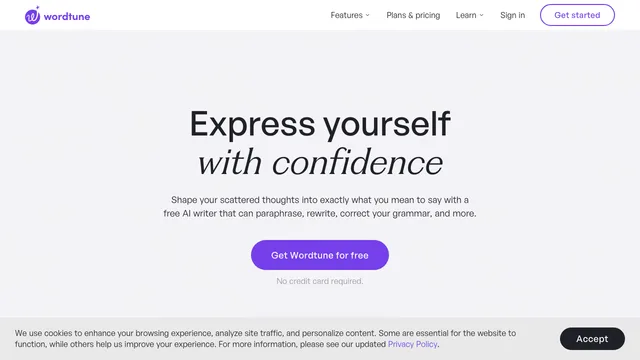
Wordtune is an AI writing assistant for rewriting sentences, improving clarity, correcting grammar, generating alternatives and summarizing source material. It works through a browser editor, extensions and supported mobile experiences. This Wordtune review covers rewrite controls, summaries, pricing, platform support, privacy, accuracy and the responsible checks users should make before accepting AI-edited text.
What Wordtune helps writers do
Wordtune can rephrase text, suggest clearer alternatives, adjust tone and improve grammar or spelling. Its editor also supports summaries and Ask AI workflows for clarification, expansion and drafting assistance.
The useful outcome is not simply different wording. A good revision preserves the writer's claim, evidence and voice while making the passage easier for its intended reader to understand.
Explore the official Wordtune editor guide
AI paraphrasing tool: rewrite and tone controls
Rewrite suggestions can make a sentence more casual, formal, concise or expanded. These options are valuable when a draft sounds awkward or needs to fit a different audience.
Compare each suggestion with the original. Automated rewrites can remove qualifications, change emphasis or replace a precise technical term with a vague synonym. Keep the original nearby and accept changes selectively rather than replacing an entire document at once.
Wordtune grammar and clarity suggestions
Wordtune combines rewriting with spelling, grammar, vocabulary, fluency and clarity assistance. This can reduce the time spent switching between separate proofreading and rephrasing tools.
Grammar correctness does not guarantee factual correctness. Names, dates, numbers, quotations and domain language still need human verification. Writers should also reject suggestions that flatten a distinctive voice into generic business language.
AI paraphrasing tool: summaries and Ask AI
The editor can summarize pasted text, webpages or supported documents and allows follow-up questions about the material. Summaries help readers identify themes and decide which sections need closer reading.
A summary can omit uncertainty, exceptions or minority viewpoints. Use it as a navigation aid, not a substitute for reading a legal agreement, research paper or policy. Follow important claims back to the original source.
Wordtune apps, extensions and platform limits
Official documentation lists the web application, Chrome and Edge extensions, Firefox or Arc support and an iOS experience, while some capabilities differ by platform. The web editor handles rewriting and summaries; extension and mobile behavior can be narrower.
Check the current compatibility page before choosing a workflow. Browser extensions can operate across many websites, so organizations should review permissions and disable access where sensitive information is entered.
Check Wordtune's supported platforms
AI paraphrasing tool: pricing and usage limits
Wordtune uses a freemium model. The official plan page currently lists Basic at no cost with limited daily rewrites and monthly summaries. Advanced and Unlimited plans increase or remove usage limits and add broader writing support. Prices vary by region and billing cycle.
The free plan is enough to test sentence-level quality. Frequent writers should compare the cost with the number of accepted suggestions and time saved, not the number of generated alternatives.
Compare current Wordtune plans
Wordtune language and document considerations
Wordtune has historically emphasized English writing. Some rewrite and translation capabilities support additional languages, but feature coverage is not identical. Official Wordtune Read documentation says its document-reading experience currently supports English documents.
Test the exact language, dialect and document type you need. Multilingual writers should verify idioms, formality and regional conventions with a fluent reviewer.
AI paraphrasing tool: privacy and sensitive text
A writing assistant may receive unpublished work, personal messages, contracts or customer data. Review Wordtune's current privacy, retention and business terms before entering confidential information.
Minimize what is uploaded, replace identifiers when possible and follow workplace rules. A convenient browser extension should not become an automatic channel for regulated or proprietary content.
Wordtune accuracy and responsible editing
A reliable workflow is to draft independently, request targeted alternatives, compare meaning and finish with a human edit. For important content, check citations and facts separately from style.
Students and employees should follow applicable AI policies. Wordtune can support revision, but it should not be used to conceal copied work, misrepresent authorship or bypass required disclosure.
AI paraphrasing tool: Who should use
Wordtune suits professionals refining email, students revising permitted drafts, language learners exploring alternatives and creators improving readability. It is less useful when the task requires deep subject research or exact preservation of specialized terminology without review.
Test a representative paragraph and measure the proportion of suggestions you would genuinely keep. That reveals more than a polished demonstration.
Wordtune frequently asked questions
Is Wordtune free?
Yes. Wordtune offers a Basic plan with limited rewrites, AI suggestions and summaries. Paid plans increase or remove limits.
What is Wordtune mainly used for?
It is mainly used to rewrite text, adjust tone, improve grammar and clarity, summarize material and generate writing suggestions.
Does Wordtune work outside its editor?
Wordtune offers browser extensions and supported applications, but available features vary by platform.
Can Wordtune summarize PDFs?
Its editor supports summaries for uploaded or linked material, including supported PDFs. Verify the result against the original document.
Does Wordtune support every language?
No. Language and feature coverage differ. Test the exact language and consult current support documentation.
Can Wordtune change the meaning of a sentence?
Yes. Any automated rewrite can alter nuance or facts, so important suggestions must be compared with the original.
Related tools
AI Writing Assistants →
TypelessFreemium
Speak a draft and turn it into editable writing
JarqFreemium
Translate and edit selected text, or dictate straight into the Mac app you are using.
QuillBotFreemium
AI writing assistant for paraphrasing, grammar, summaries, translation, citations and multilingual editing.
Wispr FlowFreemium
Dictate polished text into almost any app and adapt to your vocabulary
GrammarlyFreemium
AI-powered grammar, clarity, and tone checking wherever you write.