

TypelessFreemium
Speak a draft and turn it into editable writing
Tucky AI notes for Mac
Screen-edge Mac notes with optional AI rewriting, voice and connectors.
What is Tucky, in plain language?
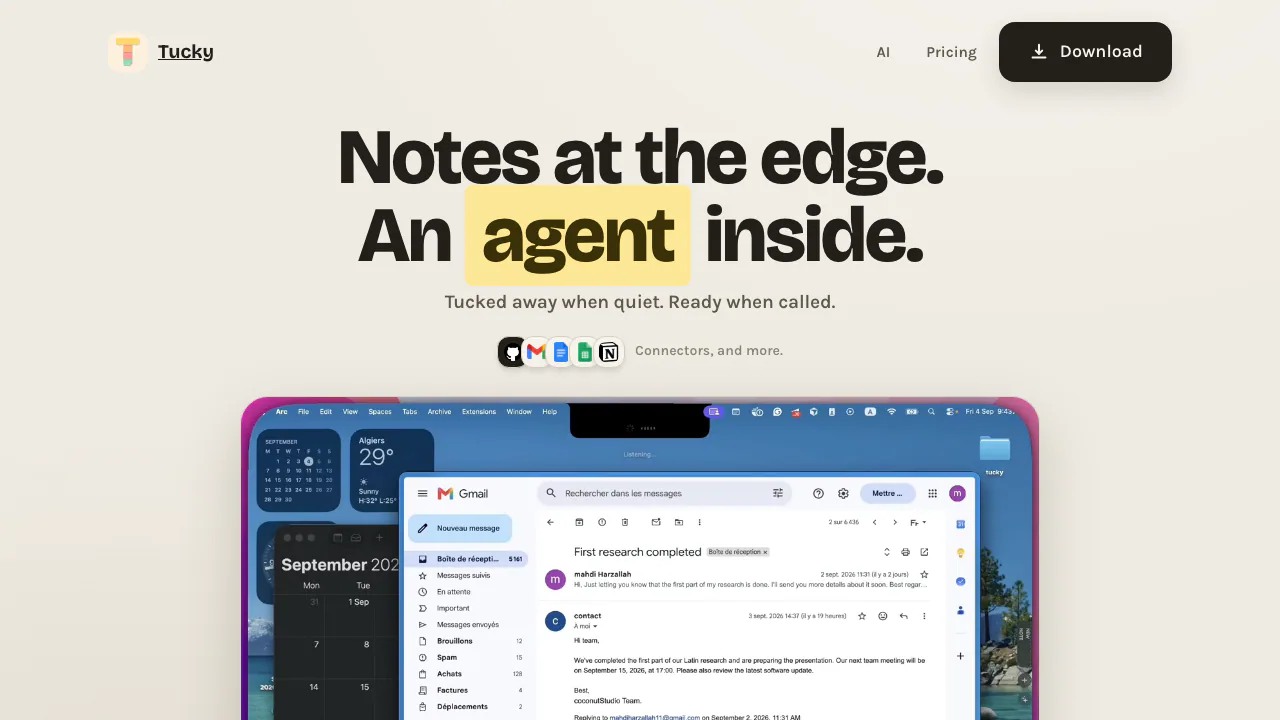
Tucky is a Mac notes app that keeps small notes along the edge of your screen. Move to the edge, open a note, and write without finding a separate notebook window. Its website provides the macOS download and explains the optional AI subscription. The notes live in the desktop app.
This setup suits personal ideas, study notes and short checklists that you want close to your current task. Tucky comes from coconutStudio and requires macOS 15 or later, on either Apple silicon or Intel. Company work has a separate licensing requirement, explained below.
Turn a passing thought into a usable note
The core workflow combines edge-docked notes, live Markdown and checkbox tasks. Markdown helps structure a short draft; checkboxes give you a visible way to track items as you complete them. Other notes remain at the edge while one is open.
A practical first workflow is:
- Open a note from the screen edge and write the idea or checklist you want to keep.
- Organize the text with Markdown or checkbox tasks.
- With Plus, press ⌘J to ask about that note. For example, request a clearer rewrite of a rough paragraph.
- Allow a body read only when the request needs the actual text. Titles can accompany a question even without a body read.
- Review the response against your original meaning before using it, then return to your current task.
⌥Space brings up the assistant from another app. Tucky advertises writing, editing and questions across notes; these are useful for processing captured text without opening a separate AI window. This does not establish automatic meeting recording or cross-device synchronization.
Add dictation and linked apps
Plus includes voice dictation in more than 60 languages and connectors for Gmail, Google Calendar, Docs, Sheets, GitHub and Notion. These capabilities use a coconutStudio account. The account flow uses Google sign-in followed by a phone number.
Use dictation when speaking an idea is easier than typing it. Connect only the apps relevant to the task you want to handle. The public page names the services but does not document every available action or permission, so check the app before relying on a particular integration workflow.
Five free notes, Plus and the company-use boundary
Checked on 9 September 2026, the official pricing section offers five encrypted notes on one Mac for free, without AI, voice or connectors. Plus is advertised at $4 per month, with unlimited notes and $4 of AI usage, alongside voice and connectors. Additional usage top-ups are still marked as coming soon. Unlimited notes therefore should not be read as unlimited AI.
These are the website's displayed dollar amounts; local checkout taxes and conversion were not verified. The official license page also says company work, resale and embedding require a separate commercial license from coconutStudio. It publishes no commercial price list. Do not assume that purchasing Plus alone covers company use.
Understand what local encryption protects
The privacy explanation says notes stay in encrypted storage on the Mac, and signing in does not upload them. AI requests can still contain note titles, colours and task counts. A note body is sent when you allow a read or deliberately send that note.
A screen still is sent only when you ask about the screen and enable the corresponding setting. Account data location depends on the phone number: Algeria for Algerian numbers, a rest-of-world account store otherwise. Local note storage and account processing are distinct. You remain responsible for backups; removing local app data does not close the shared account.
Common questions
Can I use Tucky AI for free?
The free plan has five notes but no AI. The advertised route to hosted AI, voice and connectors is Plus.
Does Plus include unlimited AI?
No unlimited AI allowance is advertised. Plus includes $4 of AI usage; extra top-ups were marked coming soon at the verification date.
Does asking the assistant upload every note?
The policy distinguishes metadata from bodies. Questions can include titles, colours and task counts, while bodies require permission to read or deliberate sending.
Official resources
- App terms and account responsibilities: billing relationship, backups and acceptable use.
- The privacy page linked above provides the official contact route for app and account questions.
Related tools
AI Workspace & Notes Tools →
JarqFreemium
Translate and edit selected text, or dictate straight into the Mac app you are using.
Willow VoiceFreemium
Dictate into your apps or turn spoken ideas into a complete draft.
WordtuneFreemium
AI writing assistant for rewriting, grammar, clarity, summaries, tone changes and browser-based editing.
QuillBotFreemium
AI writing assistant for paraphrasing, grammar, summaries, translation, citations and multilingual editing.
SpacesheepFreemium
Turn AI output into shared documents, dashboards and small apps.