

GleapPaid
Connect customer questions, bug investigations and reviewed fixes.
3AM: AI SRE incident response with verified causes
Investigate production incidents, verify causes and repair within your team's approval policy.
In plain English: what does 3AM do?
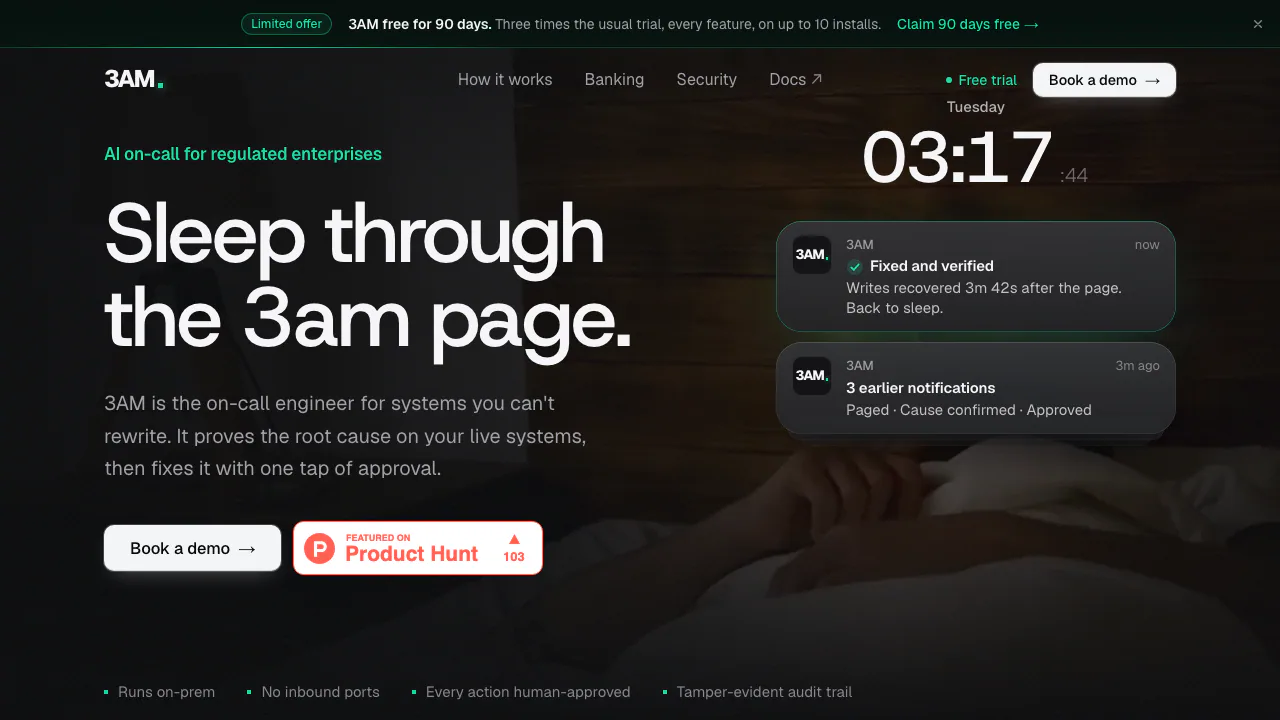
3AM is an AI SRE and incident response product that runs inside your organisation's infrastructure. When a production alert arrives, it gathers evidence, checks possible causes and prepares a repair. Your team chooses whether it only observes, requests approval or performs a limited set of permitted actions automatically.
Think of it as an investigator joining the on-call engineer: it connects the alert to database settings, recent changes, metrics and system dependencies, then records how it reached its conclusion. Its operator, 3AM Super Intelligence Inc., positions it for regulated organisations such as banks, insurers, telecoms and public-sector teams.
Investigate a cause before changing a system
3AM checks known failure patterns and looks beyond them at configuration drift, deployments, abnormal metrics and errors. A runbook or model suggestion can guide the investigation, but a cause must pass checks against live systems before the normal repair path treats it as proven. An uncertain or disputed conclusion is handed to a person.
For example, a read-only database primary can explain failed writes. The useful output is the evidence linking that setting to the symptom, the checks performed and a proposed response. This does not mean every database incident has the same cause or that a model always finds the answer.
The connector documentation distinguishes certified integrations—including Prometheus/Alertmanager, PagerDuty, Kubernetes, MySQL/PostgreSQL, Argo CD and gated SSH actions—from available connectors whose certification is still in progress. Slack, Grafana and Datadog appear in the latter group. Check the actual connector and its permissions before planning a rollout. A token-authenticated JSON HTTP API also supports console-related automation.
Set the boundary between advice and action
- Shadow: investigates, rehearses and records what it would do; it makes no changes.
- L1: checks the cause, rehearses the repair, asks for approval, executes and verifies the result.
- L2: additionally allows designated safe actions to run without a fresh approval, such as bounded scaling or a rolling restart of a stateless deployment.
Raising a service's autonomy requires two different approvers by default. Lowering it takes effect immediately. A halt control blocks actions while investigation can continue. These are permissions to configure deliberately, rather than a promise that every incident can be resolved automatically.
Run a useful shadow-mode pilot
The runtime requires x86_64 Linux or Kubernetes. The documented trial minimum is 2 vCPU, 4 GB RAM and 20 GB free disk; size production separately. Models require a GPU or a model endpoint, rather than CPU inference. An internal OpenAI-compatible endpoint or OpenRouter can be used when the server has no GPU.
Follow the official quickstart:
- Install on a Linux server and obtain the company trial code through your work inbox.
- Open the SSH tunnel printed by the installer, visit the console and use the initial admin token to create the first owner.
- Connect Prometheus/Alertmanager and Slack, using Test connection before saving.
- Run Discover and leave service autonomy at Shadow.
- Send the documented pipeline test alert and inspect Incidents. A test with no real cause should be handed over honestly. Remove the test rule afterwards.
Then compare recorded proposals with your team's actual handling before requesting L1 for selected services. Native Mac, Windows and ARM server runtimes are not currently documented as supported.
Check where evidence and credentials go
Incident records and the signed, hash-chained audit ledger live in the local data volume. Connector credentials can be stored in restricted local files; masking them in the audit log does not mean no credentials are stored anywhere.
The architecture and security guide makes the model boundary important: a hosted endpoint receives masked investigation evidence. A fully internal deployment needs an internal model endpoint or local models. Offline licence verification supports air-gapped operation. Online licence checks send licence, installation and signed usage metadata, rather than incident logs. A chosen external model provider has its own retention terms.
Trial and licence coverage
Checked on 20 October 2026: the website advertises a limited 90-day trial, normally 30 days, with all features and up to 10 installs, once per company. This is not a permanent free tier.
The licensing guide lists Starter for 50 services, Enterprise for 250 services with more available and up to 10 installs, and Strategic with unlimited coverage. All tiers include unlimited people. Public pages do not give a universal monetary price; confirm fees, support and coverage with the vendor. The software uses a commercial licence for internal business operations.
Frequently asked questions
How is 3AM different from an alerting tool?
It uses connected monitoring signals to investigate causes and support controlled repairs. You still need monitoring sources, access permissions and a human response path for unresolved incidents.
Will 3AM change production without approval?
Shadow changes nothing and L1 requests approval. Separately enabled L2 can perform designated safe actions automatically. Review the per-service policy and approval quorum.
Can 3AM run without a GPU?
Yes, with a supported model endpoint. Without local inference hardware, choose an internal endpoint or a hosted provider and assess the resulting data flow.
Official resources
- Connector guides: permissions, supported actions and certification status.
- HTTP API reference: authentication and integration endpoints.
- Company trial and demo: trial application and commercial discussion.
Related tools
AI Operations & Incident Response →
readywhenFree
Turn promises in emails, chats and call notes into reviewed follow-up.
ToriFreemium
Product answers from your docs, with your team ready to step in.
Inbox ZeroFreemium
Sort incoming mail, prepare replies and clear subscriptions with an AI assistant.
Craft AgentsFree
Connect AI agents to files, APIs, MCP and browser workflows.
NitroStackFreemium
Build typed MCP tools, inspect their behavior and deploy them with a connected development stack.