

Inbox ZeroFreemium
Sort incoming mail, prepare replies and clear subscriptions with an AI assistant.
Craft Agents: a desktop interface for AI agents
Connect AI agents to files, APIs, MCP and browser workflows.
What is Craft Agents, in plain English?
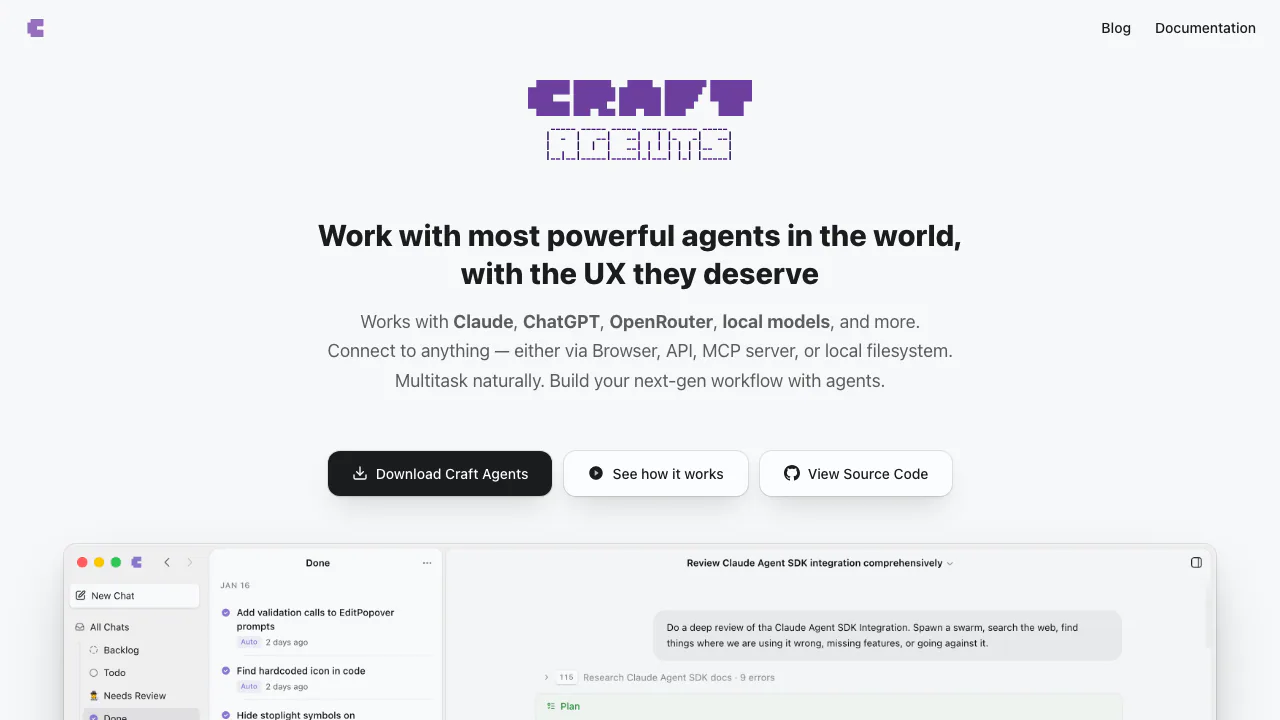
Craft Agents is an open-source desktop app that gives AI agents access to the tools and information you work with. You describe a result, connect the relevant sources, and let the agent read information, prepare a plan and carry out permitted actions. The website provides downloads, documentation and access to the source code; the main working interface is the installed application.
Think of a task such as reviewing project issues alongside local notes and preparing a status update. Craft Agents brings those inputs into one conversation, shows the agent’s tool activity and preserves the session for follow-up. It suits knowledge workers, operations teams and developers who need to move between documents, services and websites.
Turn connected information into completed work
Sources can be MCP servers, REST APIs or local folders. Ask the agent to add a service, provide its documentation or an existing MCP configuration, then complete the required authentication. A connection still depends on your account permissions and the service being reachable. For a single local project, you can use a working directory without setting up an MCP server.
The built-in Chromium browser handles tasks that require a website: opening pages, clicking controls, filling forms, extracting data and taking screenshots. The official guidance recommends API or MCP sources for recurring work when available, and browser interactions for one-off or interface-only tasks. For example, a reporting workflow might read issue records through a source and inspect a dashboard in the browser. You should check that the resulting summary matches both inputs.
Images, PDFs and Office documents can be attached, with conversion described in the official repository. Whether an image reaches the model depends on the selected connection: custom endpoints start in text-only mode and need image support enabled for a compatible model.
Complete a first task with a clear review step
- Choose the appropriate installer in the installation guide. Current builds support Apple Silicon Macs running macOS 11 or later, Windows 10 or later on x64, and Linux x64 through an AppImage requiring FUSE. Intel Mac support ended with v0.10.0.
- Configure your model connection and workspace. Connecting a Craft account is optional if you will use other sources or local files.
- Add one source, finish authentication and verify that the connection works. Keep the initial task narrow, such as summarizing a selected folder or project.
- Start in Explore and request an analysis with references to its inputs. State that you want a draft and identify the files or services it should use.
- Review the plan and move to Ask to Edit for changes you want to approve. Inspect the resulting document, source records and tool output before treating the task as finished.
The quickstart explains the setup and permission controls. A useful first prompt is: “Summarize these project notes, separate completed work from blockers, and show me the draft before updating any document.” This is an example task, not a guarantee that an unconfigured service is already accessible.
Reuse the workflow across sessions
Skills store reusable instructions in SKILL.md files. You can describe a skill to the agent or import compatible skills, then invoke them with an @mention. Sources required by a skill must already be configured and authenticated. A reporting skill can preserve your preferred structure, while a project keeps related sessions attached to a working directory and shared context.
The inbox, session statuses and background tasks help organize work that takes more than one conversation. Automations add event and schedule triggers, such as creating a recurring briefing session. Use the automation test action and execution history to check the configuration before depending on it. Scheduling does not eliminate source permissions, model quotas or the need to review results.
Models, free software and usage costs
Checked on 19 October 2026: Craft Agents is distributed as open-source software under Apache 2.0. No fixed, all-inclusive Craft Agents model allowance or paid subscription price was verified. The software license and the cost of running models are separate decisions.
Official materials describe connections for Anthropic, OpenAI, Google Gemini, GitHub Copilot, compatible gateways such as OpenRouter, and local models. API charges, subscription eligibility, rate limits and regional availability depend on the provider you choose. A session locks to its connection after the first message; start a new session to change connections, as described in LLM connection settings.
Ollama is an option for local inference. The documented Anthropic-compatible setup requires Ollama 0.14 or later and a model downloaded to your machine. Local inference still needs suitable hardware, and an agent accessing a remote service still makes a network request.
Permissions, data and shared conversations
Explore supports investigation, Ask to Edit requests approval for relevant changes, and Execute allows autonomous action without those prompts. Permission rules can be customized. Browser tools are available in every mode, so the mode name should not be treated as a universal barrier against changes on a website. Give the agent a clear task boundary and inspect actions that affect external systems.
Credentials are encrypted locally and session history is stored on disk. Cloud model connections send requests through provider infrastructure; local installation alone does not establish a universal retention or training policy.
Share Online uploads a conversation to a read-only viewer. Messages and tool results can be visible to anyone with the link, without a password or login. The documented limit is 5 MB per conversation, attachments are excluded, and Stop Sharing deletes the online copy. Review sensitive content before sharing; the sharing documentation explains the exact scope.
Frequently asked questions
Is Craft Agents free to use?
The open-source software has no license fee. Your chosen model API or subscription can still cost money and impose quotas; there is no verified promise of unlimited free model use.
Which computers can run it?
Current desktop releases support Apple Silicon macOS, Windows x64 and Linux x64. Intel Macs are limited to the final supported v0.10.0 release. Check the official requirements before downloading.
Can I use different AI models?
Yes. Multiple provider connections and local endpoints are documented. Compatibility, authentication and available capabilities depend on the connection, and switching connections requires a new session.
Official resources and developer community
- Source code and license: inspect the implementation, releases and license conditions.
- Source connection guide: configure MCP, APIs and folders.
- GitHub issue tracker: report reproducible problems through the website’s contact destination.
- Official Discord community: discuss usage with the community linked from the repository.
Related tools
AI Automation Tools →
3AMContact
Investigate production incidents, verify causes and repair within your team's approval policy.
GleapPaid
Connect customer questions, bug investigations and reviewed fixes.
NitroStackFreemium
Build typed MCP tools, inspect their behavior and deploy them with a connected development stack.
Buddy WorksFreemium
Visual CI/CD pipelines, preview environments and deployment tools that AI agents can operate.
BackdropFreemium
Create AI coworkers that use your tools, carry team context and move work forward.