

SalesRepPaid
Qualify leads, share product quotes and hand conversations to your team from one inbox.
guilds.run: Inspectable Multi-Agent Workflows
Run agent teams and inspect their prompts, tools and memory.
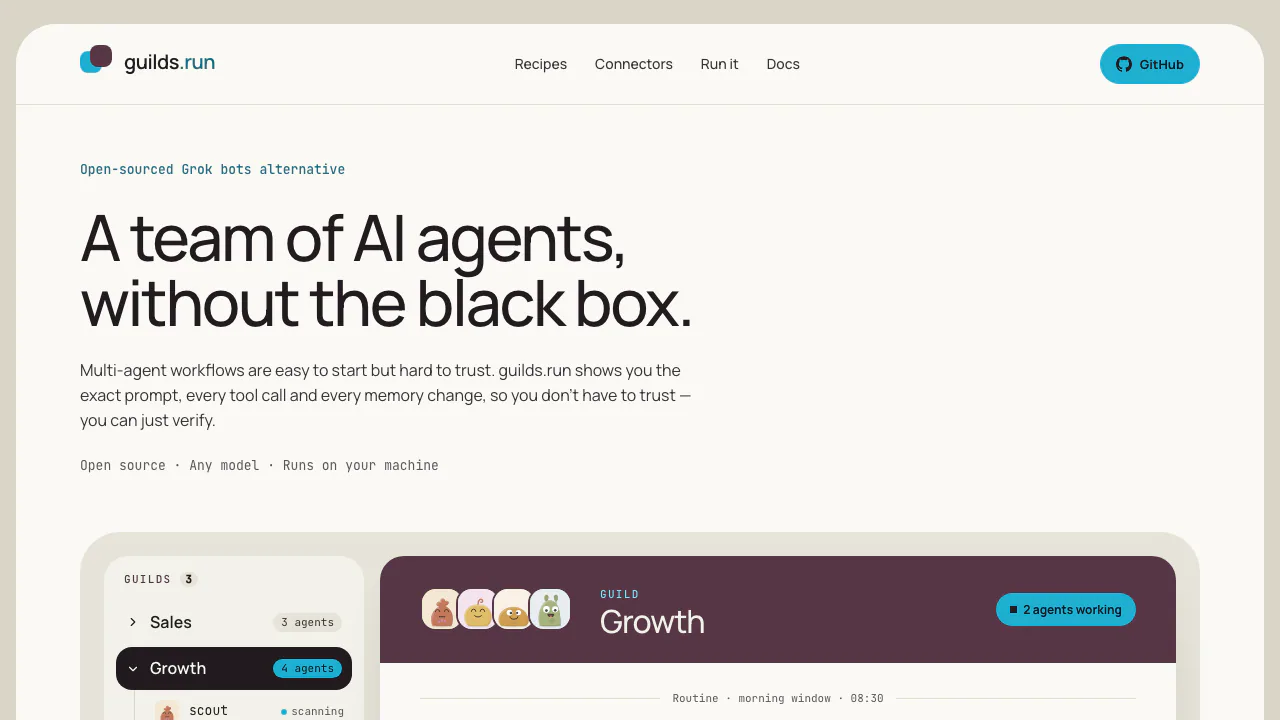
guilds.run, made by Cigale AI, runs persistent teams of AI agents. Each member has a task, model and tools; the team shares chat, notes and tables. Its central benefit is being able to inspect how work happened and improve the next run.
What does guilds.run do, in plain English?
Think of it as a workbench for an AI team. A researcher can collect information, another agent can prepare a draft, and an operator can check the work. A guild is the team, a Task is an agent's standing instruction, and a run is a recorded execution. You can read the actual prompt, tool calls, results and memory rather than judge the workflow from the final answer alone.
It suits developers and operators building repeatable research or business processes. It requires deployment and model configuration, so factor that effort into a decision to use it for occasional questions.
Give each role useful context and limited tools
Agents can use different models. Shared notes carry rules and findings, tables hold structured records, and persistent memory carries an individual agent's context forward. Scripts preserve reusable processing logic. Define a concrete input and expected result before adding more roles.
Connectors may be native adapters or remote MCP endpoints. Gmail, Drive and GitHub require instance-side application setup as well as account access. Enable tools at the appropriate organisation, guild or agent scope; a connector pictured on the homepage is not an already configured connection.
Trace a bad result and review a Studio fix
Open Inspect run beside a reply. Check the effective Task, then the tool inputs and returned data. Review memory versions when a mistaken assumption survives into later work.
Prompt Studio reads evidence from an existing guild and drafts Task changes. Review the diff and publish or discard it. The coach does not publish changes itself. Publication affects new runs; historical runs remain unchanged. Inspection helps diagnose errors without promising that model output is correct.
Install and verify your first guild
Follow the installation guide with Docker and Compose, git and bash available:
git clone https://github.com/CigaleAI/guilds.git
cd guilds
./setup.sh
docker compose up --detach --wait
The first image build takes several minutes. Keep the generated .env: it contains the key needed to decrypt stored credentials. Open http://127.0.0.1:8080/ in a browser.
- Connect a provider in the welcome dialog, select offered models and choose a default.
- Create a guild, add an agent, edit its Task under Prompt and save.
- Send a small task in Group chat. An initial
@agent-nametargets that member; an untagged message wakes all members. - Inspect the resulting run. Ask a follow-up that relies on the first exchange and check the memory version under State.
Validate a small result before connecting business accounts or enabling schedules. Remote multi-user access requires separate configuration.
Choose models with costs and data flow in mind
Checked October 14, 2026: the self-hosted core is free software under AGPL-3.0-only. The hosted edition is separate and proprietary; a currently available hosted plan or quota was not verified. Infrastructure, model calls and external tools can still cost money.
Core supports OpenAI, OpenRouter, xAI, DeepInfra and local OpenAI-compatible endpoints such as Ollama, LM Studio or vLLM. Claude and Gemini can be accessed through OpenRouter. Kimi Code serves coding agents only.
The model-key documentation says the provider bills the key owner's account and Guilds sets no spending cap. Configure limits with that provider. Docker's loopback address refers to the container, so a host model server needs a reachable address.
Self-hosting does not make remote-model requests local. Review connector data flows and narrow secret grants; agents sharing a machine share a trust boundary. The homepage's privacy and terms links returned 404 during this review, so retention and training guarantees could not be verified.
Schedule work and reuse configuration
Routines wake agents on a schedule and can be paused. Cron uses UTC and wake-ups must be at least five minutes apart. Pause test routines when finished to avoid continued usage.
Recipes export a guild's configuration as JSON. Save as recipe, approve and export; import, review the creation preview, complete the setup checklist and activate routines. Credentials, chat history, memory, table records and browser profiles do not travel with the recipe. The public recipe directory is still marked coming soon.
Frequently asked questions
Is free self-hosting free to operate?
The software is free; your chosen model provider, hardware and connected services may charge separately. There is no built-in model spending cap.
Can I run a local model for private work?
Yes, through a compatible local endpoint. Check external tools too: a cloud model still receives its requests, and complete privacy terms were unavailable during review.
Can I see what an agent actually did?
Yes. Inspect run shows the effective prompt, tool calls and results. Memory versions help trace context changes. Use these records to investigate; they do not guarantee correct output.
Official resources
- Documentation: setup, connectors and operation.
- Source code and issues: implementation, licence and feedback.
- Official X account: product announcements.
- Linked Discord community: community access may require membership.
Related tools
AI Automation Tools →
SquadRoomPaid
Give specialist agents a task, then review the work, documents and report.
Cube FormsFree
Cube Forms is an AI form builder designed for people and their agents to use the same form
BevelContact
Enterprise AI agents built in your infrastructure, with Hexis for shared context and tools.
NovastartFreemium
Arrange real app windows, follow AI agents and share a working canvas.
AyvenFreemium
An AI coordinator for following up with people, tracking tickets and keeping long-running team work moving.