

FramefieldsFree
Create, inspect and render video compositions with TypeScript and a coding agent.
Google Play games: discover and install Android games
Find Android games, compare listings and install onto eligible devices.
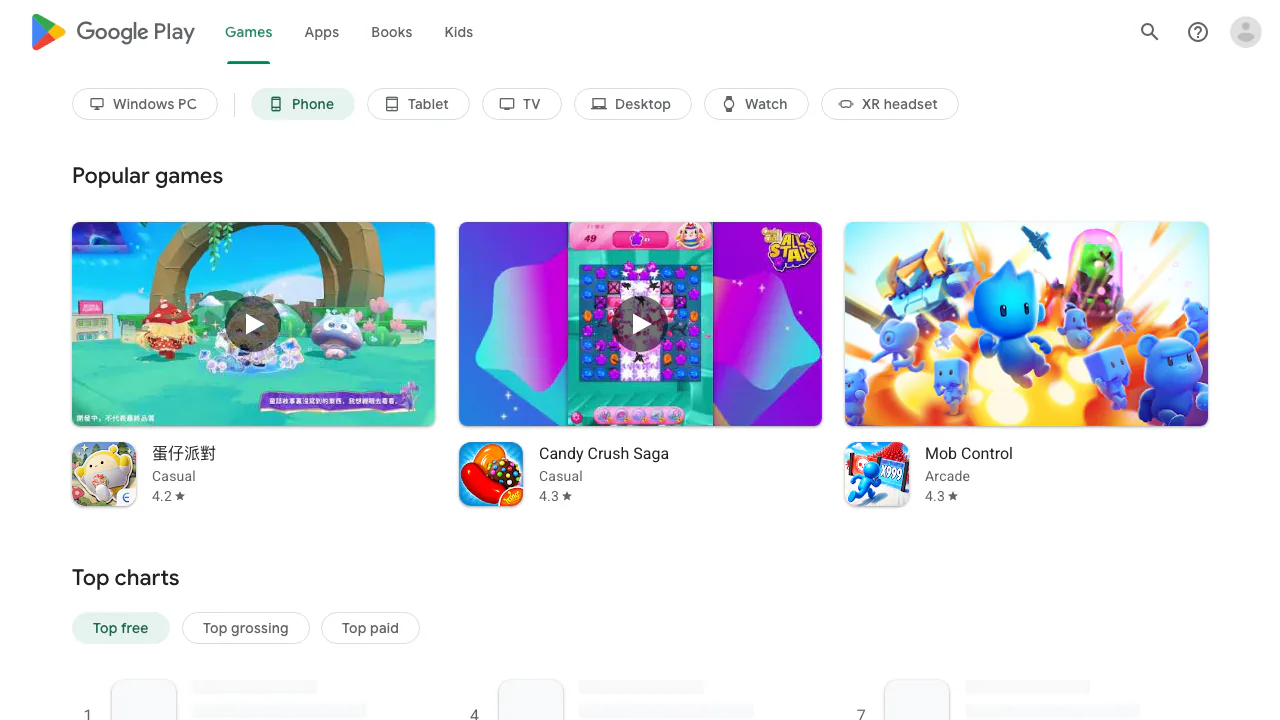
Google Play games brings Google's game catalogue to your browser. It helps Android players find a title, inspect its store listing and arrange installation on a supported device. Browsing a catalogue, downloading a mobile game and playing through Google Play Games on PC are different steps.
What is this website for, in plain language?
Think of this page as the games department of Google's app store. You can look around before choosing what to install: see games, open their information pages and check whether they suit your device and budget. The website is a storefront rather than a promise that every game runs inside your browser. It is useful for players comparing downloads and for people who prefer reading game details on a larger screen.
Find games through charts, genres and recommendations
The page combines recommendations, collections, genre labels and charts for free, paid and top-grossing games. Device filters help narrow the catalogue to a platform. A popular chart gives you a starting point; it does not establish that a game is right for your interests.
Open a listing and compare the developer, screenshots, game description, ratings, reviews and update information. For a puzzle game, for example, screenshots and the description help you understand its style before installing. Check the listing's platform availability and content rating as well. Collections, prices and rankings change, so use the current storefront for a live shortlist.
Install an Android game from your computer
Prepare a supported Android device linked to the Google Account you intend to use. Then:
- Search or browse the games catalogue and open the chosen listing.
- Read its compatibility, cost and data disclosures.
- Select Install, or the price for a paid title, and follow the purchase instructions when needed.
- Choose an eligible device in the installation selector and confirm.
- Check that the game appears on that device.
The website lets you initiate installation onto a device; the game is not automatically installed as a Windows or Mac application. If a device is missing, check the account and compatibility first. Bought content and reinstallation depend on using the same account. The official remote installation instructions explain the current device selection process.
Free games, purchases and Play Pass
The catalogue includes games with no upfront price and games sold for a purchase price. A free installation may still come with advertising or optional in-app purchases. Read the listing and payment screen instead of treating a free chart position as a zero-cost guarantee.
Play Pass is an optional paid subscription covering a selected catalogue. It does not unlock every game on Google Play. Its selection and eligibility vary by country and over time; consult the current Play Pass conditions before subscribing. This pricing model was checked on October 13, 2026; exact amounts depend on the game, account and market.
Playing on PC and keeping progress
For Windows play, use the separate Google Play Games on PC download page. Your computer must meet its requirements, and game availability varies. A mobile listing is not proof of Windows compatibility.
Google describes PC games with compatibility badges. Cross-device progress is a separate capability: check the game's Syncs across devices information and account requirements. Do not assume that every purchase or save transfers between all platforms.
Check privacy, suitability and regional availability
Before installation, inspect Data safety and the developer's privacy policy. Developers provide these disclosures; data practices can differ by game version, region, age and use. The Data safety guide explains how to interpret them.
The catalogue also depends on your Google Play country and device. This page is suitable for discovering supported games, but it cannot guarantee that a title is available to every account or that every Android device can install it.
Common questions
Are Google Play games free?
Some have no upfront charge. Paid titles, advertising and optional in-app purchases have separate conditions. A Play Pass subscription covers selected titles, not the whole store.
Can I play all these games on PC?
No universal PC support is promised. Use the separate Windows client and check the selected game's availability and compatibility badge.
Why does the website ask me to choose a device?
It can send an installation request to an eligible device connected to your account. Check the account and supported device rather than expecting a browser game to open.
Official resources
- Google Play Help: installation, account and purchase assistance.
- Google Play refund guidance: current conditions and the appropriate request route.
Related tools
Game Stores →
LookoutFree
Watch selected Slack channels and turn matching messages into useful actions.
ToriFreemium
Product answers from your docs, with your team ready to step in.
readywhenFree
Turn promises in emails, chats and call notes into reviewed follow-up.
walkai-talkaiPaid
Voice commands for coding agents, with replies over radio
QuelloFree
Ask across your documents and tools, verify the sources, and write with workspace context.