

Spira AIFreemium
Create branded content, review social posts, schedule publishing and learn from results.
LaunchReel: AI Video Editor for Claude Code
Edit recordings and build product launch videos with Claude Code.
What does LaunchReel actually do?
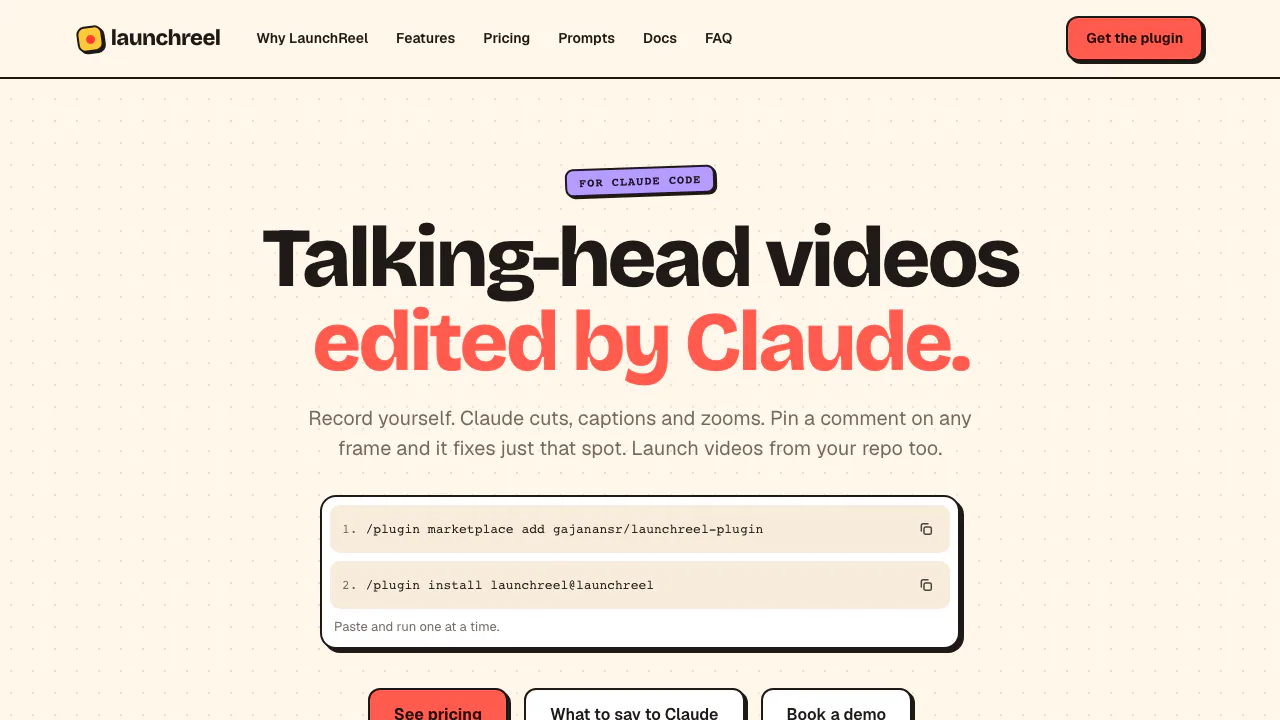
LaunchReel is an AI video editor that gives Claude Code a video workflow and a local preview Studio. You supply a recording of yourself speaking; Claude removes fillers, pauses and repeated takes, then adds captions, zooms and supporting visuals. You review the result and point to anything that needs changing. Developers can also turn an app repository into a product launch film with generated scenes, music and narration.
It suits creators who already use Claude Code and product teams preparing demonstrations. The plugin requires Claude Code and Node 20+, so include that setup and your own Claude usage in the decision.
Build a launch film from your real product
Open Claude Code in the app repository and request a launch video, specifying the feature, audience and length. Provide the running app URL so Claude can inspect the interface. It plans the story and writes scenes as Remotion components. Review the depicted screens and any product claims before export; the tool cannot verify whether claims you supply are true.
Ask for a 9:16 version for vertical channels or use 16:9 for a landscape presentation. The documented portrait workflow rearranges scenes rather than simply cropping them. Music can follow scene lengths, and narration is optional.
Without Claude Code, the separate browser template generator lets you choose a template, answer product questions or paste a script, choose voice and music, then render and download an MP4. Its data processing differs from the plugin.
Turn a recording into a reviewed edit
- Run
/plugin marketplace add gajanansr/launchreel-plugin, then/plugin install launchreel@launchreelin Claude Code, one at a time. - Give the recording path and request an edit, for example
edit my recording take.mov into a reel with launchreel. State the desired length and which pauses to preserve. - Watch the draft in the Studio at
localhost:4747. Check caption spelling, cut boundaries and whether removed material changes the meaning. - Correct the draft, then press Export or ask Claude to
render it.
The first render downloads headless Chrome. Recording limits are 2 minutes for the trial, 5 for Creator and 10 for Pro. Working copies of 1080p footage use approximately 0.07 GB per recorded minute.
Fix a frame without describing the whole timeline
Press C in Studio, click the relevant spot and leave a precise comment. After you tell Claude watch my comments, it picks up new comments and replies in their threads. Double-click on-screen text for direct changes; drag clip edges to adjust timing or reorder clips. Direct Studio edits do not consume Claude prompts, while Claude's work uses your own plan.
Free trial and subscription boundaries
Checked 6 October 2026: regular official monthly prices are in USD, billed through Dodo Payments, which handles tax and invoices.
- Trial: one full video, 1080p, with a small watermark and end screen.
- Creator: $19/month, 5 video projects, 1080p, 2 computers, no watermark or end screen.
- Pro: $49/month, 20 projects, 2K/4K and 3 computers.
- Team: $149/month, 80 projects and 10 computers, including Pro features.
A video means one project. Fixes, rerenders and revoicing within the same month do not consume another project; the counter resets on the first. Cancellation keeps the key active through the paid period. The conditional 14-day refund applies only when no video has been made with the paid key. Limited launch discounts are excluded from these regular prices.
Local files, cloud audio and commercial use
According to the privacy policy, plugin code, scenes and videos stay on your computer. With whisper.cpp installed, transcription audio stays local too; otherwise audio can go to Cloudflare Workers AI. Narration text also uses cloud processing. Licence details, project names and usage counters are retained for plan enforcement, so local rendering does not mean all processing is offline.
The template workflow sends answers or scripts to Gemini or configured OpenRouter. The policy cautions that Google's free API tier may use content to improve its products. Avoid confidential inputs on that path. Under the usage and licensing terms, built-in assets may appear in commercial LaunchReel videos but cannot be extracted and resold separately; you remain responsible for uploaded assets and claims.
Common questions
Is LaunchReel a free AI video editor?
It offers one complete trial video, not an unlimited free plan. Claude usage remains separate, and the trial export carries branding.
Can it remove pauses and add captions automatically?
Yes, these are documented talking-head features. Preview the cuts and transcription before publishing, especially names, numbers and deliberate pauses.
Which plan gives watermark-free or 4K output?
Creator removes the watermark and end screen. Pro or Team is required for 2K and 4K export; both landscape and portrait workflows are available.
Official guides
- Plugin installation and Studio controls: setup and editing reference.
- Prompt examples: recording edits, launch films, sound and precise revision requests.
Related tools
AI Video Editing & Workflow Tools →
FavorePaid
Create an image, refine it, then turn it into motion in one workspace.
Rap Duo AIPaid
Turn two photos into an English rap duet with generated music and vocals.
Turn a story idea into a narrated faceless short video.

MiniMax H3 MaxFreemium
Turn a written shot into a short video with synchronized audio.
SocialGPTPaid
Direct your video edit in chat, then refine the timeline yourself.