

Turn a story idea into a narrated faceless short video.

MiniMax H3 Max text-to-video on fal
Turn a written shot into a short video with synchronized audio.
What does this website do?
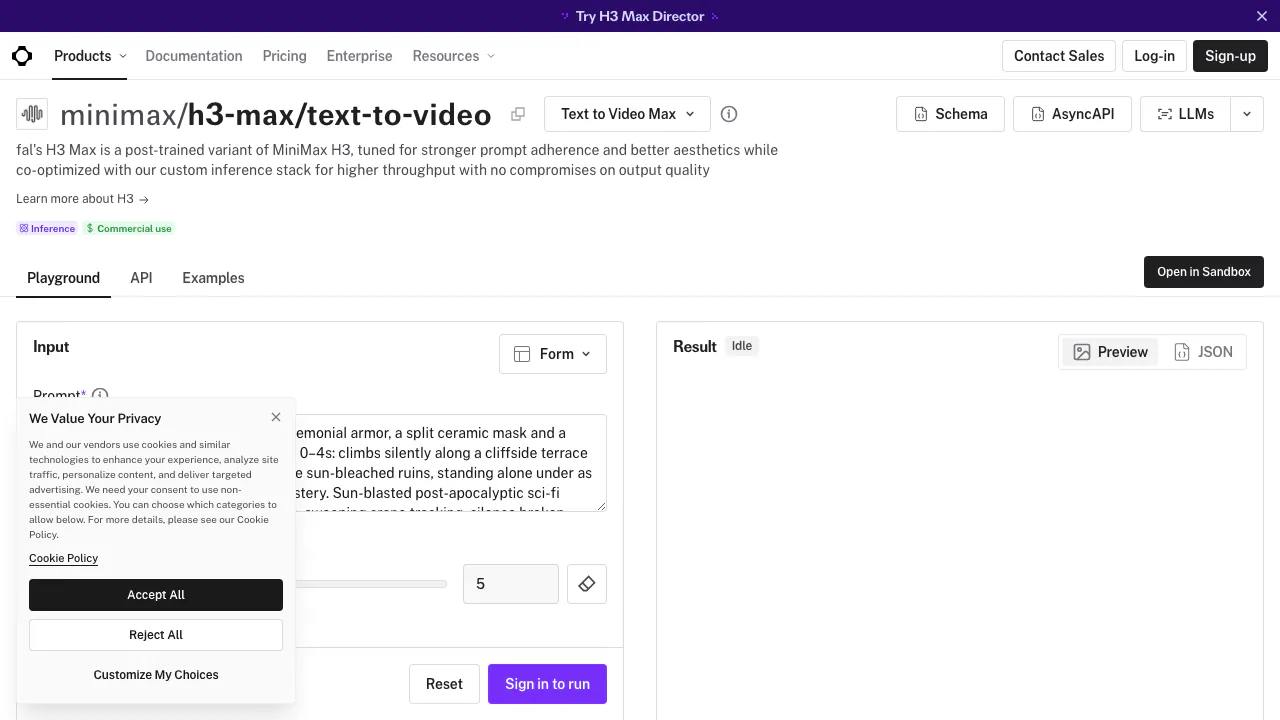
MiniMax H3 Max on fal turns a written scene description into a short video with synchronized sound. Think of it as a place to describe a shot—who is in it, what moves, how the camera behaves and what you hear—and receive a playable clip. You can use the browser interface or connect the model to an application through an API.
H3 Max is fal's post-trained version of MiniMax H3. This listing covers its text-to-video endpoint specifically. It is useful for creators exploring shot ideas, short promotional concepts and visual storytelling, and for developers adding video generation to a product. These are possible workflows, not a guarantee that a first render will be ready to publish.
Make a first clip from a focused prompt
- Sign in to fal and open the model's Playground.
- Describe one clear shot. For example: “A ceramic cup on a rainy windowsill; the camera slowly moves closer as steam rises; soft rain and a quiet room, no music.” This is an illustrative prompt, not a tested output.
- Start with the documented five-second default. Select a resolution and an aspect ratio that match the intended placement.
- Choose a prompt expansion mode, then run the request.
- Preview the result and listen to its audio. Check the subject, motion, framing and sound before downloading the MP4. Revise one instruction at a time if the result misses your intent.
Include important sound directions in the same prompt as the picture. That gives the model context for ambience, effects or music, while leaving you responsible for checking the actual result.
Choose the frame and the prompt controls
The API lists six aspect ratios: 21:9, 16:9, 4:3, 1:1, 3:4 and 9:16. A vertical 9:16 frame suits a vertical placement; 16:9 is the default for a landscape shot. Choose the frame before refining a composition.
Resolution options are 480P, 768P and 1080P. The documentation describes 1080P as refinement from a native 768P source, so it should not be presented as native 1080P generation.
The balanced expansion mode emphasizes a quick prompt rewrite; quality spends more time developing that description. Those rewrite timings do not promise an end-to-end video delivery time. More elaborate expansion is also not a substitute for a clear brief.
Free Sandbox access and paid API costs
Checked September 8, 2026: the official H3 Max overview advertises five free Sandbox generations per day, each up to 15 seconds, after signing in. It says the allowance resets every 24 hours. This is a Sandbox offer, not an unlimited free API.
The text-to-video endpoint's price notice lists promotional rates of USD 0.0125/second at 480P, USD 0.02/second at 768P and USD 0.04/second at 1080P. Its September 14 expiry notice lists subsequent rates of USD 0.05, USD 0.08 and USD 0.16 per second respectively. At the promotional 768P rate, five generated seconds calculate to USD 0.10 before tax.
API use consumes prepaid credits. Prices exclude tax and can change; check the endpoint and account before running a batch. The broader overview uses different promotional wording, so the specific endpoint is the reference for the figures above.
Connect video generation to an application
The endpoint API documentation shows the Node.js package @fal-ai/client and the endpoint minimax/h3-max/text-to-video. Keep FAL_KEY on your server. Submit the prompt and prompt_expansion_mode, then retrieve the generated video from the result.
The SDK supports a subscription-style request as well as queue submission, status checks, results and webhooks. For an application, record the request ID and handle completion rather than treating an in-progress response as a finished video. Browser users do not need this integration.
Commercial use, data and practical limits
The model page carries a commercial-use label. The service terms still require appropriate input rights and do not guarantee that generated material is original or free of third-party claims. Review a clip before using it in client work.
The API supplemental terms restrict use of Client Content for developing or training fal products, but include exceptions such as models marked Pending Enterprise Ready. Verify the applicable designation and agreement before relying on that restriction for confidential material. A specific retention period for this endpoint's generated videos was not established in the reviewed pages.
Frequently asked questions
Is H3 Max free?
The advertised free allowance applies to the Sandbox. API generation has its own per-second charges; do not assume that a free browser allowance becomes API credit.
Do I need to write code?
No. The Playground provides a browser form. The API is an additional route for developers who want to integrate or automate generation.
Is H3 Max the same as MiniMax H3?
It is a variant post-trained by fal on MiniMax H3. Controls, delivery options and prices from other H3 services should not be assumed to apply to this endpoint.
Official developer resources
- fal on GitHub: SDK repositories and integration examples.
- fal service status: check Model API and dashboard incidents when a request or page is unavailable.
Related tools
AI Image & Video Generators →
Rap Duo AIPaid
Turn two photos into an English rap duet with generated music and vocals.
LaunchReelPaid
Edit recordings and build product launch videos with Claude Code.
Fotor Video AgentFreemium
Chat your way from a rough idea or source file to an editable video project.
KreaFreemium
Generate, edit and enhance images, video and 3D assets across many AI models
GrokFreemium
Real-time AI chat, research, code, images, video and voice from xAI.