

LaunchReelPaid
Edit recordings and build product launch videos with Claude Code.
SocialGPT AI video editor for social clips
Direct your video edit in chat, then refine the timeline yourself.
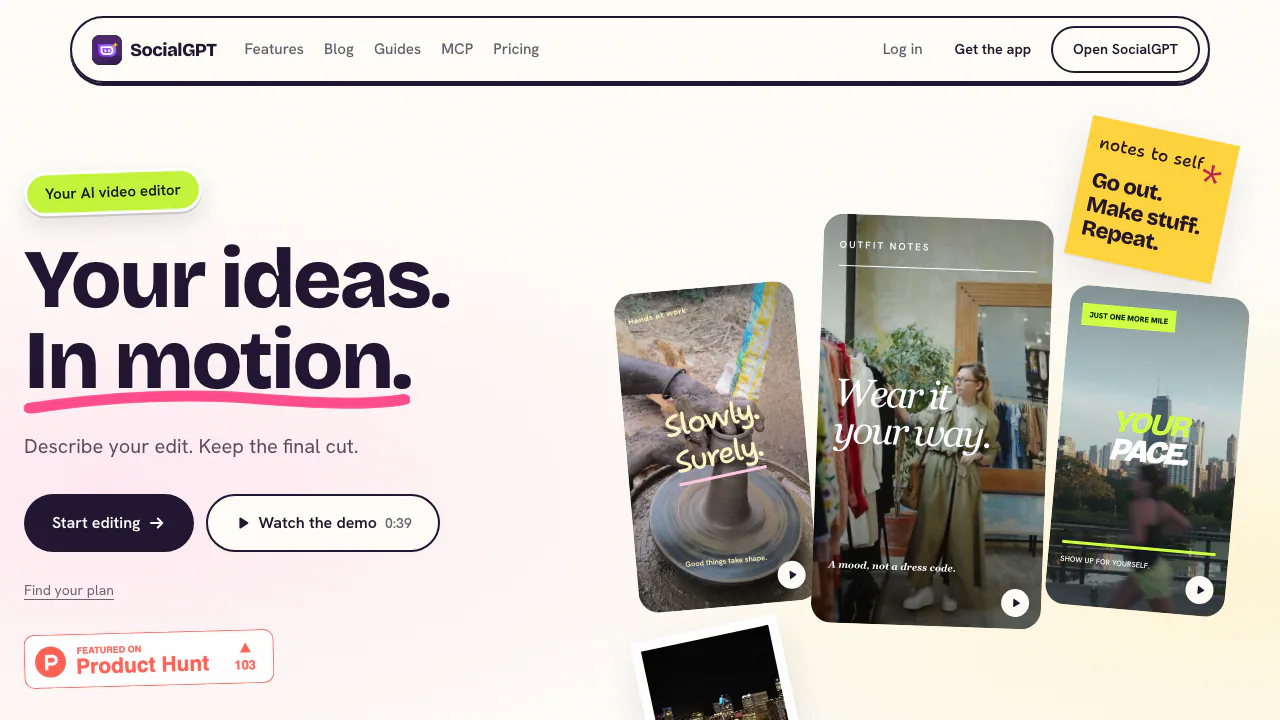
SocialGPT is an AI video editor for creators who already have footage and want to shape it into a finished social video. In the browser, you upload your material, describe the change you want in chat, then review and adjust the result on an editable timeline. Its ideas, scripts, carousels and analytics tools support the work around the edit.
What is SocialGPT, in plain language?
Think of it as a video editing workspace with an assistant. You bring clips, still images or audio; the assistant can help arrange and trim the footage, add captions and work on sound or camera movement. The edit remains visible on a timeline, so you can inspect each change and make manual adjustments before exporting. It is especially relevant to creators preparing TikTok, Instagram or YouTube content from their own recordings. The site does not promise that an unspecific prompt will produce a finished video without review.
From raw footage to a first cut
Start a project in the paid web editor and import the clips, images and audio you have permission to use. Wait for uploads to finish, preview the source material, and identify the opening and ending you want. Then give the editor a direction with a target, an action and a constraint: for example, “Make a 20-second vertical recap; open on the action, keep the clips in order, and preserve the original voice.” The official editing guide shows this project-to-export flow and more precise examples.
Watch the first cut from beginning to end. If a shot is wrong, select it and request a smaller correction, or trim, split and move it yourself on the timeline. Check for gaps, repeated moments and mismatched audio. Finally, export, download and play the file to confirm that the opening, ending, captions and sound are present. The guide describes MP4 as a practical output choice; available quality and format settings depend on the browser and device.
Captions, audio and ideas around the edit
For spoken footage, ask for word-by-word or phrase captions. Review names and specialist terms against the audio, then check timing and phone-size legibility. Silent clips cannot supply speech for automatic transcription; add a title or your own text instead. You can import audio or ask the assistant for music and effects, but listen to levels and use only tracks you have rights to publish.
SocialGPT also offers niche-based hooks, scripts, carousels and performance insights. Connecting TikTok, Instagram or YouTube can bring account data into those planning and analytics features; it is not required to edit your own media. The separate MCP integration lets compatible AI clients query social metrics and creator research, and should be assessed as a distinct workflow from video editing.
Web access, plans and practical limits
As checked on 27 September 2026, the browser app and video editor require a paid plan. The mobile apps have a separate free tier with usage limits, but the public pages checked did not give a precise quota. The official plans page displays Pro at USD 96 per year, equivalent to USD 8 per month on annual billing, with 10,000 credits a month; the homepage also states USD 10 for monthly Pro billing. Expert is shown at USD 960 per year, equivalent to USD 80 per month, and advertises unlimited credits. Enterprise is custom priced. These are public USD figures, so check the actual checkout for your market and billing terms. The terms allow fair-use or subscription-based limits on generative features, which matters when interpreting “unlimited.”
Before uploading: data and content rights
The terms of use say you retain ownership of material you provide, but grant SocialGPT a broad license to operate and improve the service, including model training and evaluation. They treat AI-generated Output separately: SocialGPT claims ownership as between you and the company, while granting you a license for lawful business use, including posts on connected social accounts. Review these clauses and any music or third-party footage rights before a client or commercial project.
The privacy policy explains processing of account, device, usage and social-login information, use of service providers, and US-based servers. Its social connection guide says connections use OAuth rather than asking SocialGPT to store a platform password. If the footage or account data is sensitive, read the full policies before uploading or connecting it.
Frequently asked questions
Can SocialGPT edit video I already recorded?
Yes. Import your footage into a project, describe the cut you want, inspect the AI's changes on the timeline and export only after reviewing the full result. It is built around editing supplied material.
Is the SocialGPT video editor free?
The browser editor requires a paid plan. A separate limited free tier is mentioned for the mobile apps, but the exact current mobile quota was not confirmed on the public pages checked. See the current plans and pricing before signing up.
Can I change the AI edit myself?
Yes. You can trim, split and reorder clips on the editable timeline, correct captions, and ask the assistant for another targeted pass. Preview each changed section before exporting.
Official resources and community
- Video editing guide — first-edit steps, captions, export and troubleshooting.
- SocialGPT community — the Discord link published by the official site.
- MCP setup guide — for connecting social analytics to a compatible AI client.
Related tools
AI Video Editing & Workflow Tools →
SupacutPaid
Find interview soundbites and build an editable first assembly
Fotor Video AgentFreemium
Chat your way from a rough idea or source file to an editable video project.
Luma Dream MachineFreemium
Create and refine cinematic AI images and videos from prompts, references, and keyframes.
FavorePaid
Create an image, refine it, then turn it into motion in one workspace.
IncrediblePaid
Delegate browser, app and file work by voice or text.