

Fireflies.aiFreemium
AI meeting assistant for transcription, summaries, searchable notes, action items and team workflows.
Otter AI Meeting Transcription: Features & Pricing
Record meetings, transcribe conversations, identify speakers, and turn discussions into searchable notes.
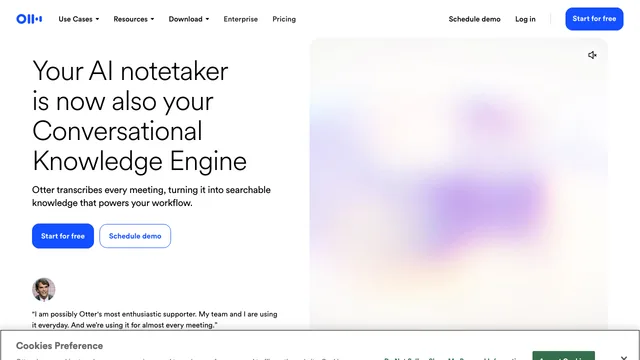
Otter.ai is an AI meeting assistant for live transcription, searchable notes, summaries, captions, and conversation playback. It works across web and mobile and can assist with meetings on Zoom, Microsoft Teams, and Google Meet.
What can Otter do?
Otter can import recorded audio or video, transcribe a live conversation, identify speakers, let you edit text and time codes, search notes by keyword or speaker, and export audio, text, or captions. Its workspace also includes sharing, calendars, team vocabulary, folders, and administrative controls on supported plans.
Otter supports English, Spanish, French, German, Japanese, and Simplified Chinese transcription. Its help center says one conversation is transcribed in one selected language at a time, so multilingual meetings need careful language settings and manual review.
Does Otter support Chinese?
Yes. Otter lists Simplified Chinese as a supported transcription language. It does not automatically make every mixed-language meeting accurate, so check the selected language and review names and technical terms.
Can Otter join online meetings?
Otter documents an Assistant for Zoom, Microsoft Teams, and Google Meet, as well as browser and mobile recording workflows. Confirm meeting permissions and participant notice requirements before recording.
Does Otter create meeting summaries?
Otter provides summaries, searchable notes, keywords, and related meeting-assistant features. AI notes should be checked against the transcript before they become an official record.
Is Otter free?
Otter offers free and paid plans. Minutes, imports, exports, collaboration, and advanced assistant features depend on the current plan.
Related tools
AI Audio & Voice Generators →
FathomFreemium
AI meeting notetaker for recording, transcription, summaries, action items, clips and searchable call history.
GranolaFreemium
A bot-free AI notepad that combines your notes with meeting transcripts
ElevenLabsFreemium
Lifelike AI voices, cloning, dubbing, music, and voice agents in one platform
DescriptFreemium
Edit video and podcasts as easily as a document
Notify SoundFree
Make short notification sounds by editing synth layers or asking a connected AI assistant to design them.