

GranolaFreemium
A bot-free AI notepad that combines your notes with meeting transcripts
Fathom AI: Review: transcription, summaries and action items
AI meeting notetaker for recording, transcription, summaries, action items, clips and searchable call history.
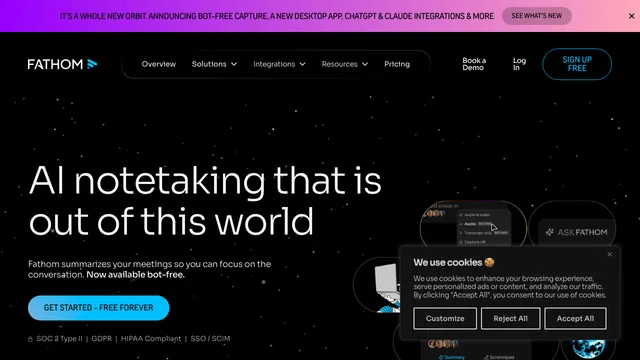
Fathom AI — Fathom is an AI meeting notetaker for recording, transcribing and summarizing calls on Zoom, Google Meet and Microsoft Teams. It helps individuals and teams preserve decisions, action items and searchable meeting history without typing notes throughout a conversation. This review covers Fathom transcription, summaries, Ask Fathom, integrations, pricing, consent, security and the situations where a meeting bot may not be appropriate.
What Fathom does
Fathom records supported online meetings, generates a transcript and produces AI meeting summaries. Users can highlight moments, create clips, search calls and share useful excerpts. Team editions add shared recordings, folders, comments, alerts and administrative features.
The main benefit is attention: participants can focus on the conversation and return to details later. The main responsibility is governance because a searchable recording contains more sensitive context than handwritten notes.
Explore the official Fathom AI notetaker
Fathom transcription and language support
Fathom's help center lists transcription support for 38 languages. Some languages also support automatically translated summaries. Accuracy depends on audio quality, accents, speaker overlap, names and specialized terms.
Review commitments, dates, prices and personal details against the recording. Correct errors before sending a summary to customers or storing information in CRM. Transcription is an aid, not an authoritative record.
Check Fathom's supported languages
Fathom AI summaries and action items
Fathom can generate meeting summaries, action items and follow-up email drafts. Free accounts receive a limited number of advanced summaries, while Premium expands AI features. Ask Fathom lets users question meeting content.
Summaries compress context and can overstate agreement. Link major decisions to timestamps and confirm owners and deadlines. A follow-up email should be reviewed for tone, promises and confidential information before it is sent.
Fathom clips, search and knowledge reuse
Clips and playlists help teams share a product insight, customer quote or training moment without forwarding a full recording. Search can find meetings, attendees and keywords across a history of calls. Team plans expand access to shared meeting libraries.
Use the smallest useful excerpt and check the surrounding context. Restrict workspace access, label sensitive calls and establish retention rules. A convenient clip can still disclose personal or commercially sensitive information.
Fathom CRM and workflow integrations
Fathom supports CRM synchronization and Zapier-based workflows, with plan-dependent limits. It can push notes or summaries into sales and project systems, reducing manual data entry.
Map fields deliberately and test with non-sensitive meetings. Prevent duplicate records, avoid sending entire transcripts when a short summary is sufficient, and keep a human approval step for customer commitments or deal changes.
Fathom pricing and free plan
Fathom provides a Free individual plan with unlimited recordings, storage and transcription, plus limited advanced AI summaries. The pricing page lists Premium, Team Edition and Team Edition Pro options with additional AI, collaboration, CRM and security capabilities.
Prices vary with monthly or annual billing. Verify the live plan page for current per-user price, feature limits and renewal terms before purchasing.
Fathom security, privacy and recording consent
Meeting recordings can include personal data, confidential business information and comments from people who never expected a permanent transcript. Users must provide notice and follow applicable consent laws and company policies.
Configure which meetings the bot may join, exclude sensitive calendars, restrict shared links and delete data when it is no longer needed. Team buyers should review SSO, retention and administrative controls for their plan.
Review Fathom security information
Fathom limitations and review risks
Fathom can misidentify a speaker, mishear a term, omit nuance or generate an incomplete action list. A bot may also join an unintended meeting if calendar automation is too broad. Sharing and integration settings can spread an error.
Pilot with a small group, review autojoin rules and test deletion and export workflows. Do not use model-generated sentiment or summaries as the sole basis for hiring, performance, legal or compliance decisions.
Who should use Fathom
Fathom is useful for consultants, founders, recruiters, salespeople, customer teams and distributed project groups with frequent calls. The generous individual free plan makes it accessible to people who mainly want notes and searchable history.
It is less appropriate for confidential conversations without approved controls, environments where recording reduces trust, or teams with no plan to review and use the archive. Measure time saved, follow-up quality and privacy overhead.
Fathom frequently asked questions
Is Fathom free?
Yes. The individual Free plan includes unlimited recordings, storage and transcription, with limits on advanced AI features.
Which platforms does Fathom support?
The official pricing page lists Zoom, Google Meet and Microsoft Teams.
How many languages can Fathom transcribe?
Fathom's help center currently lists 38 transcript languages.
Can Fathom create action items?
Yes. AI summaries can identify action items and follow-up content, but users should verify ownership and deadlines.
Does Fathom integrate with CRM tools?
Yes. CRM synchronization and Zapier workflows are available with plan-dependent limits.
Is participant consent required for Fathom?
Recording and privacy rules vary by jurisdiction and context. Users should provide notice and follow applicable laws and organizational policies.
Related tools
AI Workspace & Notes Tools →
KrispFreemium
Clean meeting audio, transcribe conversations and generate editable notes
Wispr FlowFreemium
Dictate polished text into almost any app and adapt to your vocabulary
Fireflies.aiFreemium
AI meeting assistant for transcription, summaries, searchable notes, action items and team workflows.
Otter.aiFreemium
Record meetings, transcribe conversations, identify speakers, and turn discussions into searchable notes.
ElevenLabsFreemium
Lifelike AI voices, cloning, dubbing, music, and voice agents in one platform