

FavorePaid
Create an image, refine it, then turn it into motion in one workspace.
Product Launch Checklist — a free checklist for launching software
A free launch checklist with reasons, skip guidance and portable progress
What does Product Launch Checklist do?
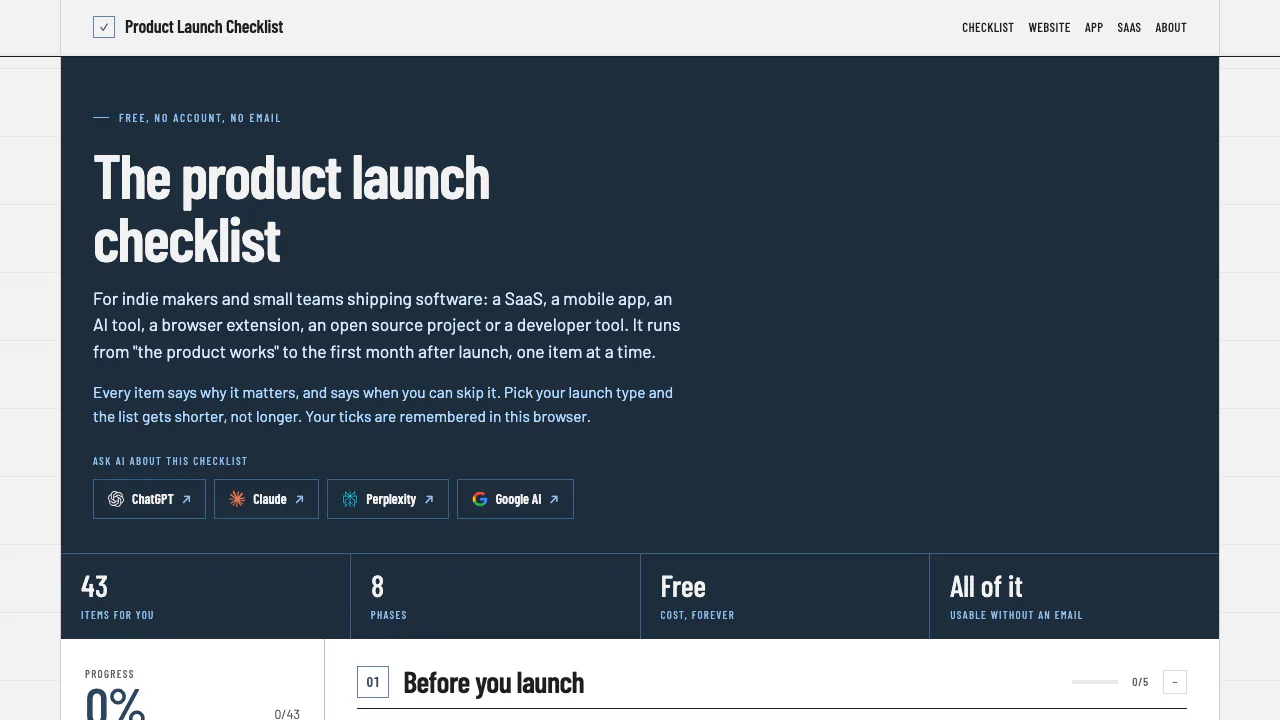
Product Launch Checklist is a free interactive product launch checklist for independent makers and small software teams. Think of it as a launch companion: it shows what to check next, explains why the task matters and helps you decide whether it applies. You still do the testing, preparation and outreach yourself.
It covers SaaS, mobile apps, AI tools, browser extensions, open-source projects and developer tools. The public homepage initially shows 43 items; selecting launch types changes the relevant tasks, so that number is not a universal requirement.
From a working product to the first month
The eight main phases cover preparation, product readiness, website readiness, launch materials, directory listings, launch day, the first week and the first month. This keeps follow-up work visible after the announcement.
The useful detail is product-specific guidance. SaaS makers get reminders about trials, pricing and failed payments. Mobile developers see store review, device screenshots and privacy labels. AI-tool makers are reminded to check usage costs, abuse protection and explanations of model and data handling. These are tasks to review, not checks that the website performs for you.
Build a checklist you can actually work through
- Select your launch type, combining relevant types when appropriate.
- Open a phase and read the reason behind each task. Start with items marked Must do.
- Use the Skip if explanation to decide whether an item applies; Worth doing items can wait until after launch.
- Mark completed tasks or skip inapplicable ones, then review the displayed progress.
- Use Markdown, GitHub tasks or Print to take the checklist into your existing workflow.
For a SaaS launch, the aim is not simply to tick “payments”: follow the linked guidance and check the payment path before recording completion. A checked box records your decision rather than independently verifying the product.
Keep progress and move it between devices
The official FAQ says ticks, skips and launch types stay in the browser. Share link carries ticks and selected types so the list can open in the same state elsewhere. Treat this as a portable snapshot, not a promise of live team synchronization. Keep an export or current link before clearing browser data.
The site describes its page-view counting as cookieless. This statement concerns the checklist website; an external AI service has its own data handling.
Use an AI assistant to read the checklist
The official MCP card documents an unauthenticated Streamable HTTP endpoint with list_launch_types, get_checklist and get_item. A compatible assistant can retrieve relevant guidance. It is a read-oriented integration, not an automatic launch agent.
The complete Markdown checklist is also useful when you want an assistant to work from the actual source.
Free access and practical boundaries
As checked on October 7, 2026, the official About page says reading, ticking, sharing and exporting require no payment, account or email. Linked third-party services are separate. The site does not itself provide a directory database or platform asset-size catalogue.
Frequently asked questions
Is it free without an account?
Yes. The official free-access statement includes reading, ticking, sharing and exporting; it is not limited to a preview.
Do I need to complete every item?
No. Choose the relevant launch types and use the skip conditions. Prioritize essential tasks instead of treating the whole list as mandatory.
Can I use the checklist with an AI assistant?
Yes, through its official Markdown resources or documented MCP tools. The assistant helps interpret the guidance; those tools do not execute your launch tasks.
Related tools
Product Launch Planning Tools →
IncrediblePaid
Delegate browser, app and file work by voice or text.
OpenBotFreemium
Persistent AI teammates with shared work, local files and your choice of model.
DENRAKEIWContact
Creative AI production, custom ComfyUI workflows and open-source image tools
ExtrovertPaid
Find prospects, draft relevant comments and keep LinkedIn conversations moving.
Fuse AIFreemium
Find suitable prospects, enrich contact data and review AI-written outreach in one sales workflow.