

Fuse AIFreemium
Find suitable prospects, enrich contact data and review AI-written outreach in one sales workflow.
Extrovert — AI LinkedIn outreach tool
Find prospects, draft relevant comments and keep LinkedIn conversations moving.
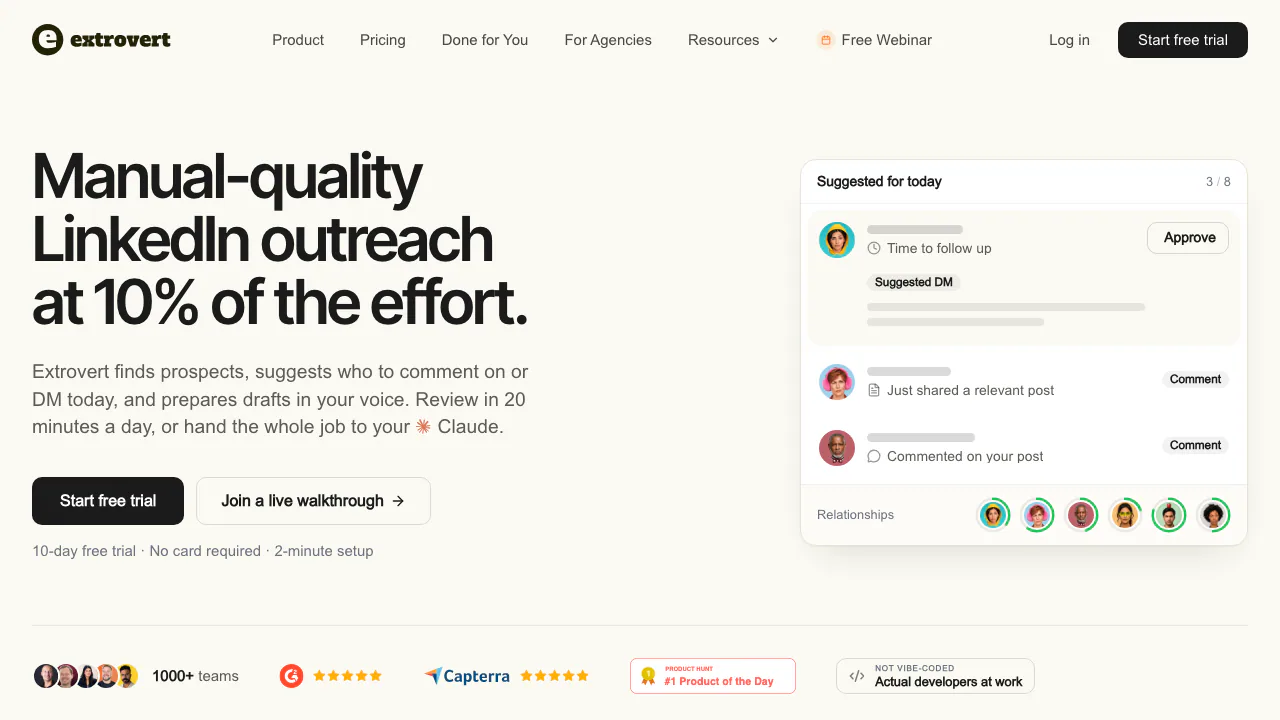
What does Extrovert actually do?
Extrovert is an AI LinkedIn outreach tool for B2B founders, sales teams and agencies. It helps find suitable prospects, surfaces opportunities to engage, and prepares comments and direct messages for review. Think of it as a daily list of people worth contacting, with a reason and a draft for each interaction.
Its focus is building familiarity before a pitch and maintaining conversations over a longer sales cycle. It does not write or schedule original LinkedIn posts, create images or produce articles.
Build a relevant prospect list
Use Lead Finder to search by role, company, location and other customer criteria, then choose the people to add. Intent Signals offers another starting point: people who engage with selected posts, companies, topics or competitor-related activity. An engagement signal supplies context; it does not prove purchase intent.
You can also import profile URLs, recent connections, LinkedIn searches, Sales Navigator searches or saved lists, and CSV files. These native imports do not consume discovery credits, but they use tracked-prospect capacity. Sales Navigator imports require its active subscription. For prospects who rarely post, Extrovert can surface discussions they are likely to see.
Write comments and follow-ups with context
The Post feed brings together campaign posts, summaries and suggested comments. Read the original, edit or regenerate the draft, add a concrete point, or skip it. Comment drafts follow the post’s language; the help center describes support for most major languages, rather than an exhaustive language guarantee.
Fill out your Voice with background, genuine comment examples and talking points. DMs have separate tone, template and selling-point fields. Recommended DMs use conversation context and campaign follow-up timing, so you can return to an existing discussion instead of repeatedly starting a generic pitch.
From a LinkedIn profile to your first reviewed outreach
- Register with your personal LinkedIn profile URL. This prepares an initial Voice and campaigns; entering a URL alone does not connect the account.
- Connect through Settings → LinkedIn account using the browser-session extension or email and password. Complete any verification and check for a connected profile card.
- Review the prepared prospect list and topic, remove poor matches, and improve the Voice.
- Set daily limits, working hours and campaign rules, then start the campaigns. Initial campaigns are switched off.
- Review comments in Post feed and messages under DMs → Recommended. Check Pending, Posted and Error to distinguish queued actions from completed or failed ones.
Start with a small relevant list and inspect actual drafts before expanding. Approval does not mean immediate delivery: limits and working hours determine when the queue clears.
Choose what runs automatically
Campaigns begin with comment review. You can deliberately enable Auto comments for an individual campaign, with its own cap and posting window. Manual and automatic comments share the account’s daily limit; campaign caps do not create extra allowance.
DM suggestions do not send themselves. Review and send them yourself, or authorize a connected MCP assistant to review, edit and send within your permissions. The MCP connection has no independent background schedule. Switching comments back to Manual also leaves already queued comments intact; cancel unwanted ones in Pending.
Understand seats, credits and the trial
Checked October 8, 2026: the public price for one monthly seat is US$49/month. A seat represents one LinkedIn account. Each paid seat contributes 250 tracked prospects, one topic and 300 monthly credits, shared across the team.
New workspaces receive a 10-day trial without a card and 300 one-time trial credits. Continued full use requires a subscription. Lead Finder costs one credit per delivered prospect; Intent Signals costs 25–250 depending on the signal. Included monthly credits expire at reset, while purchased top-ups roll over.
Tracking capacity, discovery credits and daily sending limits are separate. Extra prospects, topics and credits cost more; annual and volume discounts are shown on the official pricing page. This is a public USD list price, not a verified tax-inclusive quote for every market.
Coordinate a team and connect other tools
Share campaigns and prospect lists, and let authorized teammates review actions for an account owner. Review-only teammates who do not need their own connected account are free.
The current plan and trial include a REST API for campaigns, prospects, voices and comment/DM queues. Lead Finder and Intent Signals are outside that REST API; Lead Finder is available through MCP. Official guides also cover webhooks, Make, n8n and Attio workflows. Check the specific integration rather than assuming every CRM syncs automatically.
Know what account access involves
The privacy policy says the extension processes LinkedIn cookies, profile information, profile URLs and authentication data. It states that the extension does not collect browsing history, inject ads or gather data from other sites. Servers are in the United States, and international processing may occur.
Retention depends on purpose and legal requirements; the policy describes a six-month post-termination ceiling for its stated purposes, with legal and backup qualifications. Account deletion is under Settings → Sign in and security. A sole team administrator should check the team-wide consequences first.
Extrovert is a third-party service without LinkedIn endorsement. Review controls and pacing should not be read as a guarantee against account restrictions.
Frequently asked questions
Is Extrovert free?
There is a 10-day no-card trial, with 300 credits once per workspace. The full outreach service requires payment afterward.
Will comments and DMs go out automatically?
Only deliberately enabled Auto campaigns publish comments without review. DMs require your action or an authorized connected assistant. Existing queued comments need separate cancellation.
Do I need Sales Navigator or my own list?
No. Lead Finder and regular LinkedIn-search or profile-URL imports are alternatives. Only the Sales Navigator import route requires that subscription.
Official guides and support
- Quick-start guide: account setup and the review workflow.
- REST API guide: supported operations and exclusions.
- MCP connection guide: assistant permissions and actions.
- Help center: setup and troubleshooting; in-app support is under Guides and support → Chat with support.
Related tools
AI Marketing & Sales Tools →
Client GénieFreemium
Describe your business, find suitable prospects and start more relevant sales conversations.
Gojiberry AIPaid
Find relevant B2B prospects and prepare personalized LinkedIn and email outreach.
OkaraFreemium
Coordinated AI marketing agents, with human review
RelaticleFreemium
An open source CRM for customer records, sales pipelines and AI-assisted work.
PostizPaid
Plan, adapt and publish social content from one calendar, with AI assistance and a self-hosted option.