

LoquiFreemium
Speak naturally and insert polished text into the app you are using.
Telegram: messaging, groups, channels and bots
Cloud messaging for personal conversations, communities and connected bots.
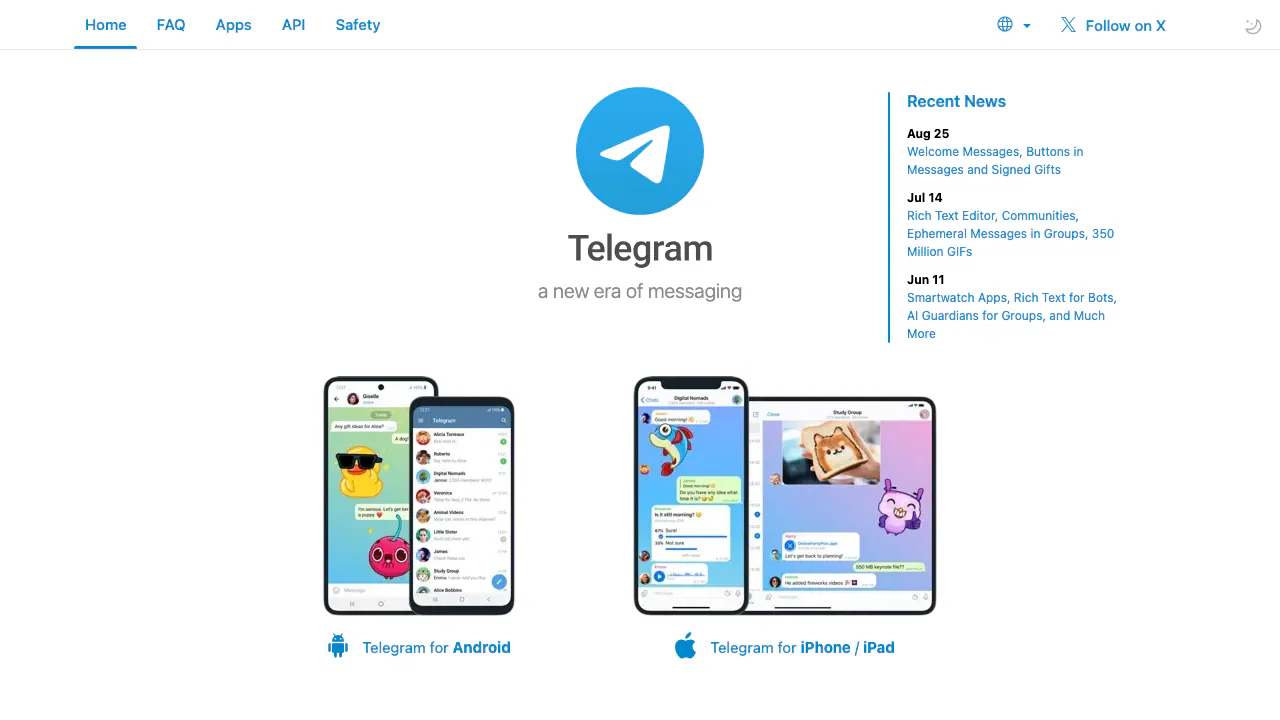
What is Telegram used for?
Telegram is a messaging platform for talking to people, sharing files and following communities. You can have a private conversation, discuss a topic in a group or subscribe to a channel that publishes announcements. It suits people whose contacts or communities already use the service, as well as administrators organizing ongoing discussions. It also has native AI features and a platform for bots.
What happens when you open a t.me link?
The t.me root leads to Telegram’s homepage. A full username link such as t.me/username can open a person, public group, channel or bot. Private communities may use invitation links instead. Check the destination name before joining: a Telegram-hosted link does not mean its owner is Telegram or that a bot is an official AI service.
Conversations, communities and files
Cloud chats synchronize across devices, so you can continue a conversation on your phone or computer. Telegram offers official Android, iPhone/iPad, Windows, macOS, Linux and web clients. Groups support discussion and administrator permissions; channels are useful for broadcasting updates. Communities can connect related groups, channels and bots around one subject.
Files, photos, voice messages and calls make the service useful for both informal communication and small-team coordination. As checked on 2026-10-27, ordinary accounts can upload files up to 2 GB each, while Premium supports 4 GB uploads. Client support for individual features can differ.
Start with one real conversation
- Choose a client from the official applications list, then register or sign in using the verification method offered.
- Find a known contact by username or open their complete t.me link. Send a message and confirm that you reached the intended account.
- For a shared discussion, select New Group in your client and add the intended members. In Group Info, use Add Member and the invite-link option when appropriate.
- Check member permissions and phone-number visibility before distributing the invitation more widely.
Cloud history can appear on your other signed-in devices. Secret Chats behave differently and remain tied to their originating devices.
AI editing and connected bots
Telegram’s native AI capabilities include translation, tone changes and summaries. Its Rich Text Editor supports structured posts with headings, tables and inline media, plus AI assistance; the editor is currently a Premium feature. Availability depends on the client and current plan.
Bots can deliver notifications, connect services or provide AI assistance. Developers use the Bot API, and Mini Apps supply richer interfaces inside Telegram. A bot’s operator, model access, fees and data policy are separate decisions. Do not assume every bot uses AI or that Premium includes every bot service.
Free access, Premium and sign-in payments
Basic communication remains free, with an optional Premium subscription for additional capabilities. Check the Premium FAQ for current limits and purchase conditions rather than relying on one global price.
There is a separate exception: official registration or login may require a Premium purchase when SMS verification is costly for a country or provider. This documented authentication condition does not mean every user pays. These boundaries were checked on 2026-10-27.
Understand the privacy boundary
Ordinary Cloud Chats are stored on Telegram’s servers for synchronization and do not use end-to-end encryption by default. Secret Chats add end-to-end encryption and are device-specific. See the privacy policy before using the service for sensitive information.
Phone-number visibility has its own settings. Bots receive the messages you send them, and their group access depends on permissions and privacy mode. Native Telegram AI and a third-party AI bot are distinct services; review the latter’s policy before sharing private material.
Frequently asked questions
Is Telegram free to use?
Basic messaging is free. Premium features, independently operated bot services and the conditional SMS authentication flow can involve payment.
Are private groups end-to-end encrypted?
A private invitation controls who can join; it does not turn an ordinary cloud group into a Secret Chat. These are different privacy properties.
Can I use Telegram on a computer?
Yes. Official desktop and web clients are available. Cloud chats synchronize, while device-specific Secret Chats do not follow the same model.
Official resources and developer community
- Telegram FAQ: account, group and privacy explanations.
- Bot developer documentation: integrations and Mini Apps.
- Official client source code: repositories and licenses; this does not imply a self-hostable Telegram server.
- Telegram Tips and official announcements: usage guidance and release updates.
Related tools
Instant Messaging Platforms →
OpenbrocaFreemium
Dictate, refine, and translate text in your Mac apps.
JarqFreemium
Translate and edit selected text, or dictate straight into the Mac app you are using.
Vitra.aiFreemium
Translate and review video, images and documents in one workflow.
NuvioPaid
Nuvio AI accounting software for small businesses
CoachareFreemium
Turn coaching conversations into goals, practice and weekly action.