

InvitedFreemium
Turn bills, invitations and tickets into reminders you can review.
Nuvio AI accounting software for small businesses
Nuvio AI accounting software for small businesses
What is Nuvio, in plain English?
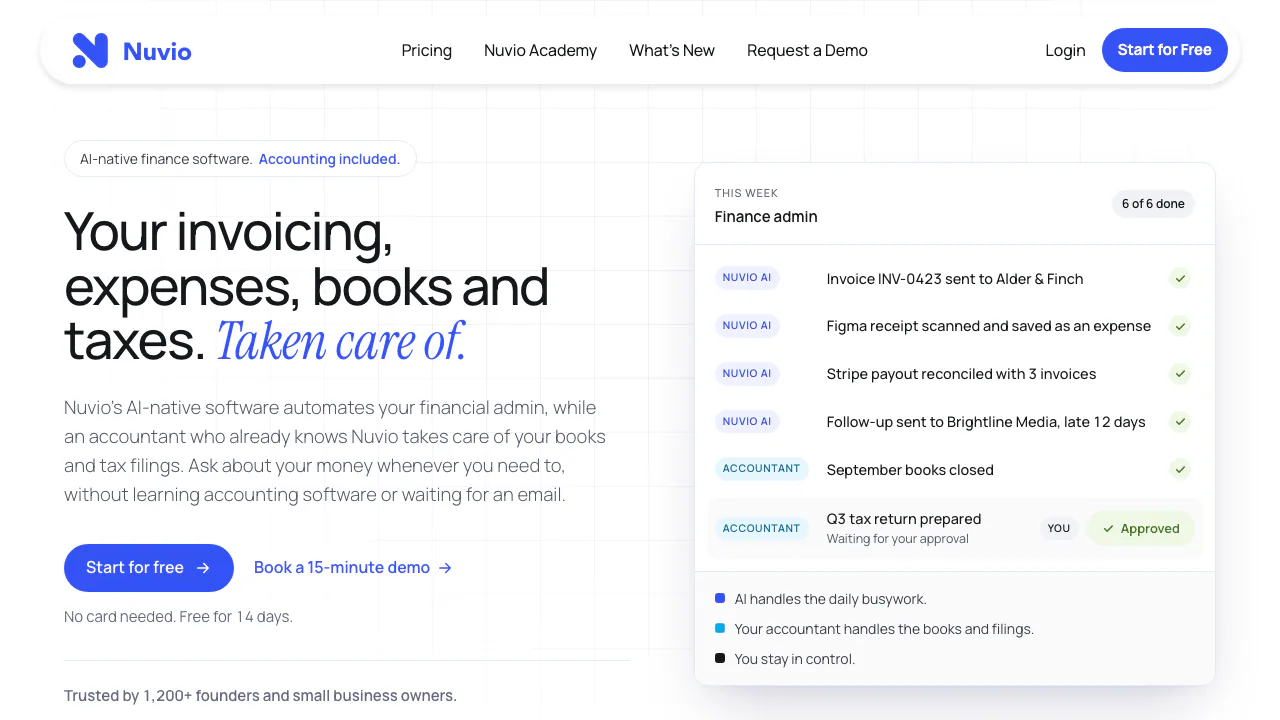
Nuvio is an AI accounting and finance workspace for founders and small businesses. Think of it as a place to keep invoices, receipts, expenses and bank activity together, then ask questions about what those records mean. The software handles routine financial administration; optional service plans add people who do the agreed bookkeeping and tax work.
It suits a business owner who wants to spend less time entering receipts, chasing unpaid invoices and assembling information for an accountant. Nuvio Labs Inc. operates the service. The app is offered globally, while the managed accounting plans target startups in the US and Canada.
From an invoice or receipt to a reconciled record
You can create and send invoices, track outstanding amounts and use follow-ups for overdue payments. That connects the sales document to the practical question of whether the customer has paid.
For spending, Nuvio scans receipts and invoices, extracts their details and categorises expenses. It also matches bank transactions with invoices and expenses. These capabilities reduce repeated entry and manual matching. Check the extracted amount, supplier, date and suggested category against the original document, especially when several transactions look alike.
Ask about cash flow and changing expenses
The AI assistant works with business data to answer questions such as which invoices remain unpaid, where expenses increased and what the cash flow forecast shows. Ask about a specific period and then check the relevant records before acting on the answer. A forecast is useful for planning; it is not a guarantee that future payments will arrive on time.
A practical first workflow
- Create an account through the official Nuvio app and prepare business invoices, receipts and transaction records.
- Connect the supported bank accounts and bring the financial records into the workspace.
- Review captured expenses and bank matches, and identify invoices that still need payment.
- Ask a focused question, such as how spending changed this month.
- If choosing an accounting service, confirm the country, business type and included filings with Nuvio before subscribing.
Choose software or professional accounting support
The official plans, checked on 29 October 2026, distinguish three scopes. App Only provides the finance software and lets you work with your own accountant. App & Bookkeeping adds monthly bookkeeping and applicable sales tax/GST/HST filing. Bookkeeping + Tax adds corporate income tax filing and up to four advisory calls a year.
The service plans focus on US and Canadian startups; exact filings and frequency are agreed during setup. Worldwide app access does not include tax filing in every country. App Only lists ten connected bank accounts, 100GB storage and 5,000 assistant credits. The credit reset period was not verified. Confirm billing currency, taxes and any catch-up bookkeeping cost before purchase.
Frequently asked questions
Is Nuvio free?
The homepage offers a 14-day trial without a card. Continuing use is subscription based; a permanent free plan was not verified.
Does Nuvio replace my accountant?
No. AI handles supported daily tasks and questions. Professional bookkeeping and tax work remain with an accountant under the chosen service scope, or with your own accountant on App Only.
What should I check before uploading financial data?
Read the terms of use and privacy policy. The terms grant processing rights for providing and improving services and creating new services. The policy describes retention of personal information for 90 days to two years after termination, with exceptions. Do not assume an unverified exclusion from AI training.
Official resources
- API documentation: REST/JSON integration; the API is beta and may change.
- Official sales and support: confirm bank support, service coverage and account questions.
Related tools
AI Accounting & Business Finance Tools →
InvofoxPaid
Turn invoices, PDFs and scans into structured JSON for your software.
LightPDFFreemium
AI PDF editor, converter, and document chat on web, desktop, and mobile
CoachareFreemium
Turn coaching conversations into goals, practice and weekly action.
NINFreemium
Local chat, voice typing and approved tools in NINX, with optional app connections.
PaddockFree
Linux computers and controlled sandboxes for coding agents on your own VPS.