

TelegramFreemium
Cloud messaging for personal conversations, communities and connected bots.
Openbroca: AI Dictation App for Mac
Dictate, refine, and translate text in your Mac apps.
What does Openbroca actually do?
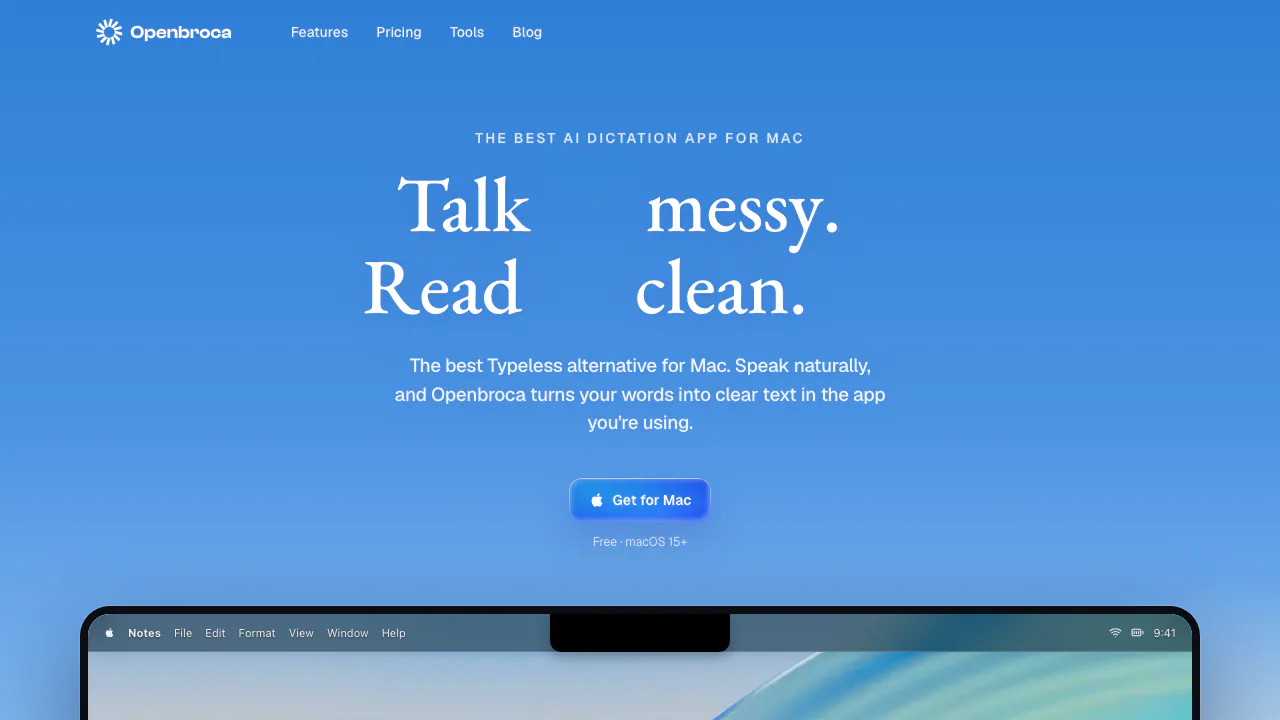
Openbroca is a Mac dictation app that turns speech into readable writing in the text field you are using. You speak a rough email, message, note, or AI prompt; recognition and AI cleanup produce text you can review and send. It suits people who want to capture ideas across apps while spending less time repairing spoken phrasing.
Turn a spoken draft into text in your app
- Install the native app on macOS 15 or later, sign in with Google or GitHub, and choose your microphone.
- Allow Microphone access for recording and Accessibility for text insertion. Screen Recording is needed only for optional Screen Context.
- Click the destination field. Press Option + Space, speak, and press it again to stop; holding the shortcut while speaking is also supported.
- Read the result for names, numbers, and meaning before submitting. If the app cannot insert it, paste the copied text. You can recall the previous transcript or retry a recording.
Shortcuts are configurable. The official Mac dictation guide explains setup and insertion troubleshooting.
Names, translation, and coding prompts
A personal dictionary supplies preferred spellings and replacements, can learn immediate corrections, and supports importing a Typeless dictionary. Optional Screen Context reads visible text through OCR to help resolve unfamiliar names; review its data implications before enabling it.
The app detects 30 dictation languages and offers 28 translation output languages. This supports drafting a message in one language and delivering translated text at the cursor. Developers can dictate requirements, bug reports, or review explanations into their usual editor or coding assistant. Exact paths, identifiers, and code syntax still need keyboard checking; these destinations are examples of text entry, not a documented API integration.
Free allowance and paid access
Checked October 20, 2026, on the public pricing page: Free includes all app features and 3,000 text units weekly without a card. The allowance resets Monday at 00:00 UTC. Latin letters and punctuation count as one unit, CJK characters as two, and spaces do not count.
Unlimited subscriptions are listed at USD 6.99/month or USD 59.99/year. Fixed-period, one-time Unlimited access is also available; inspect checkout for its exact price. A separate CNY 9.90 purchase adds 30,000 non-expiring units, which are used first. Subscriptions can be cancelled with access retained until the paid period ends. Check the current plans and checkout conditions for currency and payment terms.
Cloud processing and retained history
The native app requires internet. Audio goes to third-party AI providers; Openbroca says it does not store audio, without promising those providers' retention behavior. Transcripts, refined text, request logs, and optional Screen Context can remain indefinitely while the account is active. Openbroca says it does not use these records for training, human review or analysis, or product improvement.
Screen Context may include text you never spoke. Leave it off when unnecessary and assess the privacy policy and deletion route before handling sensitive work. The terms say users retain rights to their audio and text; recognition and rewriting still require review.
Mac requirements and Openbroca Origin
The current app supports Apple silicon and Intel Macs on macOS 15+. Its Windows version is a waitlist offering. Openbroca Origin is a separate MIT-licensed project for macOS, Windows, and Linux; its license and local-provider features should not be attributed to the native Mac app.
Frequently asked questions
Is Openbroca free?
Yes, within the weekly text-unit allowance. Paying increases capacity; it does not unlock a separate feature set.
Does it work offline?
The current native app uses cloud recognition and cleanup, so an internet connection is required.
Why is text not appearing in my app?
Check Accessibility permission and try a basic text field. Use the clipboard fallback if direct insertion is blocked.
Does no audio storage mean no data is retained?
No. Account history and request logs retain text and may include Screen Context; the privacy policy explains deletion.
Official resources
- Service status: check shared service availability.
- Origin project explanation: understand the separate implementation.
- Origin on GitHub: inspect the open-source code and project issues.
Related tools
AI Speech-to-Text Tools →
LoquiFreemium
Speak naturally and insert polished text into the app you are using.
JarqFreemium
Translate and edit selected text, or dictate straight into the Mac app you are using.
Vitra.aiFreemium
Translate and review video, images and documents in one workflow.
TypelessFreemium
Speak a draft and turn it into editable writing
SpeechFastPaid
Dictate into Mac apps, with local recognition and optional Apple Intelligence cleanup.