

CoreSpeedFreemium
Connect your existing agent to business apps, durable memory and metered tools.
ZooWork: AI Agent Builder for Business Workflows
Turn expertise, operating rules and connected tools into agents that carry out reviewed business tasks.
What does ZooWork actually do?
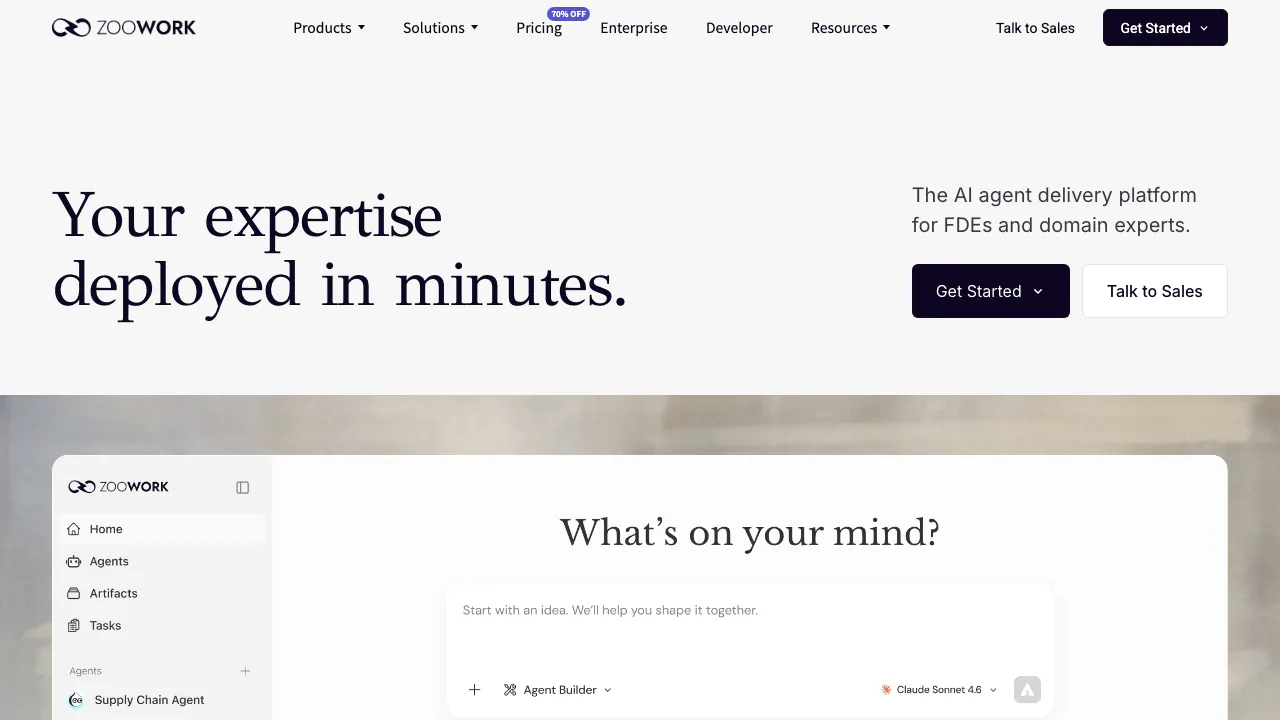
ZooWork is an AI agent builder for packaging a repeatable job into an agent that can plan work, use permitted tools and produce a deliverable. A retail operator might ask an agent to examine inventory, identify stockout risks and prepare replenishment actions for review. A brand planner might supply a brief and case library to obtain a proposal draft. These are illustrative examples on the product site, rather than independently verified customer results.
The platform is operated by Serendipity One Inc. It serves domain experts and operations teams building agents inside ZooWork, developers embedding managed agents in applications, and organizations planning an implementation with an enterprise team. The useful starting point is one job with clear inputs and an outcome you can check.
Teach the role, then choose what it can touch
Agent Builder turns a conversation into a role configuration. The site shows goals, company knowledge, operating SOPs, delivery standards and tool permissions as the ingredients of Agent Skills. Give an agent the rules that distinguish an acceptable first draft from an approved deliverable, including what to do when data is missing.
The Pro page advertises 50+ industry templates and 20+ models with multimodal generation. The main site names providers including OpenAI, Claude, Gemini, DeepSeek, Kimi and GLM. Check the catalog available to your account instead of assuming every advertised model is enabled.
Google Workspace, Microsoft 365, Slack, Lark, Jira, GitHub and MCP-compatible tools appear in the main product description. Enterprise separately offers SSO, roles, a model gateway with BYOK and implementation support. Those enterprise features are not established as default Pro entitlements. Feedback can improve instructions and skills; it does not prove automatic model retraining. Enabled API Memory tools can preserve and search facts, but every new session is not guaranteed to recall all saved information.
For an Enterprise pilot, the published path is to agree a use case and success criteria with the FDE team, connect systems and configure skills, run representative real tasks, and evaluate quality, efficiency and adoption before expanding or stopping. The advertised seven-day delivery and benchmark improvements are illustrative plans, not guaranteed outcomes.
Take one workflow from instructions to a checked result
For a first Builder trial, follow the public product's conversational configuration and Preview/Publish flow:
- Prepare a small brief or known test dataset. Specify the output, required sources and a concrete check.
- Sign in through the advertised Google, phone or email entry, describe the role or adapt a relevant template, and supply its knowledge and SOP.
- Expose only the systems and actions needed for the job. Distinguish reading data from changing a business record.
- Preview a representative task. Inspect the plan, tool activity, sources and actual output.
- Revise the skills and approval rules before publishing or scheduling repeated work.
This is a practical path based on public descriptions, not a logged-in hands-on test. Template and connector availability depends on the account. The managed runtime describes isolated Python, shell and browser execution, while sensitive actions can be gated by configured approvals. A scheduled dispatch is not proof that its result succeeded; pausing future triggers does not cancel work already running. Homepage efficiency figures are explicitly illustrative benchmarks, not promised turnaround times.
Embed agents through the Managed Agent API
Developers can use TypeScript, Python or HTTP. In Platform, select a Project, have the organization owner create a key, add prepaid funds in organization Billing and confirm the balance. Creating a key does not fund the organization, and Projects share its balance. Keep secrets on the backend and enforce your own user access checks.
The Official Quickstart creates and starts an Agent, creates a Session, sends sales data and verifies a report. Read the saved Events and run.finished status as well as the deliverable. Message acceptance or an agent saying “done” is insufficient; closing an event stream does not interrupt execution.
Input files can enter the workspace, but Session messages are text. For file output, ask the running agent to publish an Artifact and verify its ready state before downloading. Access URLs are bearer credentials, and deleting a record does not necessarily revoke issued presigned links immediately. Sessions of one Agent share its workspace by default; use separate Agents when application users require file isolation.
The API is in Developer Preview. Current public API boundaries exclude turnkey managed chat-channel provisioning, private credential provisioning, custom Environments, self-hosted worker onboarding and a server-enforced per-Session spending cap. Your backend can forward chat-platform messages into Sessions. This is a separate integration path from messaging features advertised for the main product.
Separate the Pro subscription from API consumption
Verified on October 4, 2026, the public Builder Pro offer displays $30/month, reduced from $100 during a limited promotion. It lists 6,000 monthly credits plus a temporary 14,000-credit bonus, with 4-core CPU, 4GB RAM and 40GB storage. Credits cover models, tools and agent tasks; they do not guarantee a fixed number of completed jobs or unlimited work. These Builder resources are not universal API sandbox specifications.
Check Current pricing for eligibility, settlement currency, taxes and renewal terms. Managed Agent API tasks require funded organization balance; Enterprise implementation is a sales-scoped offering.
The Trial and cancellation policy still describes a seven-day Starter trial, whereas the pricing page presents Pro. Confirm the actual offer at signup rather than assuming a universal Pro trial or permanent free plan. Subscriptions renew automatically. Cancellation through Settings → Billing or support generally stops future renewals and preserves the paid period; it does not itself grant a refund. Monthly charges, top-ups and annual payments have different refund conditions.
Check the data agreement and configure approvals
The Privacy Policy describes cloud processing of prompts, files, conversations, outputs, account/payment information and service logs, with model and payment providers. It retains information as needed for service and legitimate purposes and describes a limit of twelve months after account termination for listed purposes.
Homepage and enterprise marketing mention zero retention and no training on customer data. The general policy also describes collecting and retaining records, so verify the product, data scope, providers and applicable agreement before treating either phrase as universal. Compliance badges alone do not establish an independently checked certification.
Public tool policies can allow calls immediately or ask for approval. MCP declarations without specified approval settings default to allowing exposed tools. Configure review gates deliberately; platform approval does not replace application authorization. The Terms of Service restrict unauthorized service resale and infringement. MIT-licensed example code is not an unrestricted license to the hosted service or every output. Account use is for adults aged 18+.
Questions before you start
Do I need to code to build an agent?
The conversational Builder supports role construction without starting from an SDK. Embedding agents, connecting unsupported channels and enforcing application permissions still require development work.
Is ZooWork free, and what happens after a trial?
Current public pricing presents paid Pro and credits; API work needs prepaid funds. A Starter trial appears in the refund policy, but verify signup eligibility, automatic conversion and renewal cost before relying on it.
Can I upload confidential company information?
Confirm the applicable data terms, provider processing, retention and deletion controls first. Public marketing should not be read as a blanket zero-retention agreement for every account and record.
Official resources and developer community
- Developer documentation: current setup, supported tools and API limitations.
- Agent Gallery: role examples for choosing a starting workflow.
- Official GitHub quickstarts: runnable application templates; prefer current documentation when setup examples differ.
- Official Discord community: the ZooClaw community linked by ZooWork.
- Product support: account, billing and privacy requests through the address listed by the current site.
Related tools
AI Automation Tools →
SellioFreemium
Handle customer conversations together and let a knowledge-based AI agent answer website visitors.
WikiFixPaid
Find conflicting, duplicate and ownerless Confluence pages, then review and apply fixes.
Vitra.aiFreemium
Translate and review video, images and documents in one workflow.
Yedric AIFree
Embed a product assistant that answers questions and runs connected actions.
OkaraFreemium
Coordinated AI marketing agents, with human review