

VoyagerFree
Browse local folders, save searches and give selected files to your own AI agents.
Watchflows: Visual Mac Automation with AI
Visual Mac workflows for files, apps and AI, with local execution and editable nodes.
What is Watchflows, in plain English?
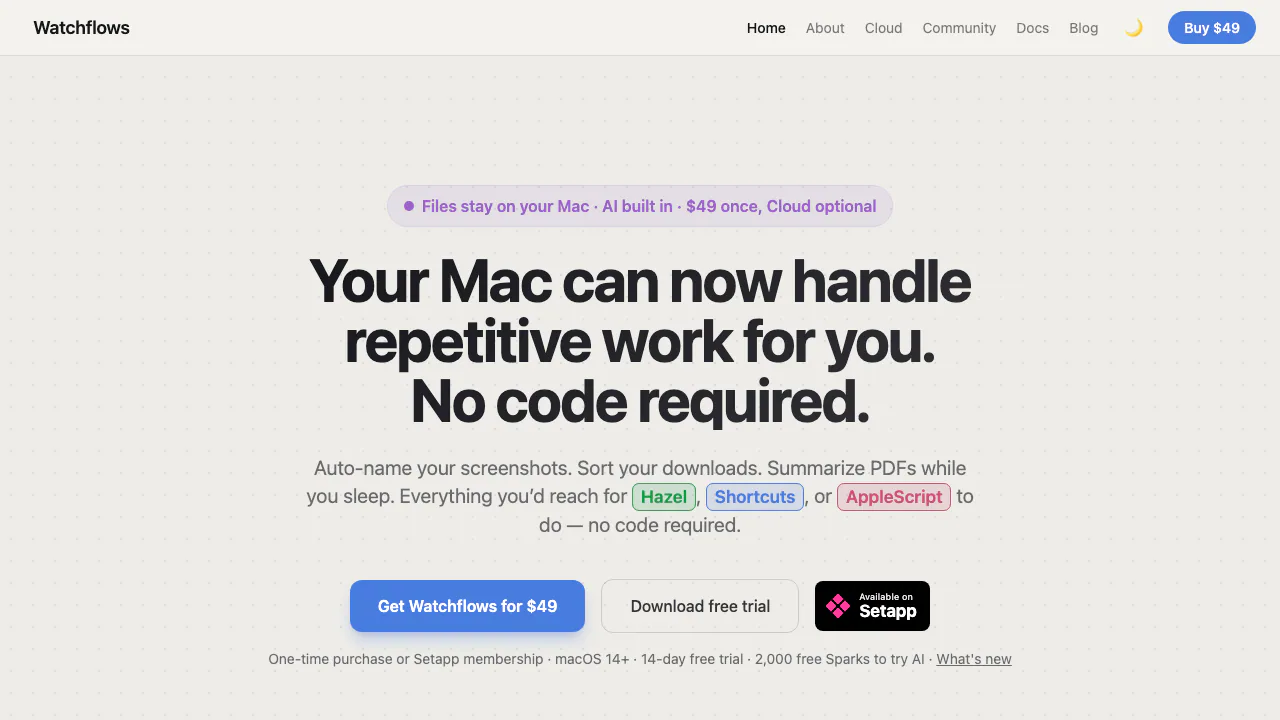
Watchflows is a Mac automation app that turns repeated computer chores into connected steps. You choose what starts a task, what conditions matter and what happens next. For example, a new screenshot can trigger naming and filing, while a new PDF can start text extraction and an AI summary. The website provides the download and documentation; the workflows run in the Mac application.
Made by BaggaDonuts LLC, it suits people who want to inspect an entire process on a canvas rather than maintain a separate script for every routine. Simple flows can be built without programming or an AI provider.
Turn incoming files into organized work
Folder changes, hotkeys, schedules and clipboard events can start a flow. File actions rename, move, archive or unzip items; PDF extraction and OCR make document or image text available to later steps. Apple Notes, Reminders, Calendar and Music nodes connect processing to everyday apps, while HTTP requests, scripts and Linear actions support more technical tasks.
A useful document workflow is: detect a PDF in Downloads, extract its text, summarize it with a chosen model and save the result in Apple Notes. Inspect the extracted text and summary before relying on them. Community flows offer starting points you can adapt. For assistant integration, the optional MCP server exposes selected enabled flows; it starts disabled and does not give assistants editing or enabling capabilities.
Build an editable flow with natural language
After configuring a suitable AI provider, describe the trigger, input, output and destination in Flow Builder. It creates connected nodes, and follow-up requests can revise the same flow. You can also edit nodes manually.
Generated flows arrive disabled. Check required fields, folder locations, branches and actions that change files before enabling them. The builder validates the graph, but that does not establish that your instructions or AI output are correct. Apple Intelligence alone is not automatically used for planning because of its limited context window.
Try a PDF notification workflow first
The official starter guide provides a small flow that needs no AI:
- Choose New Flow, then Start from scratch if offered.
- Add Directory Changed, select Downloads and use Created events.
- Connect a Condition matching
fileExtensionEqualspdf. - Connect its Yes output to Notification and include
{{fileName}}in the message. - Use Run or Command-R, inspect Execution History, then turn Enabled on and test with a new PDF.
Disable the flow to stop automatic triggering. Starting with notifications makes the result easy to check before adding file-moving or deleting actions, which may require confirmation.
Choose local AI or a cloud provider
Flow data stays locally and provider keys use macOS Keychain. Ollama and LM Studio can perform inference on your Mac when their local servers are running. Apple Intelligence requires supported Apple silicon, macOS 26 or later and the feature enabled.
Cloud providers receive the material sent to their nodes. Flow Builder also sends your request and a canvas summary to the selected provider. Secret-designated fields are masked; secrets pasted into ordinary fields are not automatically protected. Watchflows AI calls OpenRouter directly from the Mac, and public webhooks use a relay. See the documented data transfers before processing sensitive content.
Trial, ownership and AI running costs
Checked on November 12, 2026, official USD list prices distinguish the app from inference:
- Direct download: a full 14-day trial without an account or card, then a $49 one-time license including v1 updates.
- Optional Cloud: $12/month or $132/year, including the app, public webhooks and 6,000 monthly Sparks.
- Optional hosted AI: email sign-in grants 2,000 starter Sparks for 30 days, once per person and Mac. Consumption varies with the model and task. Packs are available separately; third-party providers charge under their own terms.
The Cloud guide explains current terms. Setapp membership is another route, with Setapp AI; that edition omits Watchflows Cloud, Sparks and the public relay. Checkout currency and taxes may differ.
Frequently asked questions
Is Watchflows free to use?
The direct app has a 14-day trial. It is paid software afterward; starter AI credits are a separate temporary allowance.
Can it work offline without uploading documents?
Local actions and a configured local model can work without cloud inference. Online integrations and cloud AI require network access and have their own data handling.
Which macOS version do I need?
The application requires macOS 14 Sonoma or later. Its Apple Intelligence provider has the stricter macOS 26 and Apple silicon requirements described above.
Official guides and community
- Documentation: setup and individual node behavior.
- Official Discord: workflow questions and community discussion.
- In the app, Help → Send Feedback reaches product support.
Related tools
AI Automation Tools →
StiroFreemium
An in-app AI agent for onboarding and customer success
CALL-EFreemium
Calls for bookings, quotes and everyday errands
AXLFreemium
Bring leads, sales and delivery into one workspace.
OpenMailFreemium
Dedicated inboxes, threaded email replies, and inbound events for AI agents.
Orphex MCPFreemium
Connect ad accounts to Claude and other AI assistants for reporting and reviewed campaign changes.