

PolylaneFreemium
Connect production context to investigations, code reviews and fix PRs.
AutonomyAI: AI product development on real code
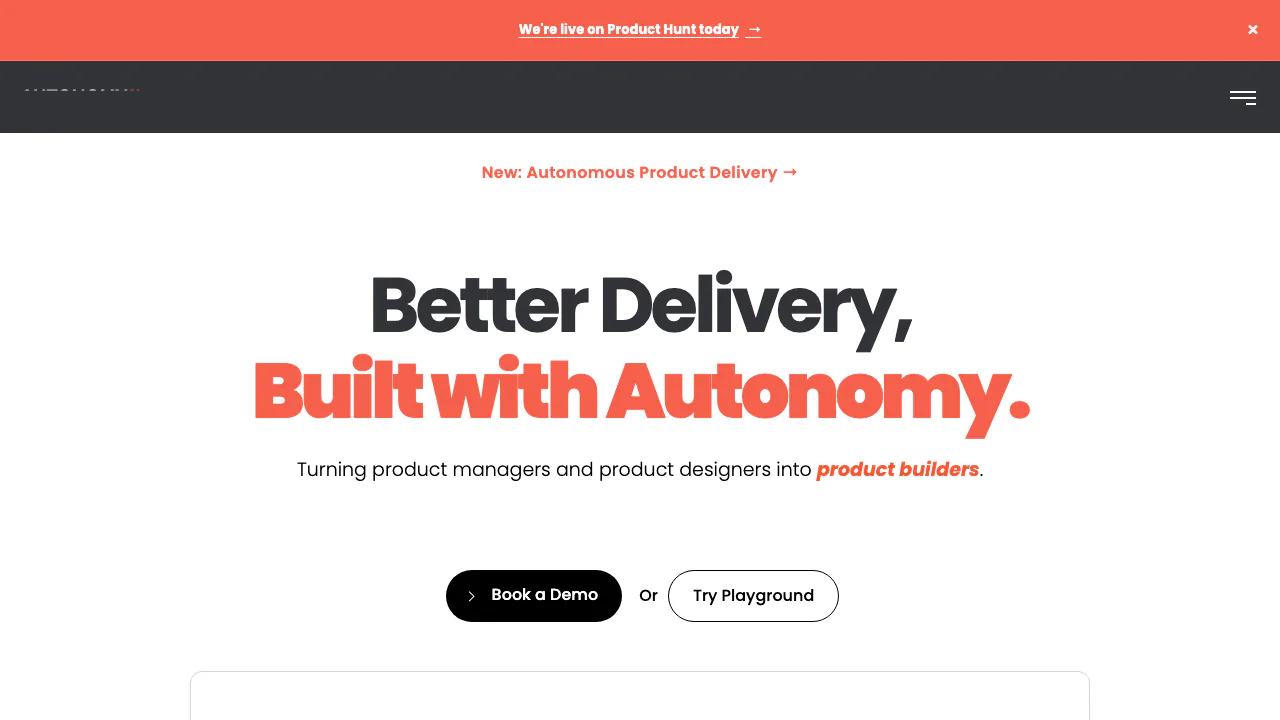
AutonomyAI is an AI product delivery platform centered on Fei Studio. It helps product managers, designers, and engineers turn a change request for an existing software product into a plan, a working preview, and a pull request for engineering review. Its main value is shortening the path from product idea to a change in the real codebase while keeping a human approval step.
What does AutonomyAI do in plain language?
Imagine a product manager wants to improve the checkout screen. Normally, they might write a ticket, ask a designer for a mockup, and wait for an engineer to implement it. In Fei Studio, the team can connect its existing repository, describe the desired outcome, add a screenshot or Figma frame, and inspect a version built with the product's own components. When the result is ready, Fei Studio opens a pull request. An engineer still reviews and approves the code before it is merged. AutonomyAI is therefore aimed at changes to a real product, not merely disposable visual mockups.
From a rough idea to a reviewable pull request
Start with the user problem and the screen or flow affected. A short request should state the desired behavior, important constraints, and how success will be checked. Fei Studio accepts plain text, screenshots, Figma references, PRDs, and pasted tickets or bug reports. If the goal or acceptance criteria are unclear, its Plan mode helps turn the idea into a buildable specification; use Build when the expected outcome is already defined.
For an initial task, the official guide recommends a small visible change, such as copy, a button state, or an empty state. Check the generated variants for loading, empty, error, and success states, then click through the live preview. Give specific feedback and inspect the revision. Once the behavior is right, use Send to Dev to create a pull request that engineers can review in the team's normal workflow. The preview is a way to assess the proposed change; it is not proof that the code is safe or ready to merge without review.
Connect an existing project before building
An organization administrator needs to connect GitHub and install the Fei Studio GitHub App. During installation, the administrator selects the frontend repositories the app may access and reviews permissions covering code, commit statuses, and pull requests. Each connected repository becomes a Fei Studio project. Project initialization analyzes the codebase and configures a preview environment; some projects need environment variables, secrets, installation commands, or validation steps supplied by an engineering lead. The project should show Ready before the team relies on its previews.
This setup matters because the tool works against your existing components, standards, design system, and APIs rather than inventing an unrelated prototype. Teams should grant access only to the repositories needed for the task and have an engineer confirm the preview and pull request settings.
Where product, design, and engineering teams use it
Product teams can turn customer feedback or a rough feature idea into a specification and a concrete change. Designers can supply a Figma frame or screenshot and compare the rendered implementation with the intended interface. Engineers can review the resulting diff and pull request instead of reconstructing the idea from a static handoff. The official product loop also describes Discover, Plan, Build, Ship, Measure, and Optimize stages, using available analytics, tickets, and customer calls to inform what to build next. Those integrations depend on what a team has connected, so a new user should begin with a small task in a ready project.
AutonomyAI is most relevant to organizations that already maintain a software product and can allow a GitHub integration. Someone seeking a standalone no-code app generator, or a tool that merges code without engineering review, should check whether this workflow matches their needs.
Access, pricing, and practical limits
As checked on 25 September 2026, the website offers a Playground sign-up and a demo booking path but does not publish a universal price, a verified permanent free plan, or a public task allowance. Its comparison table describes Fei Studio pricing as per task, while the subscription agreement says the actual fees and payment terms are set in an order form. Ask sales for the current terms for your organization and market before budgeting. Check the subscription agreement for the order-form pricing basis. A Playground registration should not be treated as proof of a free commercial tier.
The public guide describes GitHub-based setup; the MCP connection for Claude Code, Cursor, and other MCP clients was announced for an early-access rollout. Access, supported workflows, deployment model, and repository permissions should be confirmed for your team. The help center's older framework article names React and says Angular and Vue support was in development, so confirm current framework compatibility rather than assuming all stacks work.
Source code, prompts, and approval controls
Connecting a repository grants the integration access to selected code and pull request operations. The official enterprise page describes an in-infrastructure deployment option, but this should not be assumed for every plan; the subscription agreement also describes a hosted service model. Review the deployment and data processing terms applicable to your order before connecting confidential code or customer data.
The published generative-AI terms say AutonomyAI and its providers will not use user prompts or uploaded content to train or fine-tune a large language model. They also allow de-identified user prompts to improve the software. This distinction matters when writing requests or attaching sensitive documents. The team's engineer remains responsible for reviewing and approving each merge. Read the generative AI terms and the data processing agreement for the full conditions rather than relying on a short summary.
Frequently asked questions
Does AutonomyAI work with an existing codebase?
Yes. Its core workflow starts from a connected repository and uses the project's components and conventions. The administrator chooses which GitHub repositories the integration can access. Confirm your framework and preview requirements during setup.
Is AutonomyAI free, and how is it billed?
A permanent free tier and public price were not verified on 25 September 2026. The site describes per-task pricing, while the contract places the actual fees in an order form. Use the official demo or sales path to get terms for your market; do not assume that Playground access is an unlimited free plan.
Does the AI publish changes automatically?
No. Fei Studio produces a preview and a pull request, but the stated workflow requires an engineer to review and approve the merge. Your own release process may include further testing and deployment steps after that.
Official resources
- Fei Studio User Guide: detailed steps for planning, building, checking variants, and sending changes to developers.
- Fei Studio Admin Guide: GitHub permissions, project initialization, and preview configuration.
- Privacy Policy: treatment of personal information and data subject rights.
- Book a Demo: check current access, deployment, framework support, and pricing with the vendor.
- LinkedIn: Company updates and examples of product work.
Related tools
AI Coding & Developer Tools →
ReviuFreemium
Review agent-written code, return line comments and finish Git work in a native desktop workspace.
DevPitFree
Keep coding sessions, task boards and call costs together on your desktop.
Mastra FactoryFreemium
A shared software factory for coding agents and human reviewers.
PR LensFreemium
See a pull request’s architecture and data flow before reading the diff.
Kilo CodeFreemium
An open-source coding agent for IDE, terminal and cloud workflows