

DevPitFree
Keep coding sessions, task boards and call costs together on your desktop.
Reviu: AI code review with control over every change
Review agent-written code, return line comments and finish Git work in a native desktop workspace.
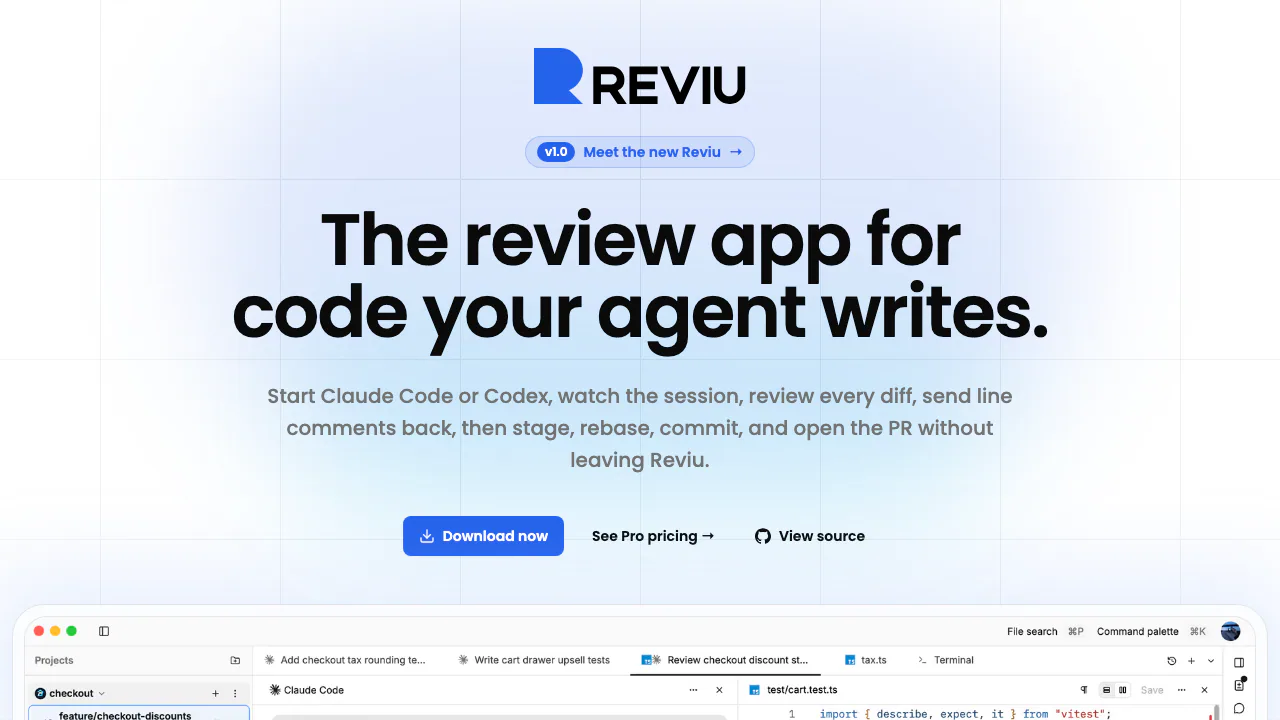
Reviu brings coding-agent sessions, local code review and Git into a native desktop app. It is useful when you already use an agent such as Claude Code or Codex and want to inspect its changes before accepting them. The core loop is human-led: read the diff, return specific feedback, review the revision and decide what belongs in the branch.
What does Reviu do, in plain English?
Think of Reviu as a review desk beside your coding agent. The agent works on your repository; Reviu keeps the conversation, changed files and repository state within reach. If a generated checkout function applies discounts in the wrong order, you can comment on the relevant lines instead of copying the whole function into another chat.
Its AI code review workflow helps you examine code written by an agent. It should not be read as a promise that an automated reviewer will certify the code as correct. Developers still need to understand the change and run their project's checks. The website provides downloads and product information; the actual work happens in the installed desktop application.
Turn a local diff into useful feedback
Inline comments collect into a review queue and can be sent back with file, line and diff-side context. That gives the agent a concrete correction to make. After another turn, inspect the revised diff rather than treating a completion message as proof that the problem is solved.
Sessions retain their project and checkout context, including the conversation, files, terminal and history. Separate Git worktrees let parallel tasks edit different working directories, and switching sessions does not stop running agents. Commands, permission requests, outputs and failures remain visible as part of the activity.
Checkpoints offer a way to restore working-tree files. The official 1.0 description says these restores leave HEAD and staged state alone; review the Git state after undoing a turn instead of assuming every part of the repository has rolled back together.
Run your first review cycle
- Install a build from the official downloads. Reviu lists macOS for Apple Silicon and Intel, Windows for ARM64 and x64, and a Linux installation script.
- Prepare a local Git repository and an installed, authenticated agent CLI. Reviu uses the ACP registry, including Claude Code, Codex, Gemini, Copilot and Cline.
- Open the repository, start a session and isolate the task in a branch or worktree when appropriate. Give the agent a bounded change with a clear acceptance condition.
- Read the activity and diff, add line comments and send selected feedback back. Review the new changes and run the repository's tests or build.
- Stage the hunks you accept, commit and push. Use the Pro GitHub workflow if you want to finish the pull request inside Reviu.
The CLI's login, subscription and usage limits still apply. Mobile access and remote SSH workflows were marked as planned when checked on October 8, 2026.
From inspected changes to a pull request
Local Git tools include hunk staging, amend, interactive rebase, stash, cherry-pick, conflict resolution and history. They help separate reviewed work into meaningful commits rather than accepting every file an agent happened to touch.
Pro adds the branch's GitHub pull request, review threads, checks, reviewers, notifications and permitted merge methods. Chrome and Firefox extensions provide a handoff from a GitHub PR to the local application. These are documented GitHub capabilities; equivalent in-app support for other hosting platforms should not be assumed.
What is free, and when is Pro useful?
As checked on October 8, 2026, local sessions, worktrees, diff feedback and local Git are free without a Reviu account. Pro is the paid layer for in-app GitHub work, with a 14-day trial advertised on the website. Reviu does not meter agent usage, but your existing model-provider subscription remains separate.
The current plan page and subscription terms, checked on October 8, 2026, list Pro at US$9 per month or US$79 per year. The 14-day trial requires no payment method; a paid subscription starts after the trial only when payment details are added. These are the public dollar prices, not a verified regional total. Check currency, tax and renewal terms at checkout.
Understand the local-data boundary
The privacy policy states that Reviu's backend does not receive or store local repository contents. A locally running agent can still use an external model service, so provider-specific data settings need a separate check.
Pro's GitHub API traffic uses Reviu's backend proxy, which can cache GitHub responses and stores account, token and subscription data. Anonymous desktop product analytics is enabled by default and can be disabled in settings; Sentry handles crash and error reports. Local agent chat history is pruned after 30 days.
The repository is source-available under FSL-1.1-ALv2, with restrictions on competing uses and a future Apache 2.0 grant. Inspect the license before redistribution or building a competing service.
Frequently asked questions
Does the free plan include AI usage?
It includes Reviu's local review workflow, not a model allowance. Agents use your existing CLI subscription; Pro adds GitHub features rather than unlimited inference.
Can I keep my existing coding agent?
Reviu launches an installed, signed-in CLI from the ACP ecosystem. Supported examples include Claude Code, Codex and Gemini. Compatibility depends on the registry and installed versions.
Does local review mean code never leaves my computer?
No such blanket conclusion follows. Reviu's local repository policy, the model service used by your CLI and Pro's GitHub proxy are separate data paths.
Official resources
- Project repository and issues: source and public project feedback.
- Release notes: track product changes and roadmap delivery.
- Security reporting policy: instructions for private vulnerability reports.
Related tools
AI Coding & Developer Tools →
RillFree
Turn the page you are reading into work for your own coding agent.
PolylaneFreemium
Connect production context to investigations, code reviews and fix PRs.
AutonomyAIContact

Mastra FactoryFreemium
A shared software factory for coding agents and human reviewers.
OctriFreemium
Generate API docs, SDKs and agent tools from one specification.