

FastRouterFreemium
One API for model access, routing and spending visibility
Cloudflare Developers: build web and AI applications
Official guides for serverless apps, AI inference, agents and cloud infrastructure.
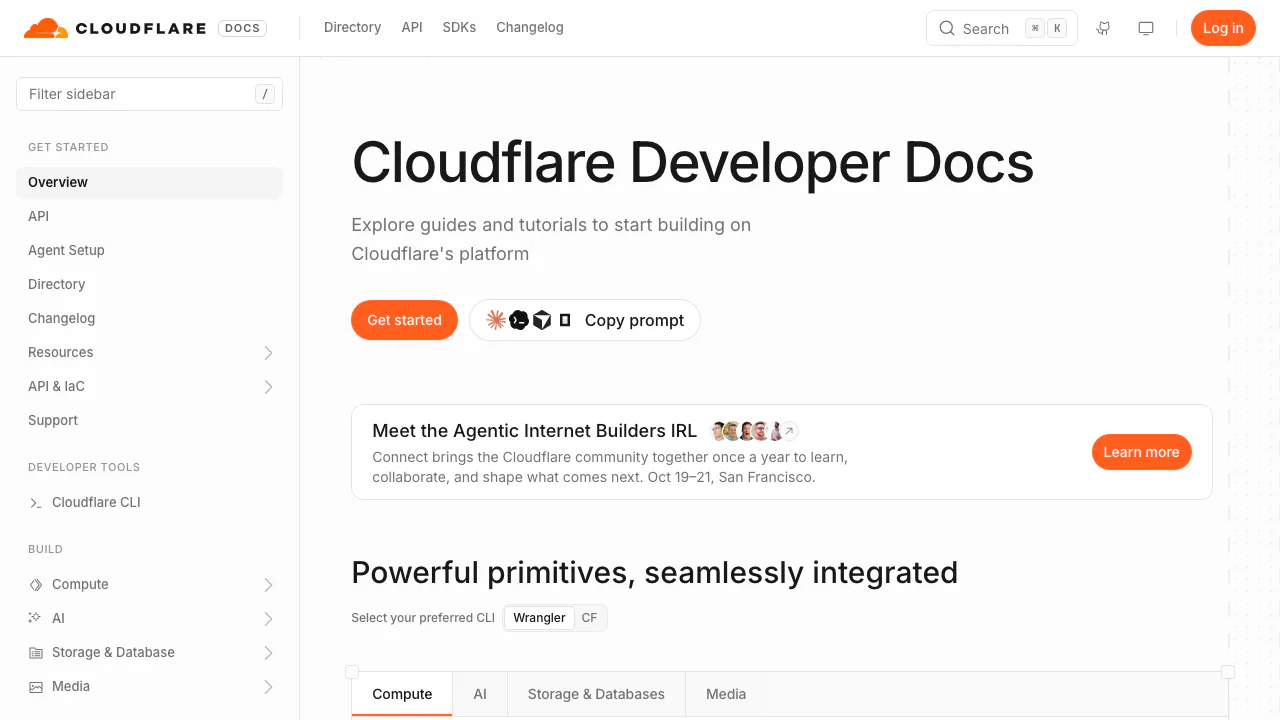
Cloudflare Developers brings together the documentation, API references and practical guides for building on Cloudflare. It helps developers connect application code, AI models, data storage and security services, with separate setup instructions and limits for each product.
What does this website do, in plain English?
Think of it as the instruction manual and starting point for a collection of cloud building blocks. If you want to publish an API, add an AI feature or store files for an application, the site explains which service does that job and how to connect it to your code. Reading a guide does not deploy an application: you create and operate resources through your Cloudflare account, command-line tools or APIs.
It is useful for developers, technical founders and teams maintaining web services. Beginners can follow a small tutorial, but production work still involves programming, authentication, testing and cost management.
Choose between model inference, a gateway and an agent
Workers AI runs models on Cloudflare's GPU infrastructure. You send the input required by a selected model and receive its output; text generation, embeddings and image-related tasks have different request formats. Calls can originate in a Worker or an external application through REST.
AI Gateway sits in the request path to supported providers. Analytics, logging, caching, rate limits, retries and fallback help you operate an AI application. It is useful when you need to inspect failures or manage calls across providers, rather than only run one demonstration.
Agents adds durable state, real-time connections, scheduled work and tools such as MCP to an agent application. The developer still defines its behavior and permissions. These services can be combined, but they solve different layers of the application.
Deploy a first Worker, then add AI
The official Workers CLI guide provides a manageable first exercise:
- Prepare a Cloudflare account and a supported Node.js environment. Run
npm create cloudflare@latest -- my-first-workerand choose a simple Worker example. - Enter the project directory and run
npx wrangler dev. Open the local URL printed in the terminal. - Change the response in the source file, save it and reload the page. Confirm that the new output appears before deploying.
- Run
npx wrangler deploy, complete account authorization if prompted, then check the returnedworkers.devURL.
For a first model request without deploying a Worker, follow the Workers AI REST quickstart: obtain an Account ID and a Workers AI API token, choose a model, send the documented authenticated request and inspect the JSON response. Keep the token on the server. Local development does not imply offline AI inference; model requests can consume service limits.
Match storage to the application's data
Use R2 for files and objects, D1 for relational SQL records and KV for key-value data. Durable Objects provides coordinated state, while Vectorize stores and searches embeddings for similarity-based retrieval.
For a document assistant, original files could live in R2, application records in D1 and searchable vectors in Vectorize. That is a possible architecture, not an automatic result of uploading a file. You still implement ingestion, access control, retrieval and answer checks. The storage selection guide explains when each product fits.
Protect and operate the site after deployment
The portal also covers DNS, caching, TLS, WAF and visitor verification. Turnstile can be embedded without routing the entire site through Cloudflare. Choose these guides for the specific protection or performance problem you are solving; publishing a Worker does not automatically configure every security product.
Understand the free and paid boundaries
Documentation is publicly readable. Running cloud services has product-specific charges. Checked on 7 October 2026, the Workers AI pricing page lists a daily allocation of 10,000 Neurons, resetting at 00:00 UTC. Usage above it requires Workers Paid; some models require paid billing even before that boundary. Model-specific rates and restrictions matter.
Gateway's core analytics, caching and rate limiting are free, but inference, logs and other features can cost extra. Gateway pricing also distinguishes log billing by when the first gateway was created. Official prices are quoted in US dollars; this is not a single subscription covering every Cloudflare product.
Review prompts, logs and model licenses
The Workers AI data policy says customer content is not used for model training or service improvement without explicit consent. Adding storage services can store that content. This statement should not be extended to every external model provider.
AI Gateway logging is enabled by default and can include prompts and responses. Review collection settings before processing sensitive data. Check each model's license for your intended use; access through an API is not a universal commercial-use license.
Common questions
Is Workers AI unlimited on the free plan?
No. The daily allocation, task-specific rate limits and paid-model requirements apply. A local Wrangler test can also count against inference limits.
Do I need Workers to use the AI API?
No. An external backend can call the REST API with an Account ID, suitable token and model-specific request body.
Does AI Gateway include free model usage?
Its free core controls do not make provider inference free. Check the selected provider, billing route and log settings separately.
Official resources and developer community
- Cloudflare API reference: endpoint and authentication details.
- Developer Discord: implementation questions and community discussion.
- Cloudflare on GitHub: official projects and source repositories.
- CloudflareDev on X: developer announcements.
- Official support and service status: troubleshooting and incident checks.
Related tools
AI Model APIs & Infrastructure →
teai.ioFreemium
Connect multiple AI models through one API and a shared credit balance.
LLM GatewayFreemium
One API for model routing, usage tracking and provider access
eu/jevFreemium
Turn context into categories, probabilities and scores through an independent hosted API.
TypeSafe AIPaid
A decision model API that returns typed answers and probabilities for software workflows.
AIsaPaid
One API key for models, research APIs and agent workflows.