

Flint AI SwitchFree
Flint AI Switch connects teams and AI agents in shared rooms. Explore setup, chat integrations, self-hosting, task handoffs and license limits.
Databox AI reporting automation with Skills and Routines
Turn repeatable business analysis into scheduled reports with reusable Skills.
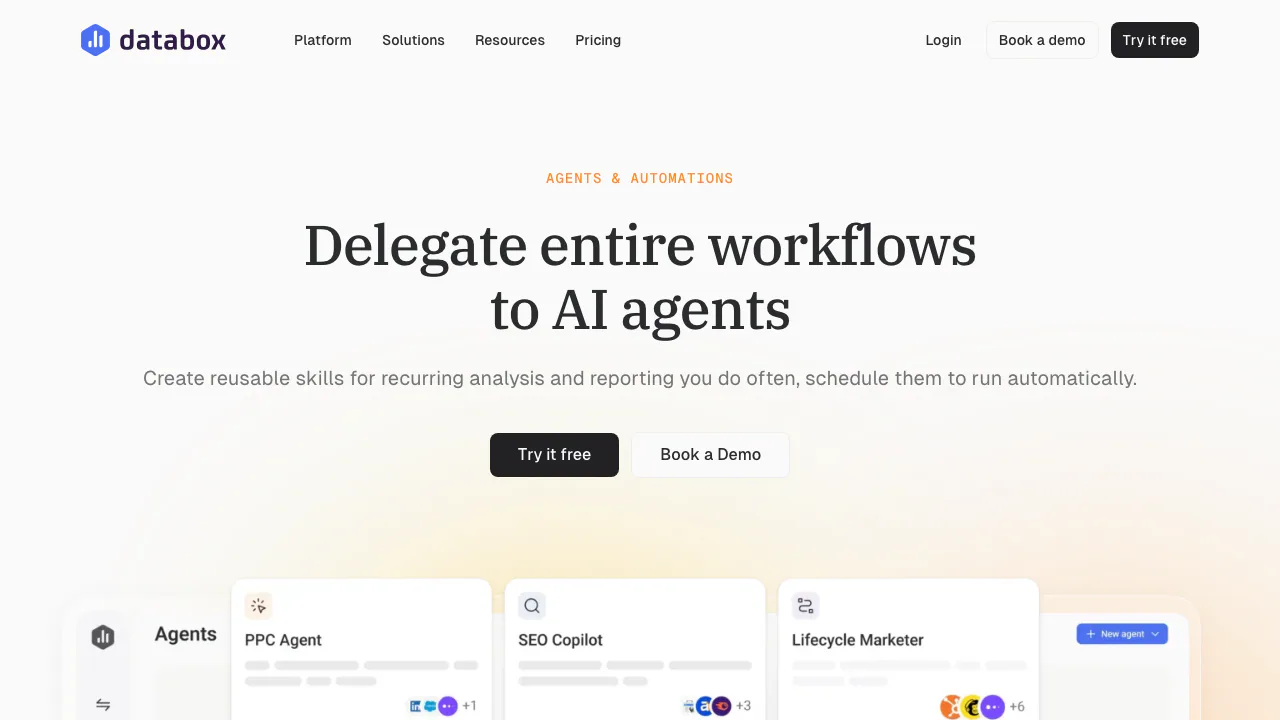
Databox Agents & Automations helps teams repeat business analysis without rebuilding the same request every week. It combines saved analysis instructions, scheduled runs and report delivery around data connected to Databox. The key distinction is that Skills and Routines support this workflow, while full AI Agents are still advertised as coming soon.
What does Databox actually do?
Think of a marketing manager who checks website traffic, conversions and sales every Monday. Databox provides a place to connect business data and ask an AI Analyst to examine it. This feature lets the team preserve a useful method and arrange for the analysis to run again on a schedule.
The practical result is a recurring update that people can review and discuss. It is useful for marketing and sales teams, business operators and agencies with recurring client reporting. Its usefulness depends on having the relevant data connected and clear definitions for the metrics being examined.
Save your analysis method as a Skill
A Skill stores the instructions, context and standards behind an analysis. You can ask the AI Analyst to save a conversation as a Skill, write one yourself or upload an existing one. The library organizes Skills for reuse across the team, and typing / in a chat lets you select a saved Skill.
This is valuable when the same question needs to be answered consistently: which period to compare, which metrics to examine and what context to consider. The official Skills Marketplace offers prebuilt starting points. Review their assumptions and data requirements before using them with your own business.
Let Routines handle the reporting schedule
A Routine determines when the work runs. The product page describes daily, weekly, monthly and custom schedules, with results delivered through email, Slack or the application. Skills define the method; Routines supply the cadence.
Run history keeps previous executions and the reports they produced. You can return to an update and ask follow-up questions in chat. Scheduling therefore reduces repeated preparation while leaving a way to investigate a result that deserves attention.
Build a first recurring analysis workflow
- Connect the business data you intend to analyze and confirm the relevant metrics are available.
- Ask the AI Analyst for a focused analysis. Specify the source, metrics, date range and comparison. For example, ask it to compare a connected website's traffic and conversions with the preceding period.
- Check the answer against the source data. Refine the instructions if the period, metric definition or explanation is unclear.
- Save the useful approach as a Skill, or adapt a suitable prebuilt Skill.
- Set up a Routine with the required schedule and delivery channel. Review its run history and the first delivered result before relying on the process.
The example is a suggested reporting task, not a claim that every account already contains those metrics. AI-generated results can be incomplete or imprecise; important figures still need review.
Understand integrations and the Agents roadmap
Databox describes a foundation of more than 130 integrations. Developers also have a documented REST API for sending data using JSON, subject to plan access. Integration count does not mean that a plan includes unlimited connected data sources.
As checked on October 16, 2026, full AI Agents are still marked “Coming soon.” External MCP connectors, however, appear in the current plan comparison for Team and applicable higher plans without that label. Check your plan’s access before designing a workflow. These connectors bring external context into Databox; the separate Databox MCP server lets outside AI tools access Databox data.
Free access and paid automation boundaries
The official pricing page, checked September 8, 2026, lists a Free plan with one user, three data sources and 50 AI credits per month. Its comparison table places custom Skills and Routines in Team and applicable higher plans. Free access therefore does not mean unrestricted recurring automation.
Prices are presented in USD, with billing-period choices and a 14-day trial. The page also contains inconsistent older plan names and AI allowances in its FAQ. Confirm the current plan, credit allocation and automation entitlement before purchase; disputed paid quotas are not treated here as settled prices.
Business-data handling and practical limits
Databox states that customer data is hosted in US AWS East data centers, encrypted at rest with AES-256 and protected in transit with TLS 1.2 or higher. Customers retain ownership of imported data. Review the security and compliance details when deciding which company data to connect.
These statements do not establish a zero-retention or no-model-training promise for every AI workflow. Teams needing specific contractual safeguards should verify them. This feature is best suited to repeatable analysis with human review; it is less suitable when the requirement is an already launched, fully autonomous agent that takes every downstream action.
Frequently asked questions
Can I run all automations for free?
No. Free has usage limits, and the current comparison table reserves custom Skills and Routines for qualifying paid plans. Check the plan rather than assuming that a free account includes scheduled analysis.
Do I need to write code?
The advertised Skill workflow supports saved chats and prebuilt Skills. You can start there without writing an integration, provided the required data is already connected. Custom data ingestion through the API is a separate technical task.
Are full AI Agents available now?
The feature page labels them coming soon as of September 8, 2026. Assess Skills and Routines on their current scope and treat the broader agent workflow as a roadmap item.
Where is my business data stored?
The official security page specifies US AWS East hosting. Check its complete policies and your organization's requirements before connecting sensitive business information.
Official resources
- Databox Help Center: setup instructions and troubleshooting.
- Developer documentation: API and MCP integration guidance.
- Service status: current incidents and service updates.
Related tools
AI Automation Tools →
PostizPaid
Plan, adapt and publish social content from one calendar, with AI assistance and a self-hosted option.
Mastra FactoryFreemium
A shared software factory for coding agents and human reviewers.
TadataFreemium
Bring customer research, meeting briefs and reviewed follow-up work into Slack.
SubmitMapFreemium
Plan, automate, and track product submissions across launch platforms
DialFreemium
A phone identity and communication API for AI agents