

AI Creative InsightsFreemium
Predict attention and improve ad creatives before launch.
Postiz social media scheduler
Plan, adapt and publish social content from one calendar, with AI assistance and a self-hosted option.
What does Postiz actually do?
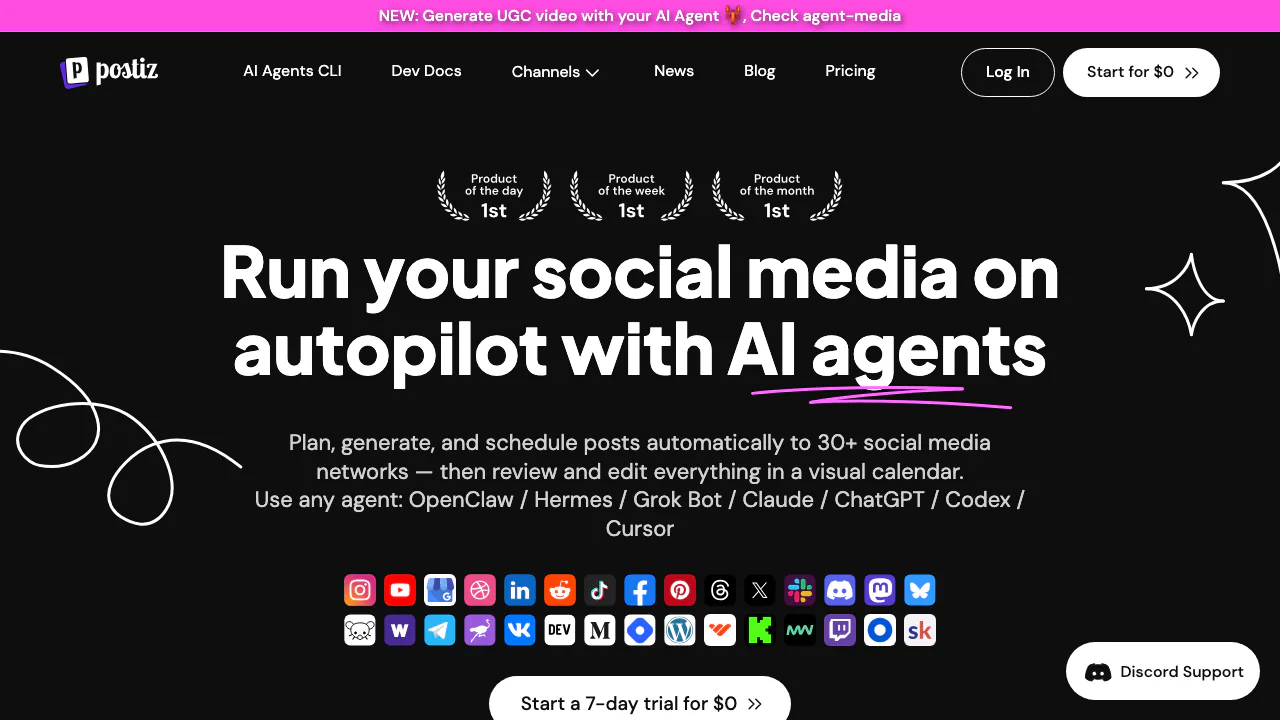
Postiz is a social media scheduler that brings writing, planning and publishing into one workspace. Think of it as a shared departure board for your posts: prepare the message, choose the accounts and set the departure time. The calendar helps you see what is ready, what is still a draft and what has already gone out.
It suits creators, small businesses and agencies that regularly publish across several accounts. Supported destinations include Instagram, Facebook, LinkedIn, X, TikTok, YouTube, Threads and other social or community platforms. Each destination still has its own posting rules. Postiz is operated by Gitroom entities and is available as a hosted subscription or open-source software you run yourself.
Take one idea through to a published post
Start with text, an image or video, the accounts you control and the time you want to publish. The official first-post guide follows this path:
- Open Calendar, select Add Channel and complete the platform's connection flow. Confirm that the account appears without a red warning.
- Choose Create Post, select your channels and write the common message in Global. Unlock a channel tab when it needs different wording.
- Add media and complete destination settings, such as a YouTube title, Reddit subreddit or Pinterest board. Inspect each preview.
- Use Save as Draft while editing, or select a date and Add to calendar to schedule.
- After that time, check the published status and open Preview to confirm the live post. A red ring means you should inspect the error and account connection.
The composer accepts common image formats and MP4. Its documented upload limits are 10 MB per image and 1 GB per video; a successful upload does not guarantee acceptance by every network. Adapt media and text to each destination.
Use AI to prepare material you can review
Postiz can help draft captions, longer posts and threads, generate images and create video. Whole-post generation lets you choose a subject, format and personal or company tone, then places the result on the calendar as a draft. This is useful for turning a campaign idea into editable material. Check facts, voice, media and dates before scheduling.
Cloud image and video generation use separate credits. Failed generations do not spend a credit, and balances reset on the monthly subscription anniversary. Image-generation eligibility is described inconsistently for Standard across official pages; verify your plan before relying on it. Self-hosted AI requires your own configured provider keys.
Connect the calendar to APIs and recurring content
The public API, CLI, MCP and integrations such as n8n and Make let another workflow prepare and schedule posts. A practical API sequence is to identify the connected account, upload media, then create a draft or scheduled post with its content, media reference, time and platform settings. Use the API documentation for the exact request structure.
Repeated posts help reuse evergreen material; RSS automation can turn new feed items into scheduled content and is included from Team upward on cloud. Keep a review stage when the source or AI output needs editorial judgment.
Coordinate feedback and measure supported results
Client preview links let reviewers see a post and comment without a Postiz account. Keep the post as a draft until feedback is resolved: the preview process has no approval flag that automatically blocks publishing. Anyone with the link can read it, so it is an unlisted preview rather than a private review room.
Analytics coverage depends on the network. For example, LinkedIn reporting covers Pages rather than personal profiles. Compare supported metrics and matching date ranges instead of assuming every connected account supplies identical reports.
Cloud costs and the trial boundary
Checked on 10 September 2026, the USD monthly list prices are Standard $29 for 5 channels, Team $39 for 10, Pro $49 for 30 and Ultimate $99 for 100. Each connected account counts separately. Annual billing is a different commitment; check the current pricing page and checkout for applicable totals and taxes.
Cloud has no permanent free plan. Eligible new organizations normally receive a seven-day trial requiring a payment method; it converts to a paid subscription unless canceled before day seven. Some video generators are restricted during trial. The homepage says Standard allows 400 monthly posts, while the pricing page and plan docs say unlimited: confirm that entitlement with support instead of assuming either figure.
When running your own server makes sense
The official source is licensed under AGPL-3.0. Self-hosting is useful when you can maintain infrastructure and want control over deployment. Budget for your server, updates and any external AI or platform services; free source code does not remove those costs. Most social networks require developer apps and credentials, while some accept credentials in the connection dialog. The self-hosted design editor also needs a Polotno key. Follow the provider setup documentation.
Self-hosting does not make publishing or optional AI entirely local. The privacy policy describes storing encrypted OAuth tokens and sending selected AI inputs to external model providers. Postiz says it instructs those providers not to train on inputs or outputs.
Frequently asked questions
Is Postiz free?
The source can be self-hosted under AGPL-3.0. Hosted cloud access is a paid subscription with an eligible seven-day trial, not a lasting free tier.
Can I run Postiz on my own server?
Yes. Installation options include Docker Compose. You manage the deployment and usually configure developer credentials for the networks you connect.
Can AI agents schedule posts through Postiz?
Yes. CLI, MCP and API access support this workflow. The connected accounts and platform-specific settings must still be correct; review drafts before scheduling.
What happens to content used with AI?
Selected prompts and inputs are transmitted to external model providers. The policy states that Postiz instructs them not to use inputs or outputs for training; it does not mean the processing stays on your device.
Official resources and developer community
- Postiz documentation: usage, deployment and troubleshooting.
- Official GitHub repository: source, license and issues.
- Discord community: questions and self-hosting discussions; community response is not guaranteed.
- Support routes: account and billing help.
- Service status: check reported service availability.
Related tools
AI Marketing & Sales Tools →
Howseen AIFreemium
Track brand mentions, competitors and cited sources in AI answers.
GoodSocialsPaid
Research-backed LinkedIn drafts you approve before publishing.
ArticosFreemium
AI-powered synthetic user research for faster interviews, message tests, and concept decisions.
Fotor Video AgentFreemium
Chat your way from a rough idea or source file to an editable video project.
Copy.aiPaid
AI go-to-market platform for marketing content, sales research, chat, integrations and repeatable workflows.