

HexmosFreemium
Review Git changes where they happen, from your terminal to your team's pull requests.
Dessn for AI UI design and code-backed prototypes
Design and review changes against the frontend your product already uses.
What is Dessn and what can you do with it?
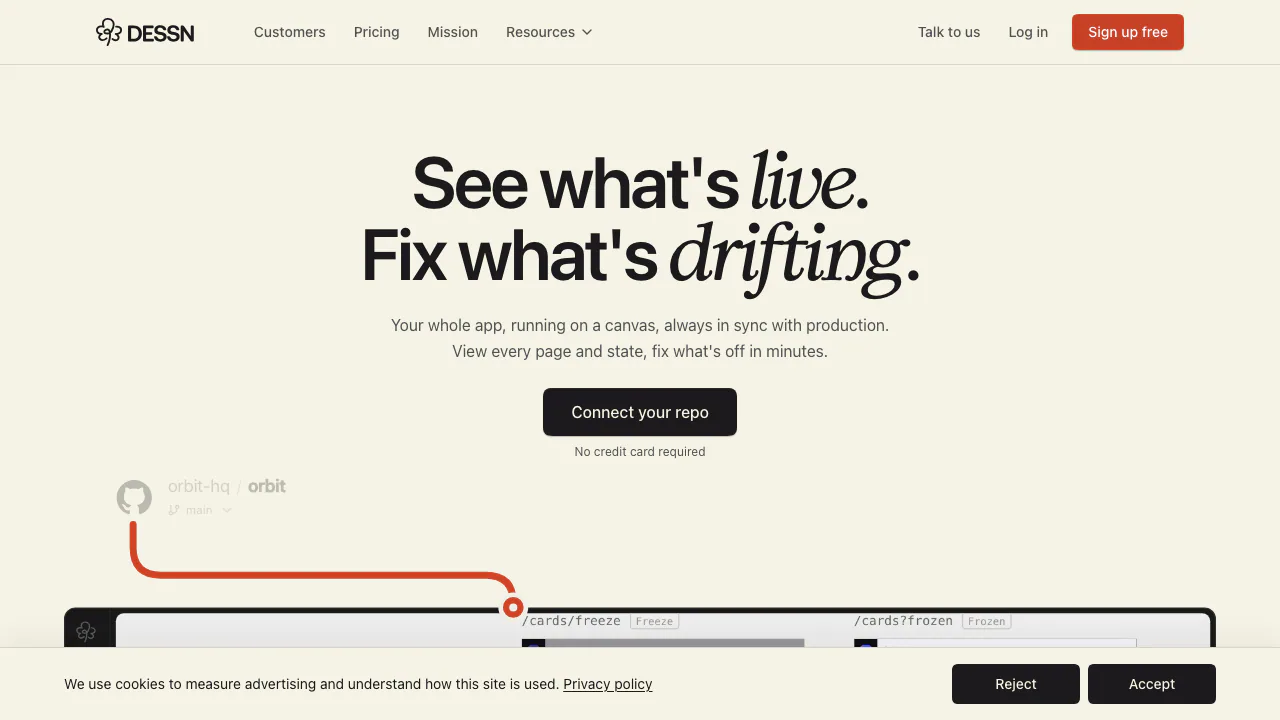
Dessn is an AI UI design workspace that puts a working copy of your product on a visual canvas. Think of it as a place to try a redesign on the actual interface. A designer can duplicate the billing page, ask for another layout using the existing plan cards, and give a product manager something to click through. Engineers can inspect the change with the surrounding app code in view.
Build a prototype from a screen you already ship
- Connect an approved GitHub or GitLab repository and choose a baseline branch. For a monorepo, select the app or directory Dessn should build.
- After Dessn compiles a set of screens into its Library, open the relevant screen on the canvas and duplicate the frame. Ask for a specific change, such as moving the plan comparison without changing the existing billing labels.
- Press Play to try the revised flow. Test both a successful upgrade and a payment error where those states are available. Share the canvas so teammates can comment on the version they reviewed.
A private dependency or unusual build step can require input from engineering. Use the setup guide to understand what the Library imports and how it follows the connected branch.
The Library records the source commit. A Library refresh on a paid plan updates the starting point for future work. Review which version an existing prototype was copied from before comparing it with a recent change.
Find design drift before it spreads
Put several related screens on a canvas and ask Dessn to flag inconsistent buttons, spacing or typography. Review a proposed replacement in a copy before adopting it. This is especially useful when migrating components screen by screen. Design system migration guide
Repository access and preview data
Dessn requests read-only access to approved repositories and builds a frontend copy in an isolated cloud environment. A repository preview can simulate sign-in, service responses and feature flags. Use the preview to review the interface and test actual integrations separately. Dessn says it excludes customer code, prompts and outputs from model training. Dessn privacy policy
From an approved prototype to code
After review, use the code from the selected frame as the basis for an engineering change. In the documented local-agent workflow, you can take it back as a patch, commits or a bundle. Pro lists MCP for Claude Code, Codex and Cursor. Engineers can inspect the diff and run project checks before merging. MCP installation guide
Dessn FAQs
Can I try Dessn for free?
Yes. On November 6, 2026, Free listed 20 monthly credits and free viewer seats. The pricing page displayed Pro at $30 per editor per month, with 100 monthly credits and optional top-ups. Enterprise is quoted separately. Dessn's design agent uses credits. Check the billing currency and taxes for your account. Dessn pricing
How do I hand prototype changes to engineering?
Share the approved frame with reviewers and use the local coding-agent workflow to retrieve the code changes. A patch lets the team inspect the affected files before applying the change.
What access does Dessn need to a private repository?
It needs read access to the approved project. You can restrict the connection to selected repositories. Work in the canvas takes place in a copy, with integration back into the source repository handled by your team.
Related tools
AI UI Design & Prototyping Tools →
Agent ClanFreemium
Send tasks and review approvals across Claude Code and Codex sessions.
QualityLayerPaid
An approval and review workflow for the coding agents you already use.
One RoofFree
Bring coding-agent sessions, approvals and bounded loops into one Mac app.
Navier AIPaid
An engineering agent for CAD, simulation, code and reports
UnoRouterFreemium
One key for multiple AI models, with provider routing and browser chat