

Manifold MCPFreemium
Give your existing AI assistant SEO, AI visibility, social and prospect research data.
Kodlo: an AI sales assistant for research and prospecting
Find suitable prospects, check the evidence and prepare outreach in one sales workspace.
What does Kodlo do, in plain English?
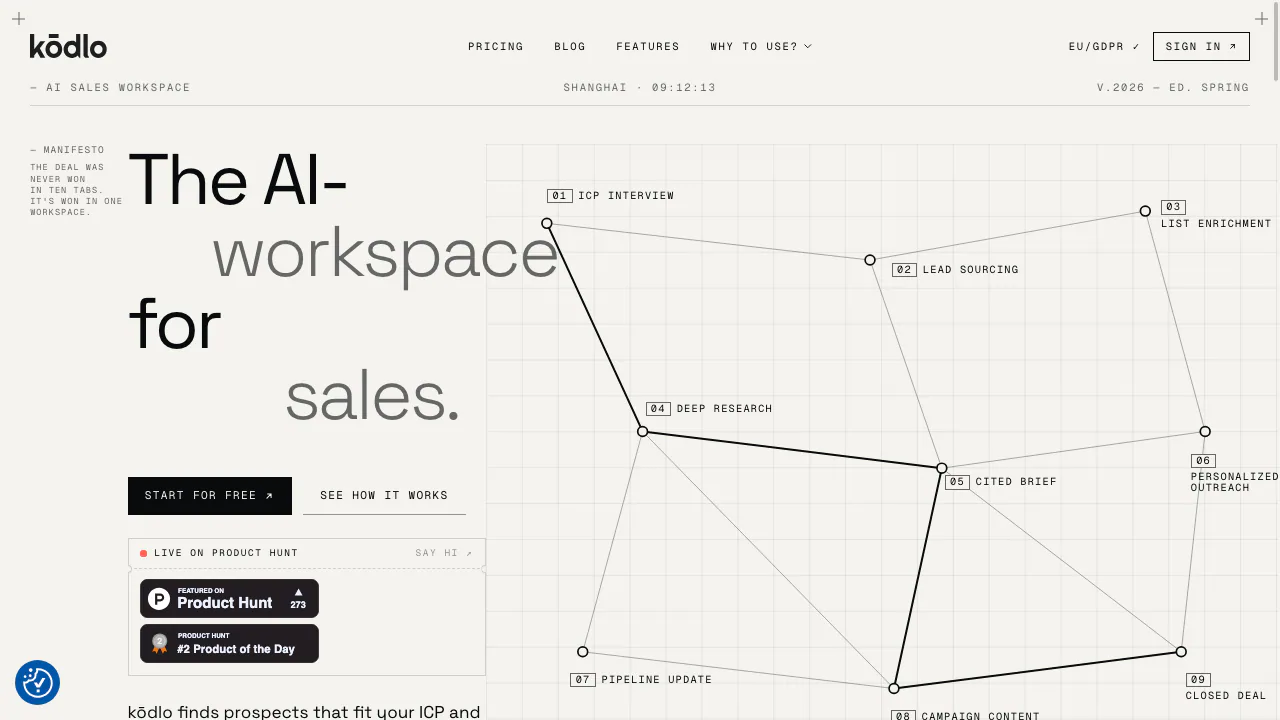
Kodlo, styled kōdlo, is an AI sales assistant from Reinode Software that brings prospect research and customer records into one workspace. Give it information about your offer and ideal customers, and it helps identify companies worth approaching, explain the fit and prepare a relevant message. The salesperson checks the work and handles the relationship.
It suits B2B SaaS founders, software service firms and technical sales teams whose deals require preparation. It is particularly useful when research, product documents and follow-up history currently sit in separate tools.
Build a prospect list you can inspect
Start with a specific offer, examples of good customers and reasons to exclude a company. The agent interviews you to build an ideal customer profile, or ICP. Discovery uses that profile to find companies and people on the public web.
- Define the campaign and correct the proposed ICP.
- Run Discovery and review the evidence explaining each candidate's fit.
- Approve the prospects you want to import; reject weak matches.
- Research the chosen accounts before drafting an introduction.
Discovery returns up to 25 candidates per run, allows one run per user at a time and excludes contacts already in the campaign. Imported buying signals remain on the contact timeline, giving the next salesperson useful context.
Turn account research into a useful sales brief
Choose Deep search and ask a focused question, such as which recent changes at an account relate to your offer. Open the numbered citations, check their dates and read any Limitations note before using the findings. Reports can be saved as PDF or added to the Knowledge Hub for later work.
The agent uses publicly accessible pages. It does not read logged-in or paywalled sources, and a limited research budget can produce a shorter report. Citations make verification easier; they do not guarantee that every conclusion is correct.
Use product knowledge to prepare answers and offers
Upload case studies, product documentation and price lists to Knowledge Hub, group them into projects and select which projects a conversation may use. Answers identify the source file and section, helping a rep check technical claims before replying.
Supported files include PDF, DOCX, XLSX, CSV, TXT, MD and PPTX, with a 25 MB limit per file and up to 100 projects. Scanned PDFs can go through OCR. Files are uploaded directly; the official technical-sales page says Google Drive and SharePoint are not connected.
Deck, currently in Beta, builds presentations from a supplied PowerPoint or company website, allows slide editing and exports PowerPoint or PDF. Review specifications, prices and layout before sharing an offer.
Keep sending and record changes under human control
Kodlo prepares outreach drafts in your chosen tone. Current one-click hand-off is for LinkedIn; the detailed feature page lists other channels, including email, as forthcoming. You send the message yourself. Proposed contact, campaign and task changes also require confirmation.
Contacts, campaign context and tickets keep follow-up work together. Recurring research jobs need a person to activate them. Their minimum interval is five minutes, with batch items processed one per run, so large lists can take days.
Telegram and Google Chat provide access to the same agent. Bot voice notes are unsupported, and jobs still need confirmation in the web app. Pro adds long-term memory; turning off personal profiling does not turn off shared workspace memory.
Trial, subscriptions and usage limits
Checked on 13 October 2026: the public monthly prices are US$49 before VAT for Starter, with one seat and up to 1,000 OCR pages per month, and US$199 before VAT for Pro, with up to three seats, collaboration, long-term memory and up to 10,000 OCR pages. Custom is quoted individually. See the current price list for billing options and checkout conditions.
Eligible new workspaces can get a one-time seven-day Starter trial. If payment details were supplied, paid recurring billing begins unless cancelled before the trial ends; otherwise access pauses. Trial allowances may be lower than paid allowances.
AI quotas reset every 30 days and do not roll over. The terms describe tighter generation at 100% usage and paused chat at 105% until reset or upgrade. Check the subscription terms before choosing a plan.
Check data handling before uploading client material
The privacy policy states that workspace data, prompts and generated content are not used to train Kodlo or third-party models. Core workspace storage is in the EU, while some inference, search and storage processing involves non-EU providers.
You retain ownership of uploaded data and rights to generated long-form artifacts subject to the terms. You remain responsible for the contact data you import and for checking AI output before business use.
Frequently asked questions
Is Kodlo free?
It offers an eligible seven-day trial, followed by paid plans. There is no advertised forever-free tier.
Does Kodlo send outreach automatically?
No. It drafts messages; you review and send them. Record changes require confirmation too.
Can it answer from our own product documents?
Yes. Upload supported files to Knowledge Hub, select the relevant projects and check the cited file and section before using the answer.
Official resources
- Feature reference: current capabilities and operating limits.
- Contact Kodlo: product questions and Custom plans.
- Company LinkedIn: official updates.
Related tools
AI Marketing & Sales Tools →
BearconnectPaid
Combine LinkedIn prospecting, reply management and AI post scheduling in one cloud workspace.
PancakePaid
Turn your website and buying signals into reviewed prospects and personal outreach.
AgentSDRFree
Self-hosted sales outreach, enriched leads and AI reply drafts in one workspace.
ExtrovertPaid
Find prospects, draft relevant comments and keep LinkedIn conversations moving.
Fuse AIFreemium
Find suitable prospects, enrich contact data and review AI-written outreach in one sales workflow.