

PopcraftFreemium
Create AI videos, images, audio and product ads in one workspace
Genjutsu AI: video-to-video editing with reference images
Recast a short video or replace a selected subject using reference images.
What does Genjutsu AI actually do?
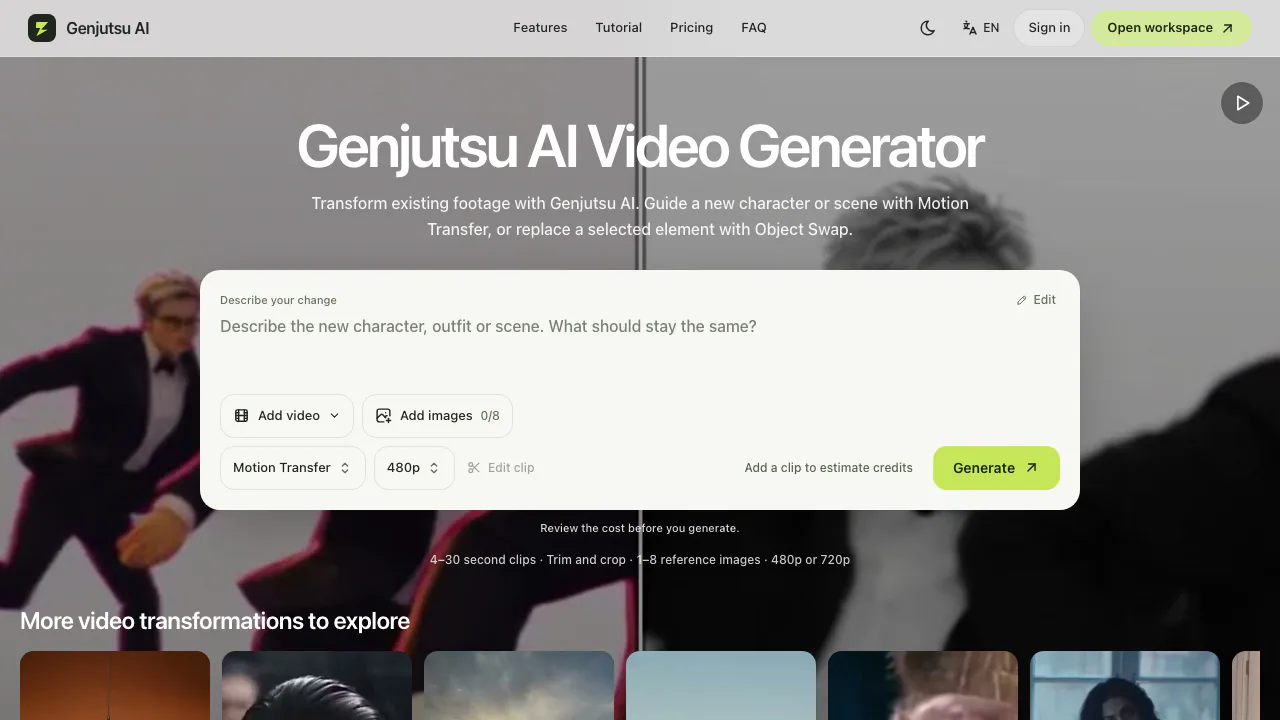
Genjutsu AI turns an existing video into a new visual version. You supply the movement in a source clip, add reference images showing the desired character or object, and describe the change. It suits creators exploring a different cast, outfit, product or setting without recording the performance again.
Genjutsuai.io is an independent browser workspace using the Higgsfield Genjutsu model. Its accounts, credits and support are separate from Higgsfield. A source video is required; an image and a text prompt alone do not complete this workflow.
The homepage labels outside community examples separately; they were not generated through this independent website.
Choose between a new performance look and a targeted replacement
Motion Transfer uses the source performance to guide a new character or scene. Consistent face, clothing and full-body references help communicate the intended appearance.
Object Swap targets a person, product, outfit or prop within an existing shot. Identify the target by position, clothing or action, and explain which surrounding details should remain. This is useful for testing a replacement product or character while using an existing shot as guidance.
Neither mode guarantees exact identity, motion, background preservation or original audio. Treat a completed clip as material to inspect, especially at cuts, reflections and hand–object contact.
Complete a first video edit
- Choose footage you have permission to process. Select MP4, MOV or WebM, then use Edit reference to trim a clear passage to 4–30 seconds and adjust framing.
- Add 1–8 consistent JPG, PNG or WebP references, up to 8 MB each. Choose the mode and describe the target change in Direction.
- Select 480p or 720p and review the quote. Sign in and purchase credits if needed; paying alone does not start the generation.
- Confirm the quoted generation. Compare the entire output with the source, check faces, hands and sound, then download the MP4 you want to keep.
The browser must support decoding and exporting the source file. For Object Swap, the tutorial specifies at least 409,600 pixels per prepared frame, such as 854 × 480. Start with a short passage whose result you can judge.
Paid credits and the cost of another attempt
Checked on October 27, 2026: generation requires paid credits purchased in one-time packs, without automatic renewal. The pack named Trial is also a purchase. Rates are 60 credits per source second at 480p and 130 at 720p; duration rounds upward to a whole second. A 10-second attempt therefore uses 600 or 1,300 credits.
Public pages did not expose a reliable numeric currency price during this review. Check the current packs and billing calculator and the checkout currency before purchasing. Credits remain valid while the service operates. Failed or rejected jobs release their credit hold; a successful take you dislike still costs credits, and a retry is a new paid job.
Private history, provider processing and usage rights
The privacy policy says source files and references expire after seven days and completed results after 30 days. Files are private to the account by default, but generation media and prompts reach the provider. The service has not confirmed an effective training opt-out, so private history does not mean exclusion from model training.
Use authorized footage and obtain documented consent for identifiable people. The service requires adulthood, and its terms do not guarantee ownership or commercial-use rights in an output. It is a poor fit when a project requires verified training exclusion or frame-perfect preservation.
Deleting a result here does not promise immediate removal from every provider system.
Frequently asked questions
Is Genjutsu AI free to generate videos?
No. Preparing a draft as a guest does not provide free generation. Confirming a generation requires sufficient paid credits.
Which files can I use?
The browser editor accepts MP4, MOV and WebM sources up to 500 MiB, preparing a 4–30 second clip for upload. References are JPG, PNG or WebP; outputs can be downloaded as MP4 at 480p or 720p.
Can I animate a photo without a source video?
This workspace requires a source video plus image references. Use Motion Transfer for a new performance interpretation or Object Swap for a selected replacement.
Official guides and support
- First-edit tutorial: input preparation, quote confirmation and result checks.
- Video, account and billing support: include the relevant video or purchase ID when requesting help.
Related tools
AI Image & Video Generators →
ngramFreemium
Turn briefs, documents and screen recordings into editable videos.
Bulin 47 AIPaid
Turn an authorized adult portrait into a 23-second freestyle remix with the original sound.
SurgePixFreemium
Generate images, posters and decks, then refine individual layers.
FavorePaid
Create an image, refine it, then turn it into motion in one workspace.
Rap Duo AIPaid
Turn two photos into an English rap duet with generated music and vocals.