

AnythingLLMFreemium
Build local or team AI workspaces with document knowledge, agents and workflows
Make AI Review for Visual Automation and Agents
Design visual AI automations and agents across your business apps
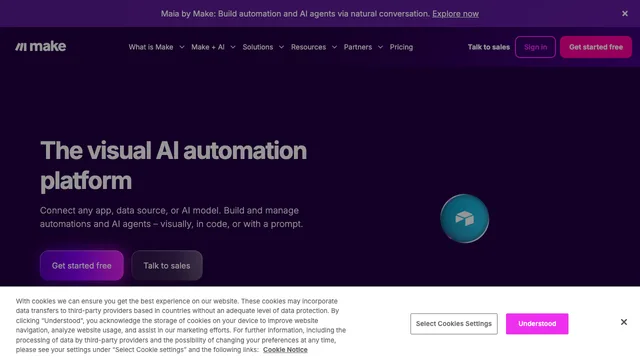
Make AI overview and who it suits
Make AI is the artificial-intelligence layer within Make’s visual automation platform. It helps operations, marketing, sales and technical teams connect business apps, transform data and add model-driven decisions without hiding the sequence. A scenario is drawn as modules connected on a canvas. Typical uses include routing leads, summarizing support, extracting fields from documents, preparing campaign assets and keeping records synchronized. The platform is easiest to adopt when a team can describe a repeatable process with clear inputs, outputs and ownership.
AI workflow automation with Make AI
An AI workflow automation can receive a form, message or schedule, prepare context, call a model, validate the response and update a destination app. Make AI exposes filters, routers, iterators, aggregators and error handlers around that call. This visual structure is valuable for reviewing what happens before and after AI. Start with one bounded process, feed it real edge cases, and decide what should happen when fields are missing, an API is unavailable or the model returns invalid JSON.
Make AI as a visual automation platform
The visual automation platform is approachable for non-developers but still supports formulas, data mapping, webhooks and generic HTTP requests. A large integration catalog covers popular SaaS products, while APIs can bridge gaps. The Make Help Center documents scenario controls and app modules. Connector availability does not guarantee every API feature, permission or rate limit is exposed, so test the exact operation that matters before committing a production workflow.
Make AI agent builder and human control
The AI agent builder can give an agent tools and context for multi-step goals. Productive agents need a limited toolset, explicit instructions, maximum-iteration rules and validation of outputs. Make AI should not be allowed to send messages, modify customer records, spend money or delete data merely because a model selected that action. Add approval steps for high-impact changes, log tool calls and keep a deterministic fallback for work that must complete even when the model is uncertain.
Make AI integrations, data and privacy
Each scenario may pass data through Make, connected apps and an external model provider. Map only the fields a step needs, avoid placing secrets in prompts and review logs and retention settings. Credentials should use least privilege and be rotated. For regulated information, confirm the applicable plan, processing terms, region and subprocessors rather than assuming that a visual builder changes compliance duties. Mask test data and separate development connections from production accounts.
Make AI pricing, credits and operations
Make offers a free plan with a monthly credit allowance and paid Core, Pro, Teams and Enterprise tiers; exact names and allowances can change. Credits are consumed by scenario operations, and certain AI functions or model providers may introduce separate usage. Check the official Make pricing page before purchase. Estimate filters, loops, retries, polling, test runs and error recovery, because a single business event can consume multiple operations.
Make AI limitations and production reliability
A beautiful scenario can still fail when a connector changes, an access token expires or a model invents a value. Production Make AI workflows need error routes, replay strategy, idempotency, alerts, version notes and named owners. Monitor business outcomes rather than only successful module executions. Complex scenarios can become difficult to read; split reusable logic, name modules clearly and document assumptions. Keep a manual path for urgent work while an automation is being repaired.
Make AI alternatives and selection guide
Choose Make AI when visual mapping, broad SaaS connectivity and collaborative automation are central. Zapier may feel simpler for short trigger-action recipes; n8n provides stronger self-hosting and code control; a custom service may be better for latency-sensitive or deeply tested product logic. Compare required connectors, governance, expected credit use, debugging skills and maintenance responsibility. A small proof using production-like data is more informative than feature-list comparison.
Make AI frequently asked questions
Is Make AI free?
Make has a free plan with a monthly credit allowance. AI model usage, higher limits and team features may require paid services.
What is a Make scenario?
A scenario is a visual workflow made of connected modules, routes, filters and data mappings.
Can Make AI build agents?
It can support tool-using agents, but permissions, iteration limits, validation and human approval determine reliability.
Does Make AI require coding?
Many workflows are no-code. HTTP APIs, formulas and debugging become easier with technical knowledge.
How do Make credits work?
Scenario operations consume credits under the current plan rules; loops, polling and retries can increase usage.
Is Make AI suitable for sensitive data?
Suitability depends on the plan, connected services, model providers, field mapping, logs and your compliance controls.
Related tools
AI Automation Tools →
LightPDFFreemium
AI PDF editor, converter, and document chat on web, desktop, and mobile
MuleRunFreemium
AI agents, cloud workspaces, and repeatable workflows
n8nFreemium
Build flexible AI workflows and agents with visual logic or code
sideOSPaid
Voice commands, local dictation and tasks in your Mac apps
LookoutFree
Watch selected Slack channels and turn matching messages into useful actions.