
buddylistFree
Bring coding agents into project chats, reviews and tests.
Starkomand: organize AI coding agents on your Mac
Run your existing coding CLIs with task briefs, handoffs and code reviews on one canvas.
What is Starkomand used for?
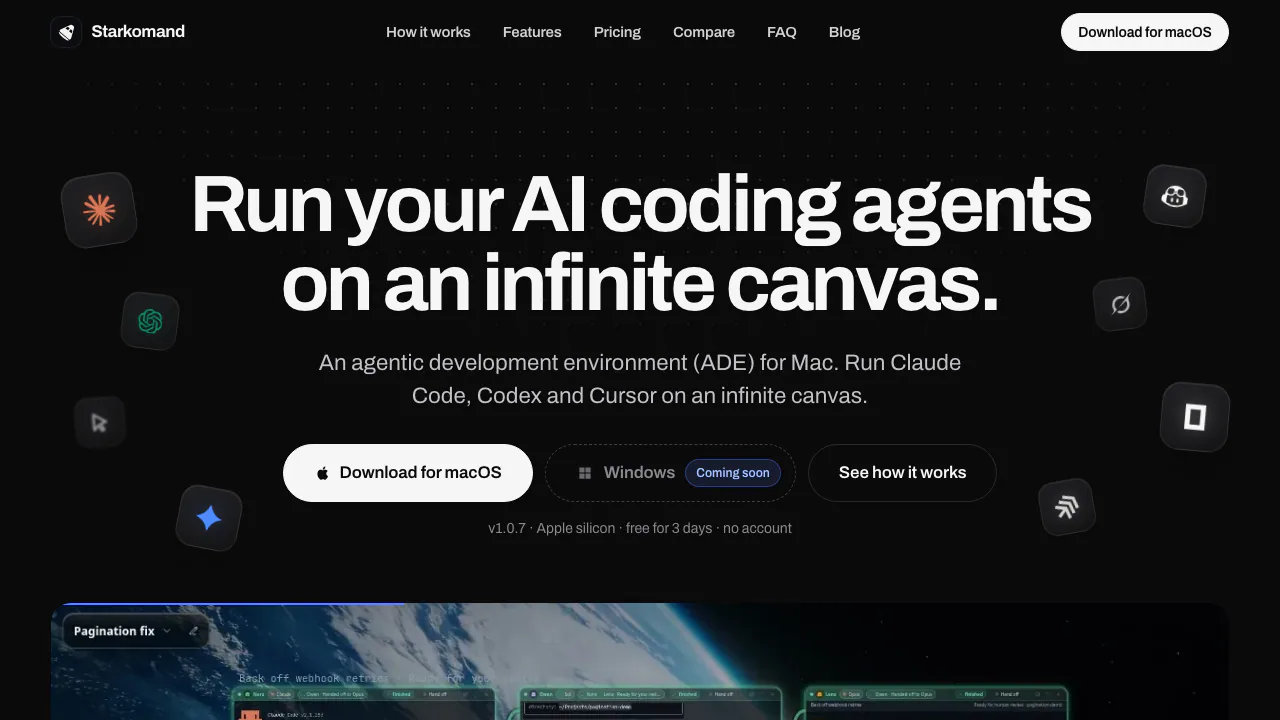
Starkomand is a desktop workspace for managing AI coding agents on an Apple silicon Mac. In plain language, it is a visual desk for the assistants that already work in your terminal: each agent gets a window, while the issue, architecture sketch and running app can sit nearby. Developer Timeline calls it an agentic development environment, or ADE.
It suits developers who want to keep implementation, investigation and review visible across one or several projects. You still use your preferred editor and your own AI provider accounts. Start with one agent; add another when a different implementation or review role would help.
Keep coding agents and project context together
The supported CLI list includes Claude Code, Codex, Cursor, Gemini CLI, Grok CLI, GitHub Copilot, OpenCode, GLM through OpenCode, Amp, Pi, Aider and Goose. Install and sign in to the agents first. The current app supports macOS on Apple silicon; Windows is announced, while current Windows, Linux and Intel Mac downloads are unavailable.
The canvas keeps more than terminal output in view:
- Drop a GitHub issue onto an agent and keep its note beside the work.
- Ask for an editable architecture diagram or open a browser preview alongside the implementation.
- Press Space to inspect session state, the latest response, changed files, servers and pull requests.
- Use the Ports widget for development servers and memory information, and the Flight board for GitHub pull requests.
- Keep a separate folder, agent set and layout for each workspace. Optional voice commands address sessions by name while you hold Option; gestures are optional too.
Auto routing can choose model and effort for a stage, explain its choice and consider remaining subscription usage when meters are enabled. You can change the choice.
From a small issue to a reviewed change
A useful first task is a small bug with a visible acceptance condition, such as keeping a list filter when moving to page two.
- Choose the repository as the workspace folder and launch an installed agent. Ask it to inspect the relevant files, explain the cause and propose a plan without editing.
- Agree on the expected result and the limits of the change. Authorize implementation explicitly.
- To switch implementers, open the agent window’s actions and choose Hand off…, the implementation stage and a receiving agent. The source agent writes a focused brief; the task retains its objective, acceptance criteria and handoff history.
- Inspect the diff and running preview, and check the result against the agreed condition. An optional Review handoff gives another agent a fresh review role. Bounded fix-and-review loops stop if files change beyond the revision that was checked.
Keep simultaneous writers in separate directories or Git worktrees. A completed agent turn or positive review still requires your acceptance. The official handoff walkthrough shows the controls and saved record.
Trial, license and separate AI costs
Verified on 20 October 2026: the three-day trial includes every feature and unlimited agents and workspaces. Continuing afterward requires Pro, a one-time license for one Mac with one year of updates. You can keep the entitled version after that year; later updates may cost extra.
AI subscriptions and provider usage remain separate. Launch prices change as seats sell, so check the current offer and checkout for the payable price and taxes. The license and purchase terms state that purchases are non-refundable except where required by law.
Where your code and conversations go
Canvas data, notes and tasks stay on the Mac by default. Agent prompts, code and files can still go to the chosen AI provider. Optional cloud dictation sends audio to OpenAI; requested work summaries send terminal context to the writer chosen in Privacy settings. The privacy policy explains these separate flows.
Trial activation and a check at least every 24 hours require internet; reinstalling does not reset the trial. Hiding the canvas keeps agents working while the local server runs. Restarting the Mac ends live sessions, while saved canvas data and task history remain.
Frequently asked questions
Is Starkomand free to keep using?
No. All features are available for three days, then Pro is needed to continue. It is a paid license with a trial rather than a permanent free tier.
Does Pro include Claude Code or Codex usage?
No. Pro pays for the workspace. Each provider still controls and charges for its own plan, limits and usage.
Can I use Claude Code and Codex together?
Yes. Each CLI runs in its own terminal using your sign-in. Give agents separate roles and avoid concurrent edits to the same files.
Does local storage mean everything stays offline?
No. Workspace storage is local, but agents and optional connected features can send data to their providers. Review the selected services before using sensitive repositories.
Official guides and downloads
- Agent setup and product guide: supported CLIs, workspace setup and feature boundaries.
- Official releases: Mac downloads and version notes. This is a release repository, not a claim that the complete app is open source.
Related tools
AI Coding & Developer Tools →
walkai-talkaiPaid
Voice commands for coding agents, with replies over radio
ReflectionFree
Build with Beam through an API, Mirror CLI, or your own infrastructure.
GleapPaid
Connect customer questions, bug investigations and reviewed fixes.
StepFunPaid
Explore StepFun models in AI Studio or integrate coding, multimodal and voice capabilities through an API.
CrewTowerPaid
Monitor coding agents and answer supported requests from your Mac’s notch.