

StepFunPaid
Explore StepFun models in AI Studio or integrate coding, multimodal and voice capabilities through an API.
CrewTower: Claude Code and AI agent monitoring for Mac
Monitor coding agents and answer supported requests from your Mac’s notch.
What does CrewTower do, in plain English?
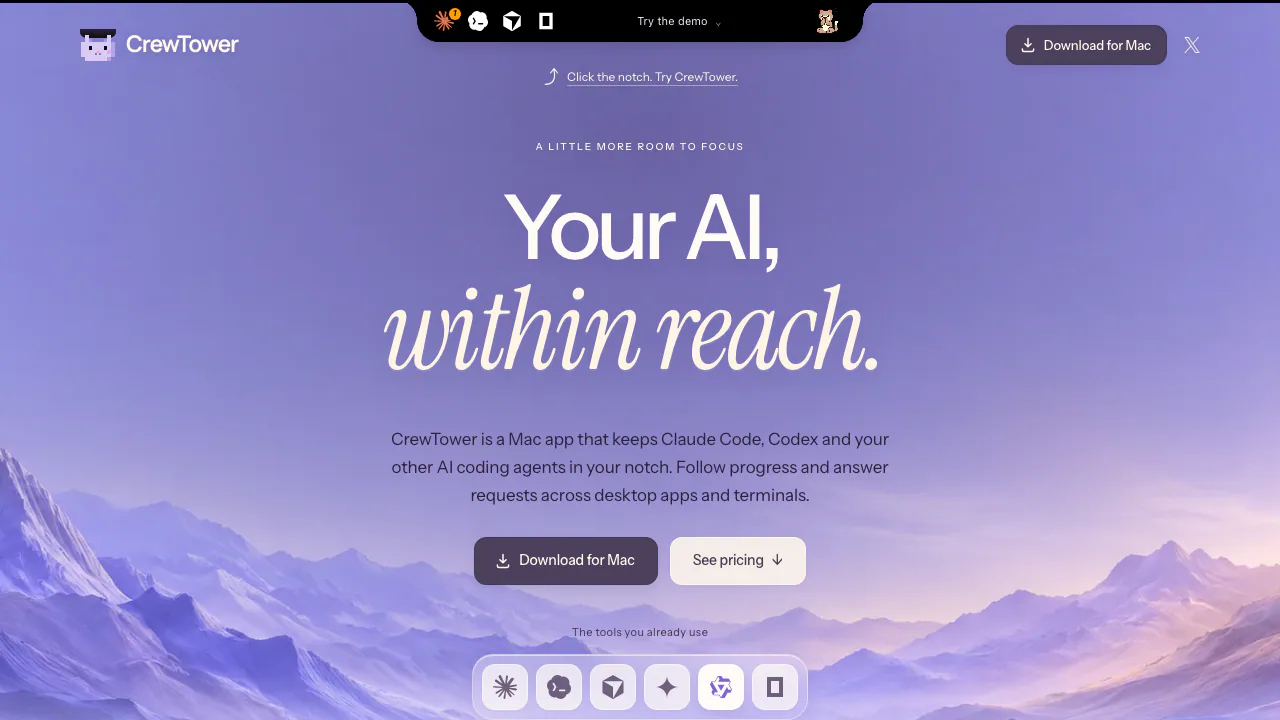
CrewTower is a Mac app that puts a small control panel for your AI coding sessions at the top of the screen. If Claude Code is editing one project while Codex works in another, you can see which session is running, finished or waiting for you without repeatedly opening each window. On a MacBook it uses the notch; other displays get a compact pill.
It is a companion for agents you already run. You still start work in your coding tool and check its changes there. CrewTower is useful when managing several sessions or stepping away from a long task, especially when a missed permission request would leave the agent idle.
Deal with the session that needs your attention
Session cards bring together activity, questions and supported permission requests. Waiting work rises to the front. You can inspect a command, approve or deny it, choose an answer to a question, or review a plan and send feedback where the integration permits it. Destructive commands receive a visible warning, but the decision remains yours.
Approval duration depends on the agent: a one-time answer, permission for the session or a persistent rule may be available. These options are not interchangeable. Read the displayed scope before answering. The All and Unread views help separate ongoing work from requests and completed results you have not checked.
Claude Code, Codex, Cursor, Gemini CLI, Qwen Code and opencode have supported response integrations. Other listed tools may offer activity detection and Jump only. A visible session does not guarantee that every request can be answered from CrewTower.
Return to the right terminal or desktop task
Jump opens the associated session rather than leaving you to search through tabs. Documented terminal integrations include Terminal, iTerm2, Ghostty, Kitty, Alacritty, WezTerm and Warp, plus tmux panes. Precision varies by terminal and the information available from the session.
Accessibility permission is needed for some paths, including Ghostty, Alacritty and general window matching. Several terminal integrations use their own interfaces without that permission. Answering supported approvals uses a separate local connection. Zellij pane selection and exact navigation in every embedded editor terminal are not promised. The official Jump guide explains these differences.
Set up and complete your first supervised session
- Check that your Mac runs macOS 15 or later and that your chosen coding agent is installed.
- Install and activate CrewTower. Its integration setup adds the required hooks while preserving existing integrations and backing up changed configuration.
- Check integration status. If Codex asks you to review its hooks, complete that review in Codex; CrewTower cannot grant that trust for you.
- Start the agent normally and give it a small, familiar task. Confirm that the correct session appears in CrewTower.
- When a request arrives, read it and answer using an available action. If no response action exists, use Jump and continue in the original app.
- Review the resulting code or output in the coding tool before treating the task as complete.
Watch context and usage, then continue Claude work
Supported context indicators show how full a session’s context is. Claude and Codex usage displays help you notice approaching subscription limits. These are useful for deciding whether to continue a task or wait for a reset; they are not a detailed historical token-spending report.
The optional Tell Claude feature is in beta and disabled initially. Enable it in Settings > Integrations, then start a new Claude session or reload its plugins as described by the official guide. It can send a follow-up prompt, stop a turn or compact a session. Compatibility depends on the Claude Code version, so check the current release notes before relying on it.
Understand what stays local
According to CrewTower’s privacy policy, it does not upload your prompts, code or transcripts and has no app analytics or CrewTower account. It reads agent activity locally and sends supported responses through local connections.
Licensing and update checks still use the network. Enabled Claude usage checks contact Anthropic using existing credentials. These statements describe CrewTower; your underlying coding agents retain their own data policies. Privacy mode also keeps CrewTower’s panel closed and silences alerts during screen sharing.
Price, license and suitability
Checked on 19 October 2026, the public early-bird offer is USD 9.99 for one Mac, with USD 14.99 shown as the previous price. It is a one-time purchase with updates included. Final taxes and payment availability depend on checkout; the license does not include paid access to Claude, Codex or other providers.
The installed app requires a license and has no free trial. The website’s interactive demo lets you explore sample interactions. Initial activation requires internet, and the terms describe an offline license grace period of up to three weeks and a 30-day refund request window. See the license and refund terms for conditions.
Frequently asked questions
Is CrewTower free?
No. The website demo is available to explore, but using the Mac app requires a paid license. Agent-service charges are separate.
Do I need to configure hooks manually?
CrewTower configures supported integrations during setup. An agent may still require its own trust review, and integration status should be checked if a session does not appear.
Does it show exact token spending?
Its core usage view tracks subscription windows and session context. Do not treat it as a complete accounting tool for historical spending by model, day or project.
Official resources
- CrewTower guides: setup explanations and common agent workflow questions.
- The linked release notes cover compatibility changes; the license terms provide the official support and refund route.
Related tools
AI Coding & Developer Tools →
GleapPaid
Connect customer questions, bug investigations and reviewed fixes.
ReflectionFree
Build with Beam through an API, Mirror CLI, or your own infrastructure.
KernoFreemium
Validate backend changes and critical user flows inside your coding agent’s workflow.
CodemindFreemium
Delegate JavaScript and TypeScript tasks and receive code tested against your acceptance criteria.
DropstoneFreemium
Read repositories, review code changes and carry working preferences across Chat, CLI and SDK.