

walkai-talkaiPaid
Voice commands for coding agents, with replies over radio
buddylist: an AI coding assistant workspace for your desktop
Bring coding agents into project chats, reviews and tests.
What is buddylist, in plain English?
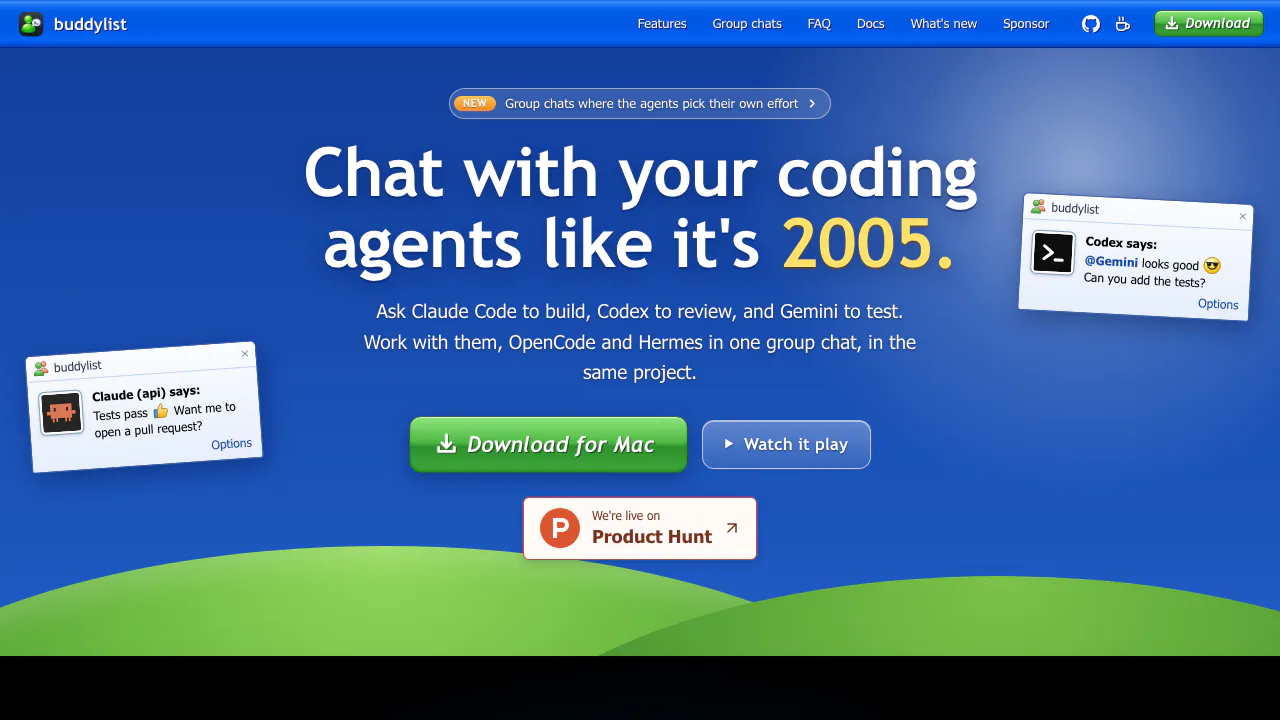
buddylist is a free desktop app that puts AI coding assistants into a contact list. Each contact connects an agent to a project folder. Open its chat, describe a change, and the agent can inspect the project, edit files and run commands while you follow its activity. It suits developers who already use terminal agents and want project status, conversations and code review in one place.
The current app supports Claude Code, Codex, Gemini, OpenCode and Hermes. Its MSN Messenger appearance is optional: the Professional look offers a quieter interface with light and dark themes. The website provides downloads, documentation and a browser demo; the demo's replies are scripted.
Start with one project and a verifiable task
- Download the installer for your computer. Current builds cover Apple Silicon Macs, Windows x64 and Linux x64, with AppImage and Debian options. Intel Mac and ARM Windows/Linux installers are not provided. The Windows installer is unsigned; its setup requires Git for Windows for Claude Code and project scripts.
- Follow the welcome wizard to check agent installation and sign-in. Claude Code comes with the app. Install and authenticate the other agents' CLIs separately when you want them.
- Open a local project, clone a GitHub repository or start a new project. Select the agent service when adding a contact, then double-click the contact.
- Request a bounded task, such as fixing a failing test. Review command or edit invitations where the service's mode requires them, inspect the resulting diff and check the test output.
Separate contacts in a Git repository use their own branches and worktrees. Untracked files such as dependencies and environment files are not copied by default, so a new workspace may need setup. In a non-Git folder, contacts use the folder directly.
Coordinate implementation, review and tests in a group
Use Invite to add another contact or create a new agent in a conversation. One agent can implement a change, another review it and a third add tests. They receive the conversation and activity context as their turns arrive. Reorder agents in the Agents tab, or mention only the agent you want to answer.
Replies normally run in sequence. All at once starts eligible agents together, and agents can hand over with an @mention. By default, one user message permits up to six agent turns, including handoffs. A slash command goes to the host, and Stop or a nudge interrupts the group. An optional effort check can choose reasoning levels for services that support them.
Group members share the host's folder, even if a guest normally has a separate worktree. That matters when enabling simultaneous replies: separate contacts provide isolation, but a shared group is a shared working directory. The group conversation guide explains the controls and exceptions.
Inspect the result before creating a pull request
The Changes pane brings together branch commits, uncommitted differences, a file tree and line comments. Use it to check what actually changed; viewing a diff does not stage, commit or undo it. A terminal and browser can sit beside the chat, and Run starts the project's configured command with a contact-specific port. The agent does not automatically see everything typed in that terminal or displayed in the browser.
With GitHub CLI installed and connected, buddylist can show PR status and checks, pass failures back to the agent, and ask it to create a PR. Conversations can also be saved as Markdown. This workflow fits supervised coding and review; generated changes still need your tests and judgement.
Free app, separate agent accounts
As checked on October 20, 2026, buddylist is free to download and use. Model requests use your existing service accounts or API credentials and count against those services' plans. The app does not bundle unlimited AI use or remove provider limits. Charges and availability depend on your provider, account and region.
Local history and permission controls
Contacts, settings and chat history stay in the app's local data folder, while agents also keep their own session files. Local history does not establish that model processing is offline. Review the connected provider's terms before using sensitive project material.
The site discloses anonymous usage counts sent to PostHog and unexpected-error reports sent to Sentry, with separate switches under Tools. Claude, Codex and Gemini ask first by default. OpenCode's Build mode and Hermes have different command/edit defaults, so check each agent's mode before giving it a project.
Frequently asked questions
Is buddylist free, including the AI models?
The desktop app is free. Agent subscription or API usage remains tied to your own provider account and its limits.
Do I need to install all five agents?
No. Claude Code is bundled. Install and sign in to the other four CLIs only for the services you intend to use.
Can it really edit and test code?
Installed agent sessions can read files, make edits and run commands, subject to their permissions. The website demo uses scripted replies, so it is for exploring the interface rather than testing a live model.
Official resources and feedback
- Installation and setup documentation: current platform requirements and first launch.
- Official GitHub download repository: releases and the notice that the source is private.
- Official feedback form: report a bug or suggest a feature.
Related tools
AI Coding & Developer Tools →
StarkomandPaid
Run your existing coding CLIs with task briefs, handoffs and code reviews on one canvas.
ReflectionFree
Build with Beam through an API, Mirror CLI, or your own infrastructure.
GleapPaid
Connect customer questions, bug investigations and reviewed fixes.
CrewTowerPaid
Monitor coding agents and answer supported requests from your Mac’s notch.
NitroStackFreemium
Build typed MCP tools, inspect their behavior and deploy them with a connected development stack.