

zCADFreemium
Turn an engineering brief into editable solid CAD, then refine it in your browser.
BrickForgerAI: AI LEGO generator for custom brick models
Turn a text idea into a brick model, parts list and PDF building guide.
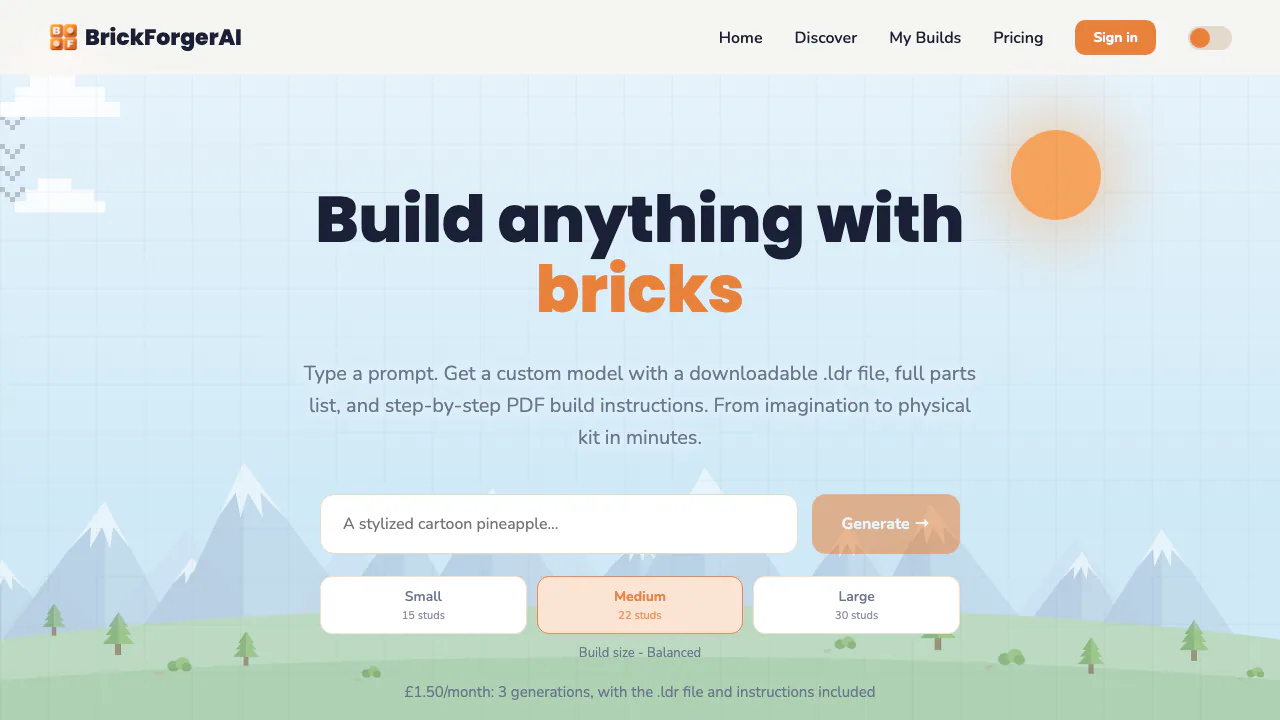
What does BrickForgerAI do, in plain English?
BrickForgerAI is an AI brick-model generator: describe an object and it produces a three-dimensional design made from standard brick shapes. Think of it as a starting point for designing your own build. You receive a model to inspect, a parts list to plan your purchase and instructions to guide assembly. It does not ship a physical kit.
For someone searching for an AI LEGO generator, the useful distinction is the output. BrickForgerAI supplies a downloadable .ldr model and a PDF guide, rather than only a picture with a brick-like appearance. It is an independent, UK-based service with no affiliation to LEGO, BrickLink or Studio.
From a generated model to files you can use
The interactive preview shows the shape in 3D, with part count and color information. Rotating it helps you decide whether the result matches your idea before buying bricks. The design uses a growing library of real brick, plate, tile and slope shapes.
Each current subscription includes the .ldr file, full parts list and PDF instructions. The PDF works upward through layers and marks the new pieces in each step. Open the .ldr in BrickLink Studio to examine the design and check its inventory against real parts. That is a file-based workflow, not a promise that the website automatically orders everything for you.
Plan a first build and inspect it before ordering
- Describe an original subject and its important visual details. An example prompt to try is “a rounded cactus in a small terracotta-colored pot”; this is an illustrative prompt, not a tested result.
- Choose a size. The homepage lists Small at 15 studs, Medium at 22 and Large at 30, then offers the Generate action. Follow the site's account and plan requirements.
- Rotate the preview and inspect its silhouette, colors and part count.
- Download the model and guide, then review the
.ldrin Studio for inventory and structural issues. - Purchase the necessary parts after reviewing the model, and use the PDF to assemble it.
The official site says organic subjects—animals, plants and sculptural forms—currently work best. More specific prompts are recommended. Thin towers and overhangs deserve extra scrutiny: automatic supports do not guarantee a stable physical object. Colors are also approximate matches to available brick colors. This suits hobbyists willing to review a design, rather than someone expecting an error-free retail set.
Subscription credits and the cost of trying ideas
Checked on September 8, 2026, the official GBP monthly plans are Starter at £1.50 for 3 generations, Builder at £9 for 12, and Master Builder at £20 for 30. Downloads are included in all three. One generation uses one credit; unused monthly credits do not roll over. A five-credit top-up costs £6. Physical bricks must be sourced separately.
The help page describes previews as free, but that does not establish free generation credits for a new account. Legacy free accounts retain their original terms. Subscriptions renew monthly; support handles cancellation or plan changes, with cancellation effective at the end of the billing period. Check the current plan and payment terms before purchasing; the figures are listed in GBP, not a guaranteed local checkout total.
Prompts, privacy and original designs
The service stores prompts and generated files so you can revisit your work. It says these are not used to train its own AI models, while third-party services process the image-generation and 3D-generation stages. This is therefore not a local-only workflow. Account deletion is requested through support, with a 30-day target and possible longer backup retention. Read the data-handling policy before submitting private ideas.
Use original subjects: the terms restrict prompts for copyrighted characters, logos and existing commercial sets. Do not assume unrestricted commercial rights to every output. The service is not directed at children under 13.
Frequently asked questions
Can I actually build the generated model?
The model uses real part shapes and comes with a parts list. Whether a particular design is stable still needs checking in Studio or by hand before ordering.
Is BrickForgerAI free to use?
Current new-user plans are paid subscriptions. Free preview wording and historical free accounts should not be read as an unlimited free-generation offer.
Are building instructions included?
Yes. Current plans include layered PDF instructions, a parts list and an .ldr file that can be opened in BrickLink Studio.
Official help
- BrickForgerAI Help Center: file downloads, model checks and the official support contact. The product is in a trial stage and describes support as informal.
Related tools
AI 3D & Spatial Design Tools →
KreaFreemium
Generate, edit and enhance images, video and 3D assets across many AI models
Tripo AIFreemium
Create, texture, rig, and export 3D models from text or images.
MeshyFreemium
Generate editable 3D assets from text or images in minutes.
FloorGenFree
Generate and refine measured floor plans, furnish rooms and explore the same design in 3D.
ArchOne AIFreemium
All-in-one AI spatial design visualization platform for architecture, interiors, and landscapes