

BrickForgerAIPaid
Turn a text idea into a brick model, parts list and PDF building guide.
zCAD: AI CAD generator for editable parts and assemblies
Turn an engineering brief into editable solid CAD, then refine it in your browser.
What is zCAD used for, in plain language?
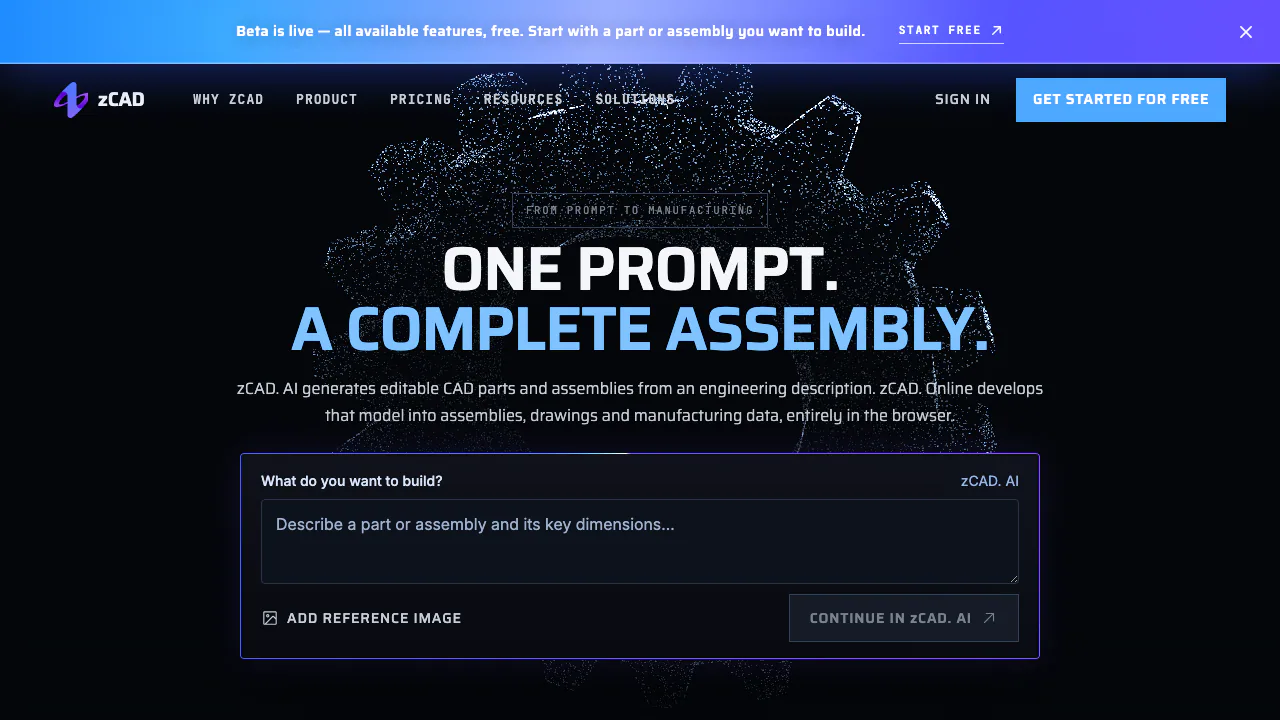
zCAD is an AI CAD generator for mechanical parts and assemblies. Describe a bracket, enclosure or mounting plate, including the dimensions that matter, and zCAD. AI creates solid geometry you can inspect and develop. You can also add a reference image. The result is a CAD starting point with editable design information, rather than merely a picture of a proposed object.
The platform has two connected products. zCAD. AI generates the model; zCAD. Online provides browser-based parametric modeling, drawings and project collaboration. They share an account, model data and AI credits. The operator is Singapore-based ZIXEL TECHNOLOGIES PTE. LTD.
From an engineering description to a checked model
A useful brief specifies function, dimensions, mounting interfaces and geometry that must remain unchanged. This suits hardware makers working around an existing hole pattern, engineers developing fixtures, and teams preparing an initial mechanical prototype.
- Start with a small part whose dimensions you already know. The official bracket example uses a 60 mm upright, a 50 mm base, 5 mm thickness and one 6 mm through-hole in each leg.
- Enter the description in zCAD. AI and optionally add a reference image. Describe important relationships as well as the overall appearance.
- Generate the part or assembly, inspect the result and refine the prompt where necessary.
- Measure critical dimensions, mating faces and clearances. Check how the components fit before continuing.
- Open the native model in Online for further work, or export a file suitable for the next CAD operation.
A reference image helps communicate shape; the engineering description still needs explicit dimensions. For a complex assembly, the official guidance is to establish the main structure and verify details in stages. Check tolerances, materials, loads and process requirements before manufacturing.
Continue with parametric modeling and engineering drawings
Online offers constrained sketches, feature history, solid operations, multi-level assemblies and associative drawing views. Depending on the plan, sheet-metal development, weldments, BOMs and interference inspection help turn an initial shape into a documented design.
A native AI-to-Online handoff avoids an export-and-import cycle. Standard adds a team workspace and full version history, useful when a reviewer or supplier needs a particular revision. Module availability matters: advanced Online Pro capabilities are listed as coming soon, so the general capability catalogue should not be read as a promise that every tool is available in every plan.
STEP export and existing CAD files
Every AI plan supports the available export formats, including STEP. STEP is useful for moving solid geometry into compatible CAD software, but it generally does not preserve the original feature history or assembly constraints. Keep the native model when continuing the original design context matters.
Online also lists imports from SolidWorks, CATIA V5, NX, Inventor and Solid Edge, alongside STEP, IGES and Parasolid exchange. Test a representative file, check units, solids and assembly structure, make one edit and verify the export before migrating a project. Drawing output includes PDF, PNG or DXF.
Free credits, paid plans and the version you last saved
Checked on October 25, 2026, the public USD monthly AI offers are Free with 200 credits per month plus a one-time 600-credit Beta gift; Plus at $49.99 with 1,650 monthly credits; and Pro at $89.99 with 3,000 monthly credits and Online Standard permissions. Monthly credits reset. The Beta gift remains until used. Credits are an allowance, not a guaranteed number of completed models.
Online Personal is a single-seat, non-commercial plan. It includes the available modeling tools and all export formats during Beta, with Beta-marked exports; advanced Online Pro modules are excluded. After Beta, Personal retains a reduced feature set and STL, 3MF and OBJ export. Online Standard's listed Beta price is $58.90 per user monthly, or $589 per user annually with different included-credit terms. Taxes and checkout conditions should be checked in the current official plans.
Commercial and export rights follow the product where that version was last saved. AI Plus permits commercial use of AI-generated versions, but does not include Online Standard. Saving edits in Online brings that version under Online permissions. Pro includes Standard; private storage alone does not grant additional commercial rights.
Public models and private design data
Free content is public by default and may be indexed or copied. Public models may be used for AI training; the privacy policy describes a prospective opt-out. An active paid subscription enables private models across both products. Private content and associated inputs are not used to train general AI models without explicit consent.
Check the privacy setting before uploading confidential geometry. The service may involve third-party AI providers, so it should not be treated as local-only processing. Read the data and public-library policy for the complete conditions.
Frequently asked questions
What does zCAD generate?
Editable B-rep CAD parts and assemblies, with support for reference images and assembly mates. The output still needs engineering review before real-world use.
Is zCAD free?
There is a free allowance and a public, non-commercial starting workflow. Current AI Free limits are 200 monthly credits plus the one-time Beta gift; future Beta changes and export rights depend on the product and plan.
Does STEP keep the feature tree?
Generally no. It transfers solid geometry without the original feature history or assembly constraints. Continue the native model in Online when that context is needed.
Are free models private?
No. Free models are public by default. A paid subscription and the appropriate private-content setting are needed for confidential work.
Official help and support
- 3D CAD Help Center: modeling guidance and product documentation.
- Contact zCAD: account support, technical questions and Business or Enterprise enquiries.
Related tools
AI 3D & Spatial Design Tools →
KreaFreemium
Generate, edit and enhance images, video and 3D assets across many AI models
Tripo AIFreemium
Create, texture, rig, and export 3D models from text or images.
FloorGenFree
Generate and refine measured floor plans, furnish rooms and explore the same design in 3D.
MeshyFreemium
Generate editable 3D assets from text or images in minutes.
ArchOne AIFreemium
All-in-one AI spatial design visualization platform for architecture, interiors, and landscapes