

VEEDFreemium
Generate, edit, subtitle and localize videos with AI in a browser-based workspace.
CapCut AI Video Editor: Features, Plans & Limits
Create and edit social videos with AI captions, avatars, voices, templates, and generators.
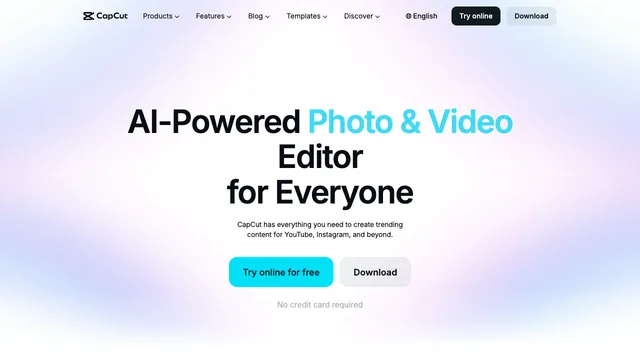
CapCut AI video editor for fast social production
CapCut is a cross-platform AI video editor for creating and polishing short-form videos, marketing clips, tutorials, and everyday social content. It combines a conventional timeline with templates, captions, effects, audio tools, stock assets, and generative AI. Projects can be edited in a browser, desktop app, or mobile app, although features and asset libraries vary by platform, account, app version, and region.
The main advantage is breadth. You can trim clips manually, build a multi-layer edit, or ask AI to produce a first draft from a topic or script. CapCut's AI video editor can help develop a script, select scenes, add a voiceover, place an avatar, synchronize captions, and add music before opening the result for further editing.
What can CapCut do with AI?
Automate repetitive editing work
CapCut includes auto captions, transcript and speech tools, background removal, automatic reframing, noise reduction, smart media search, and tools for removing filler words or pauses. Desktop users also get familiar timeline controls such as keyframes, curves, color tools, filters, transitions, and aspect-ratio presets. The desktop AI overview shows how script-to-video, AI writing, smart search, auto reframe, cutout, captions, and text-to-speech fit into the editor.
Generate video drafts and visual assets
Script-to-video can turn an idea into a draft with scenes, narration, captions, and music. CapCut also promotes text-to-video, image-to-video, AI image creation, and model-powered visual effects. These tools are useful for missing B-roll or rapid concepting, but generation is usually credit-based and the available models can differ by region.
Create avatar and voiceover videos
The AI avatar generator lets you choose a preset presenter, animate a photo, enter a script or upload audio, and continue editing the result with captions and effects. CapCut also offers custom avatar workflows based on a user's own video. Its AI text-to-speech tool provides multiple languages, voices, and voice controls, while some premium voices and cloning tools require paid access or credits.
CapCut: What is free, and what requires payment?
CapCut follows a freemium model. Core cutting, trimming, filters, transitions, captions, and a selection of templates and AI tools can be used without a subscription. A manual project made with free materials can usually be exported without a watermark. However, some templates add a branded ending, and premium assets or effects can introduce an export restriction. CapCut's watermark guide recommends removing the ending clip, replacing premium elements, or upgrading when necessary.
Free access to compute-heavy AI features is not a fixed allowance. CapCut says some beta features may offer roughly ten free uses while others allow only two or three, with limits changing as testing and compute costs change. Treat every Generate or Apply dialog as the current source of truth.
CapCut offers Standard and Pro subscriptions, normally with monthly and annual billing. The company does not publish one universal price: its pricing help page says the amount varies by region, platform, device, account, taxes, and promotions, and must be checked after signing in. An updated Pro plan includes a monthly AI credit allocation and more cloud storage, while Standard targets lighter editing needs. Eligible new users in supported regions may see a seven-day Pro trial, which renews automatically unless canceled.
AI credits are separate from the subscription itself. They pay for individual actions such as AI generation, script-to-video, portraits, premium voiceovers, or advanced cutout. CapCut's credit guide currently values one credit at US$0.01, but each tool can consume a different amount. A Pro subscription can include credits without making all AI generation unlimited.
Can CapCut content be used commercially?
Commercial use depends on every asset in the project, not simply on whether CapCut or CapCut Pro was used. Under the CapCut Materials License Agreement, some platform materials are personal/non-commercial only, while assets explicitly marked “Commercial Use” or “Dual Use” receive a limited commercial license. License terms can vary by territory, duration, and exported project.
If a project mixes a commercial-use asset with a non-commercial asset, the resulting content is limited to non-commercial use. Music has separate rules, and some Commercial Sounds may only be shared commercially on CapCut, TikTok, and TikTok for Business. For client work or advertising, filter for commercial-use assets, record the applicable license, and verify every template, font, clip, effect, sticker, and track before publishing.
CapCut: Important limitations to consider
- Web, desktop, and mobile do not have identical features. Community templates are strongest on mobile, while web and desktop template support is more limited.
- Pricing, AI models, free attempts, credits, and Pro benefits can differ between accounts and regions.
- Generated drafts still need human review for timing, captions, brand accuracy, rights, and visual continuity.
- A watermark-free manual export does not mean every included asset is licensed for commercial use.
- Credit-based AI tools can add usage costs after a subscription has already been purchased.
- CapCut's international service and the mainland Chinese Jianying product are related but should not be treated as identical products; regional libraries and feature access can differ.
CapCut: Frequently asked questions
Is CapCut a free AI video editor?
Yes. CapCut provides free core editing and selected AI tools on web, desktop, and mobile. Premium templates, advanced features, some AI voices, generative actions, cloud storage, and commercial-use assets can require Standard, Pro, or additional credits.
Can CapCut export without a watermark?
Usually, yes, when you create a manual project with your own media and free assets. Some templates include a CapCut ending or branded element, and some premium assets can affect export. Preview the full timeline and replace restricted elements before exporting.
How much does CapCut Pro cost?
There is no single public global price. Log in and open Upgrade or Join CapCut Pro to see the price for your account, platform, region, taxes, and current promotion. Comparing an old blog price with the checkout page may give the wrong answer.
What are CapCut AI credits?
Credits are a usage currency for specific AI operations. The required amount appears before a paid AI action. Subscription credits, promotional credits, and purchased credits can have different expiry rules, so check the balance and deduction notice before generating.
Can I use CapCut templates, music, and effects commercially?
Only when every included material carries the appropriate commercial-use license and your use fits its territory, term, and permitted channels. An ordinary or Pro subscription does not convert every asset into a commercial asset.
Does CapCut include AI avatars and AI voices?
Yes. CapCut offers preset and photo-based avatars, script- or audio-driven presenter videos, text-to-speech voices, and some custom avatar or voice workflows. Availability and credit requirements vary, so verify the exact tool in your account before planning a repeatable production process.
Is CapCut the same as Jianying?
They are related products from the same ecosystem, but CapCut is the international service and Jianying serves the mainland Chinese market. Templates, music, AI models, pricing, login methods, moderation, and feature release schedules can differ, so instructions for one version may not work in the other.
Related tools
AI Image & Video Generators →
DescriptFreemium
Edit video and podcasts as easily as a document
SynthesiaFreemium
Turn scripts, documents and presentations into multilingual videos with AI presenters and voices.
HeyGenFreemium
Create avatar-led videos, cloned voices, and multilingual translations from a script.
RenderFlow AIFreemium
Create images, videos, avatars, and voice with multiple AI models in one workspace.
FavorePaid
Create an image, refine it, then turn it into motion in one workspace.